SETUP GUIDE
How to Set Up Mindova
Install the Mindova browser extension, add distracting websites, and start your first focus session in minutes.
Free plan available. No paid subscription required to get started • Chrome, Edge, Brave, Opera and Vivaldi
Step 1: Install Mindova
- Visit the Mindova page on the Chrome Web Store.
- Click “Add to Chrome.”
- Confirm by clicking “Add extension.”
Mindova installs from the Chrome Web Store and works in any supported Chromium browser.
Step 2: Sign in to Mindova
- Open Mindova from your browser toolbar.
- Continue with Google or log in with your email.
- Create an account if you do not already have one.
Sign in or create an account to start using Mindova Free. Upgrade to Pro if you need more features.

Welcome Back
Sign in to continue
Don't have an account? Sign up
Get Full Experience
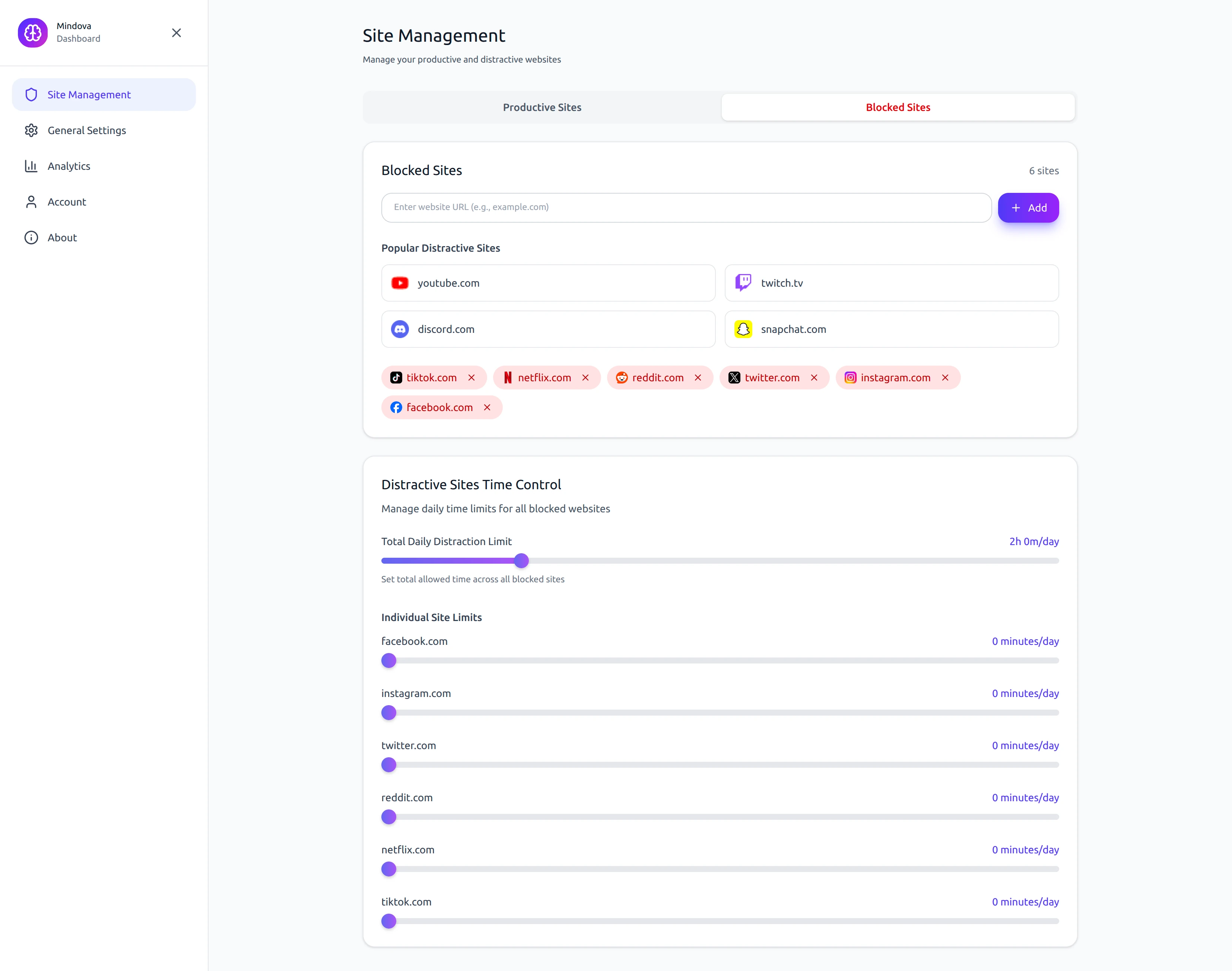
Step 3: Add websites and set time limits
- Open Settings or Site Management.
- Add the websites you want to block.
- Set a total daily distraction limit.
- Set a separate daily limit for individual websites if needed.
Common examples: youtube.com, reddit.com, instagram.com.
Step 4: Start a focus session
- Open the Focus tab.
- Choose your focus session duration.
- Click “Start.”
- Mindova will help you stay away from distracting websites during the session.
Focus Session
25:00
Skip to Break
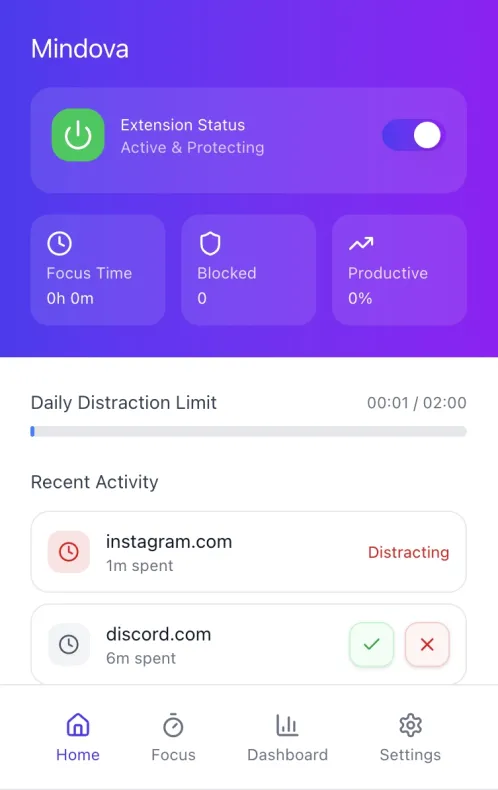
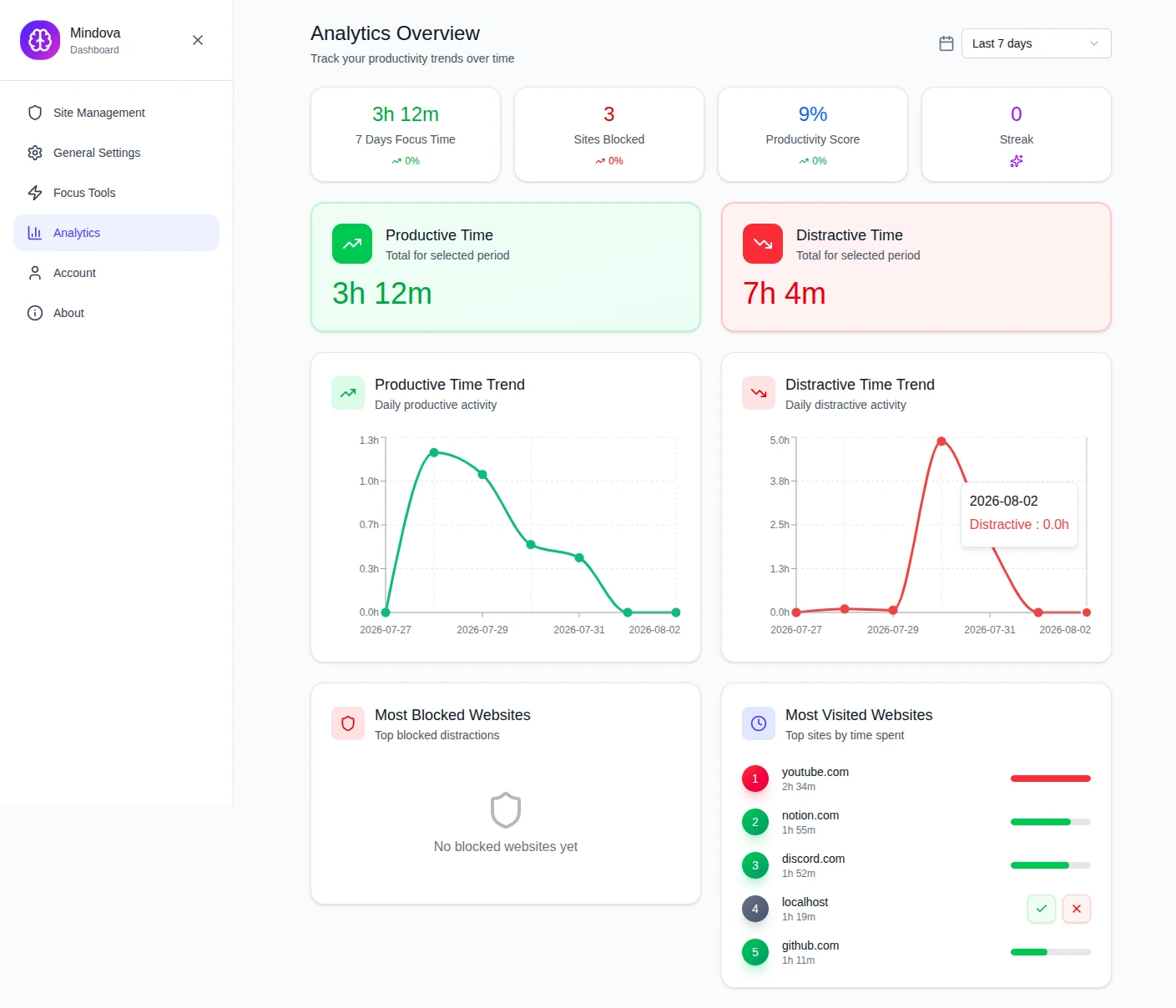
Step 5: Review your progress
Open the Dashboard or Analytics page to review your focus time, productive time, distracting time, blocked websites, and most visited websites.
Works with Chromium-based browsers
- Google Chrome
- Microsoft Edge
- Brave
- Opera
- Vivaldi
 Google Chrome
 Microsoft Edge
 Brave
Brave Opera
Opera Vivaldi
Need help?
Visit the Help Center or contact us if you have trouble installing or using Mindova.