App Blocker for Distracting Apps
Written by Mouhsine
Admin
Published October 2, 2026 · Updated October 5, 2026
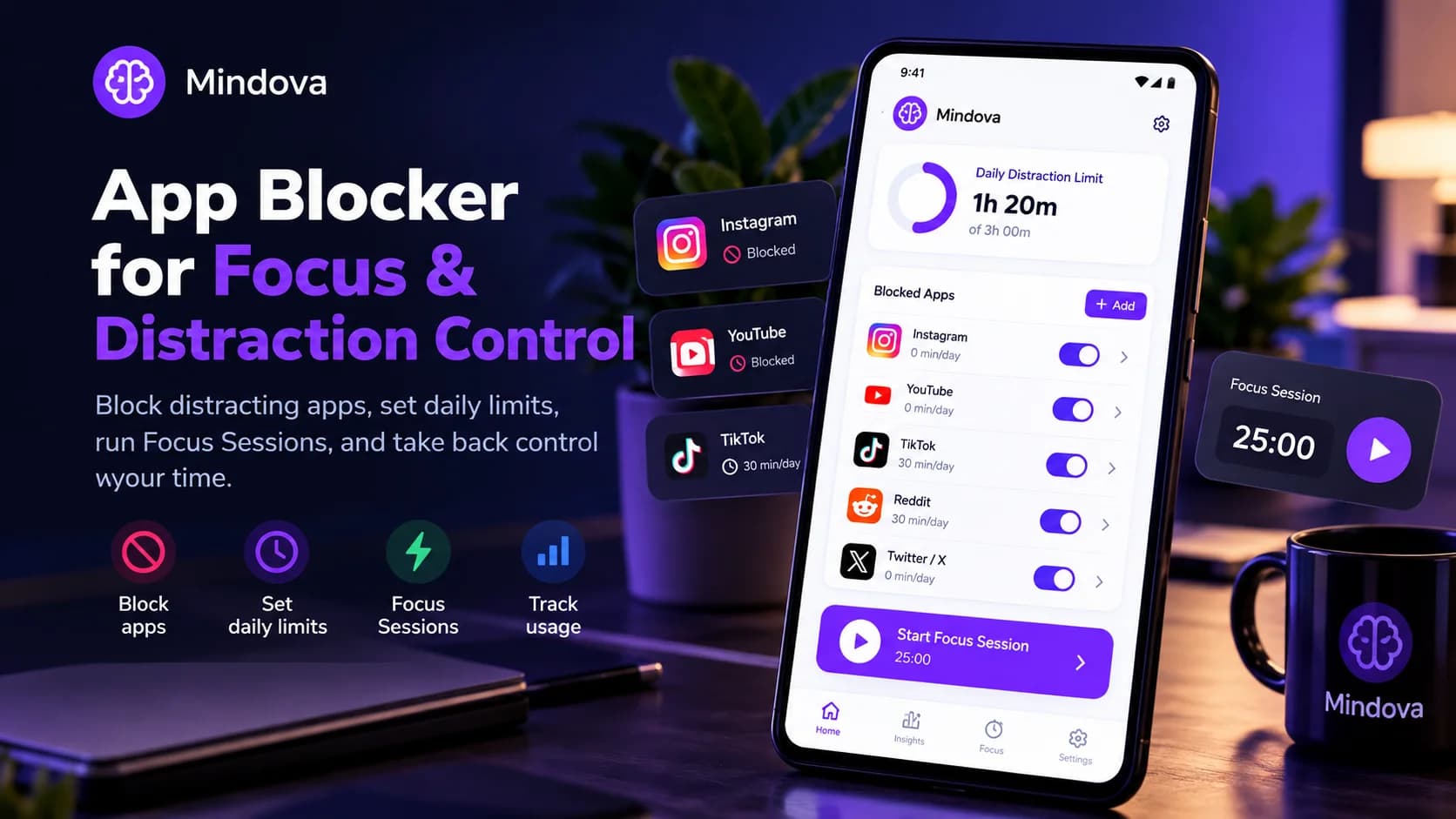
Your phone does not need to be distraction-free. It needs to work the way you intended. Mindova helps you block distracting Android apps, set individual daily limits, protect focused work with Focus Sessions, and see how your attention is divided between your phone and desktop.
Instead of treating every app the same, you decide which apps are distracting, which ones are productive, and how much access makes sense for you.
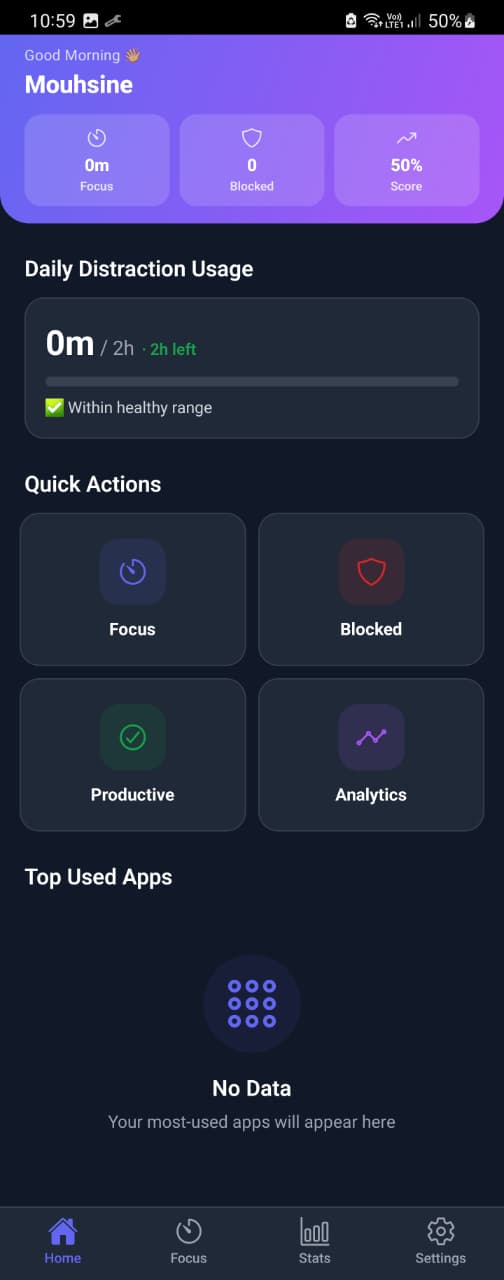
Mindova is available on Android and also works as a browser extension on supported Chromium-based desktop browsers.
Block the Apps That Keep Pulling You Back
Some apps are useful when you open them intentionally, but they become a problem when checking them turns into a habit. Instagram becomes another scroll, Reddit becomes another thread, and YouTube becomes another video long after you finished what you originally opened it for.
Mindova lets you choose the Android apps you want to control and classify them as distracting. You can browse the apps installed on your phone, select the ones that regularly interrupt your work or study time, and manage them from one place.
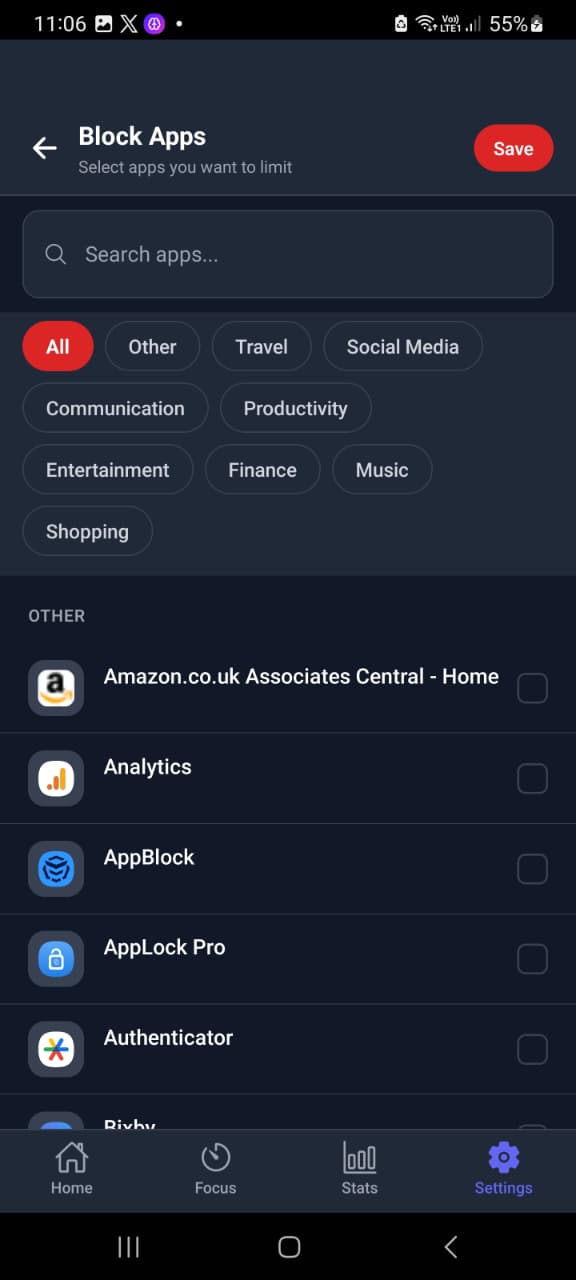
The important part is that you choose the list yourself. An app that distracts one person may be essential for somebody else's work.
Learn more about Mindova for Android
Block an App or Give It a Daily Limit
Blocking every distracting app for the entire day is not always practical. You may still need YouTube for tutorials, WhatsApp for work, or Instagram for a specific task, while wanting to prevent those apps from taking over the rest of your day.
Mindova lets you assign individual daily limits to distracting apps. This gives you a middle ground between unlimited access and removing the app completely.
For example, you can give one app a short daily allowance while allowing more time for another app that still has a useful role in your work or studies. Once the available time has been used, Mindova interrupts access instead of letting the session continue automatically.
We Tested the Blocking Workflow With Instagram
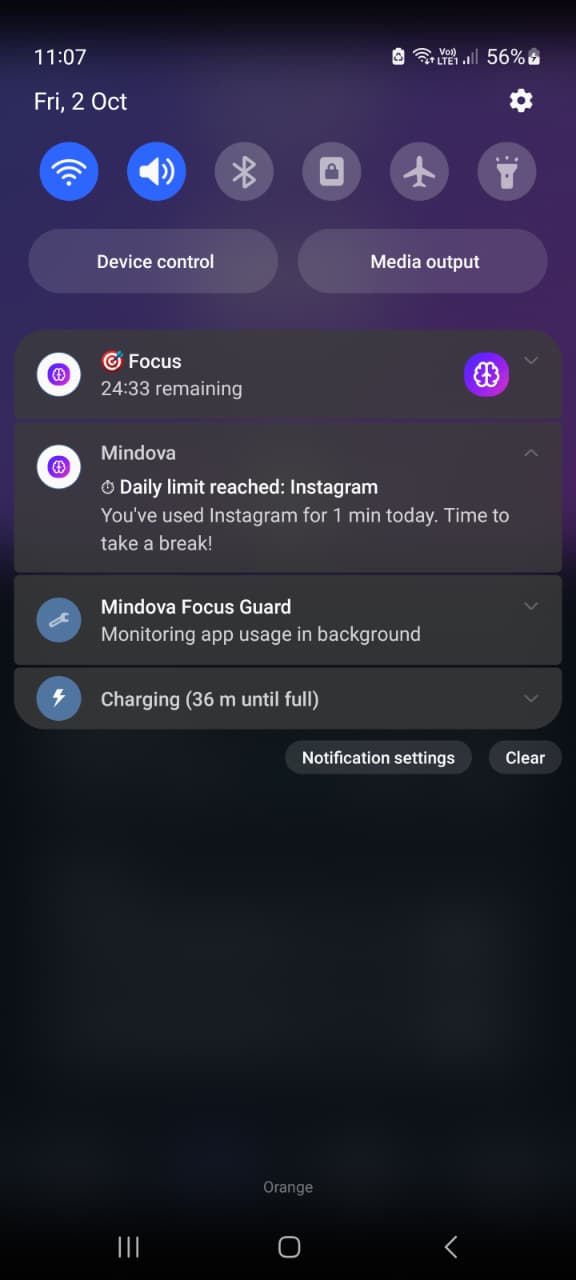
During our Android testing, we selected Instagram as a distracting app and assigned it a daily limit. After the available time was used, Mindova prevented normal access to Instagram.
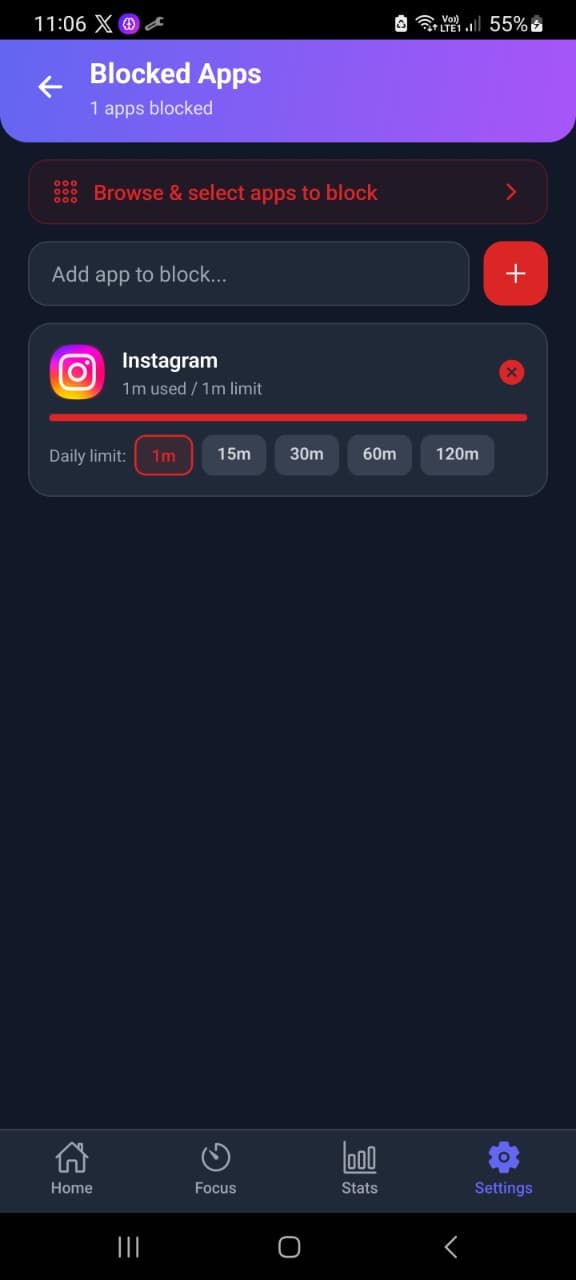
The blocking screen itself was protected from screenshots on our test device, so we are not recreating or simulating it here. The screenshots used on this page come from the real Mindova Android interface used during testing.
Set One Daily Budget for All Your Distractions
Individual limits are useful when you want to control one specific app, but distraction often moves from one app to another. Spending less time on Instagram does not help much if the saved time immediately moves to Reddit, X, TikTok, or YouTube.
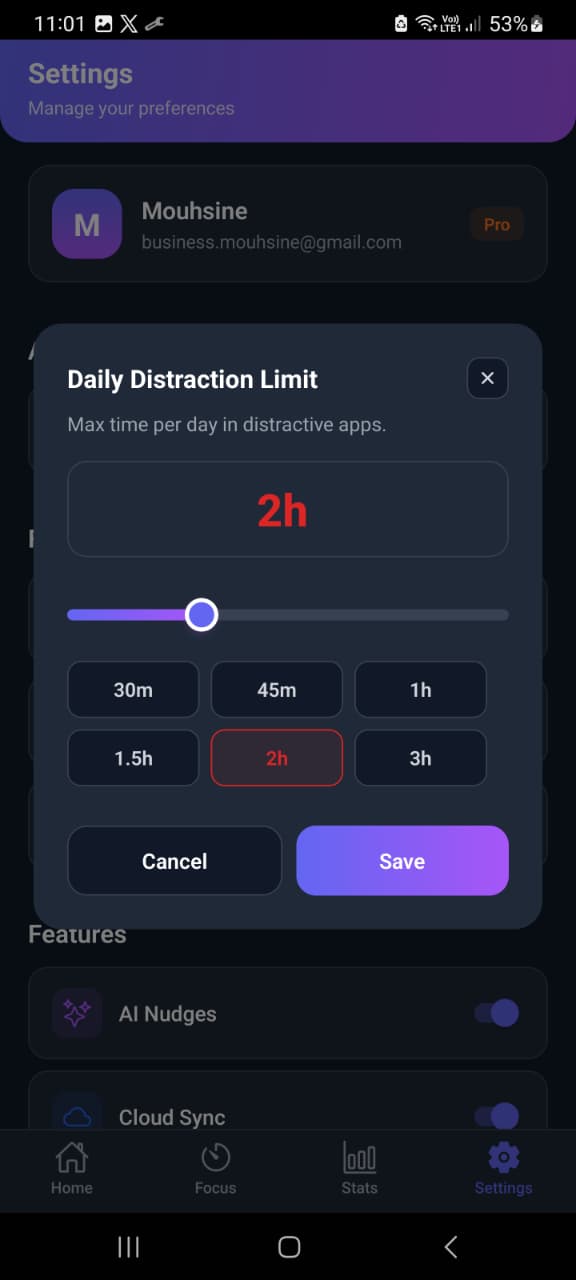
Mindova also includes a Daily Distraction Limit that applies across the apps you have classified as distracting. This gives you an overall daily budget in addition to the limits you set for individual apps.
You can use both controls together: one limit for a specific app and another boundary for distracting app use as a whole. The goal is to reduce the total time lost to distraction, not simply move that time from one app to another.
Keep Productive Apps Available
Not every app you use frequently should be blocked. A messaging app may be essential for work, YouTube may be needed for a course, and ChatGPT may be part of your daily workflow.
Mindova lets you classify Productive Apps separately from distracting apps. This makes the system more flexible because it reflects how you actually use your phone instead of assuming that the same apps are distracting for everyone.
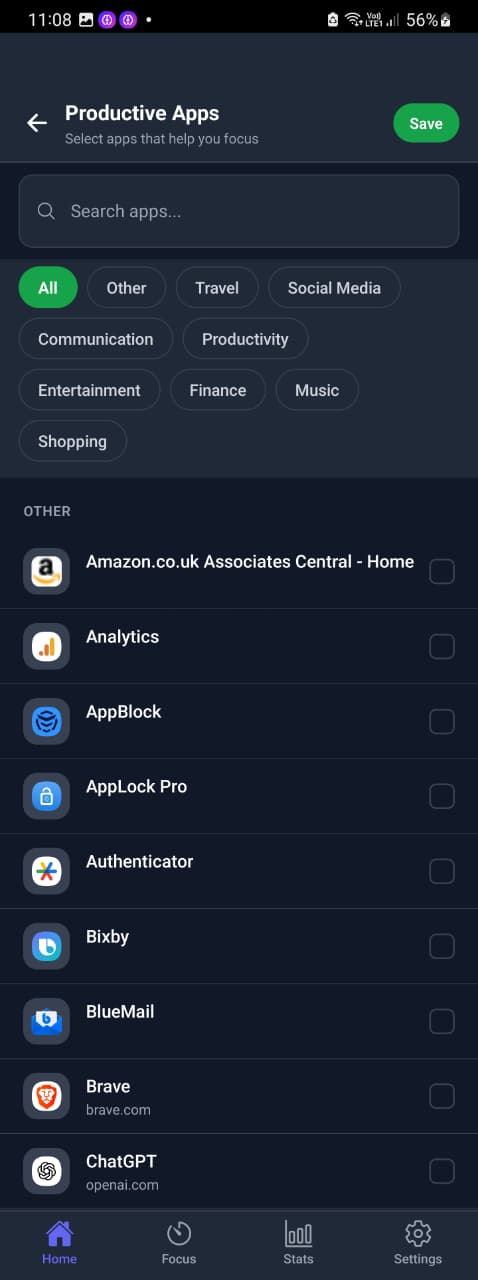
The classification is yours to control. If an app helps you complete the task in front of you, you can keep it in the productive group rather than treating it as something that needs to be restricted.
Protect Focused Work With Focus Sessions
Daily limits manage how much distraction you allow across the day. Focus Sessions solve a different problem: protecting a specific period when you want to work without repeatedly switching attention.
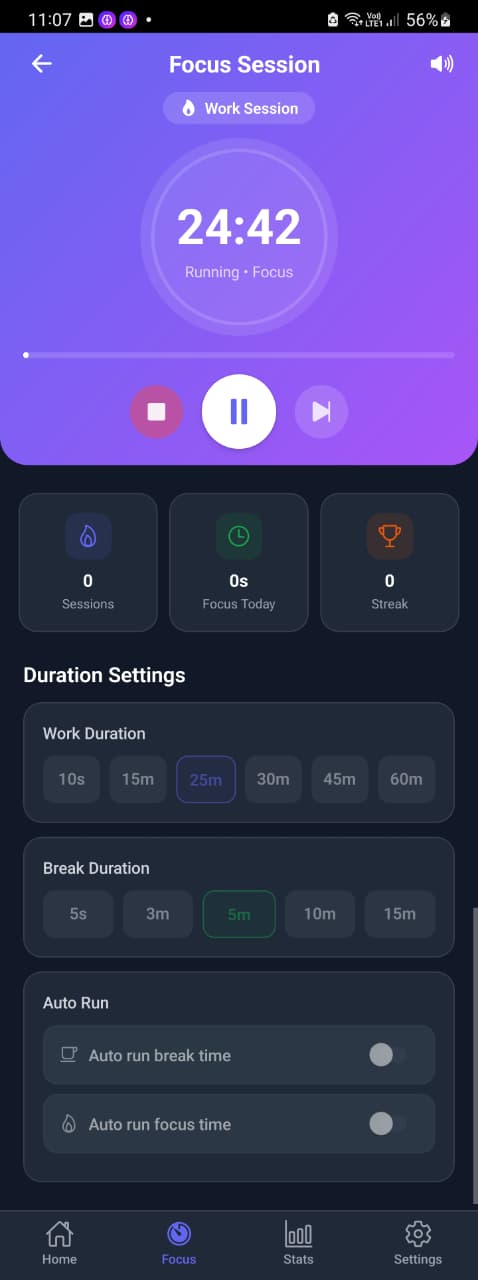
Mindova includes a focus timer with configurable work and break durations. You can start a session before studying, writing, coding, reading, or working on another task that requires uninterrupted attention.
Instead of deciding every few minutes whether to check another app, you define the focused period first and let the session provide a clearer boundary between work time and distraction time.
See Where Your Screen Time Actually Goes
Setting limits is more useful when you can see whether they are changing your behavior. Mindova includes usage statistics that separate activity into categories such as Focus, Productive, and Distractive time.
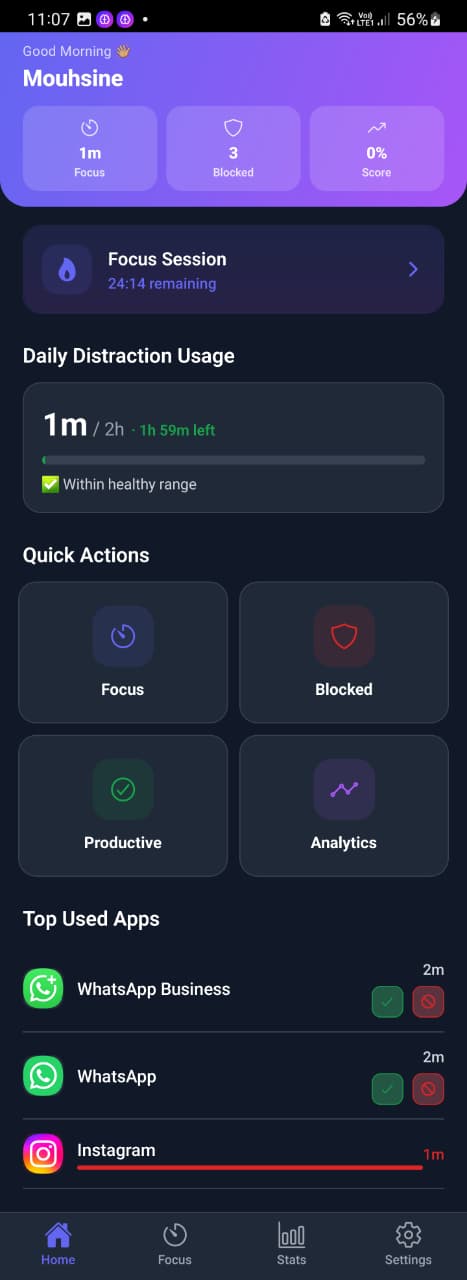
You can also review your most distracting apps and look at activity over different time periods. This helps you see whether one app is still taking more time than expected or whether your attention is simply moving to another distraction.
Instead of choosing limits once and forgetting about them, you can adjust your setup based on what your actual usage shows.
See Mobile and Desktop Distractions Together
Distractions do not always stay on one device. You can limit Instagram on your phone and then open it in your browser, or stop checking Reddit on mobile only to continue scrolling on desktop.
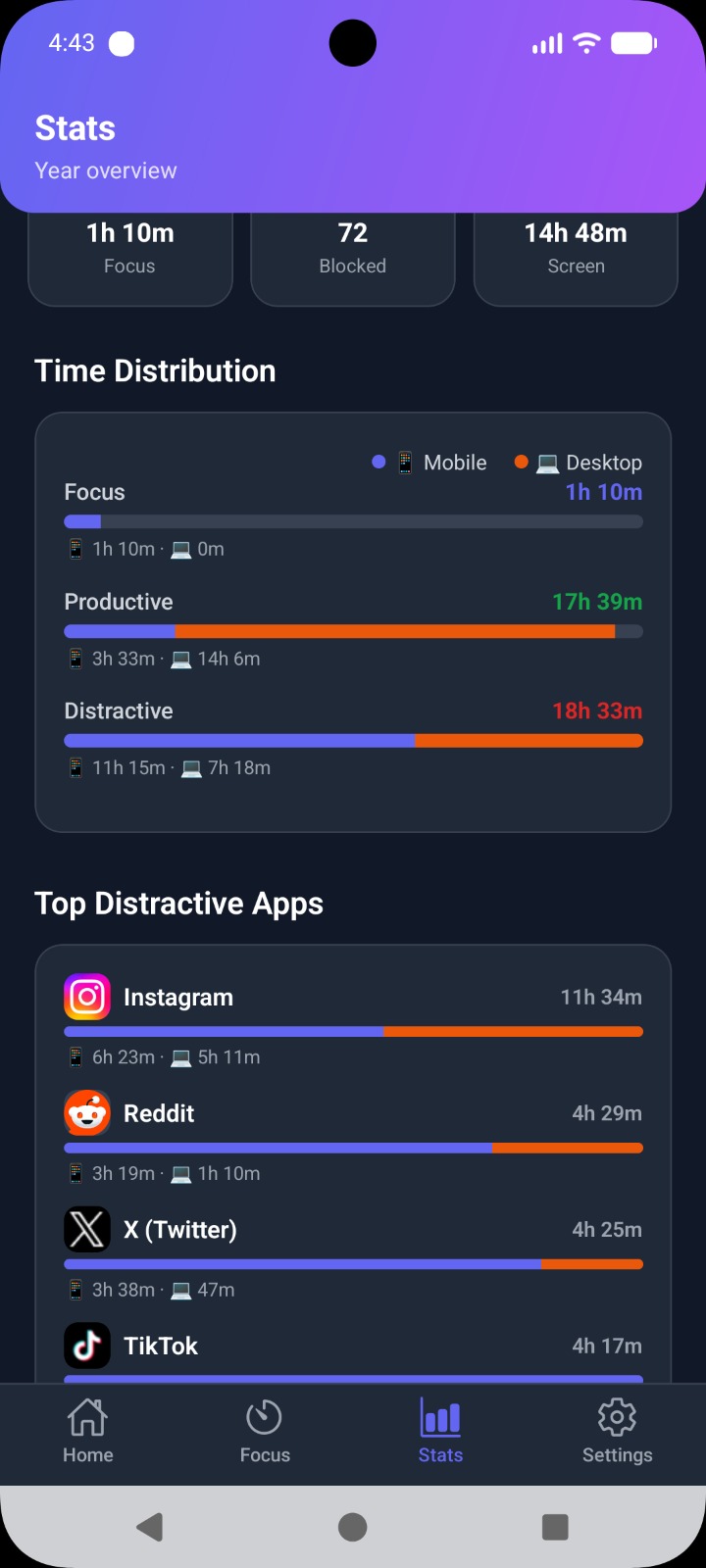
Mindova's mobile and browser experience can bring supported activity into the same account experience. In the Stats view, mobile and desktop usage can be shown separately so you can see where your attention was actually spent.
This gives you a broader picture than looking at phone screen time alone. When a distraction follows you between devices, you can identify that pattern instead of treating your mobile and desktop habits as two unrelated problems.
Use AI Nudges as an Optional Focus Reminder
Mindova also includes optional AI Nudges that are designed to add reminders around distracting behavior. The feature can be enabled or disabled from the app settings, so it remains part of the focus system only when you want to use it.
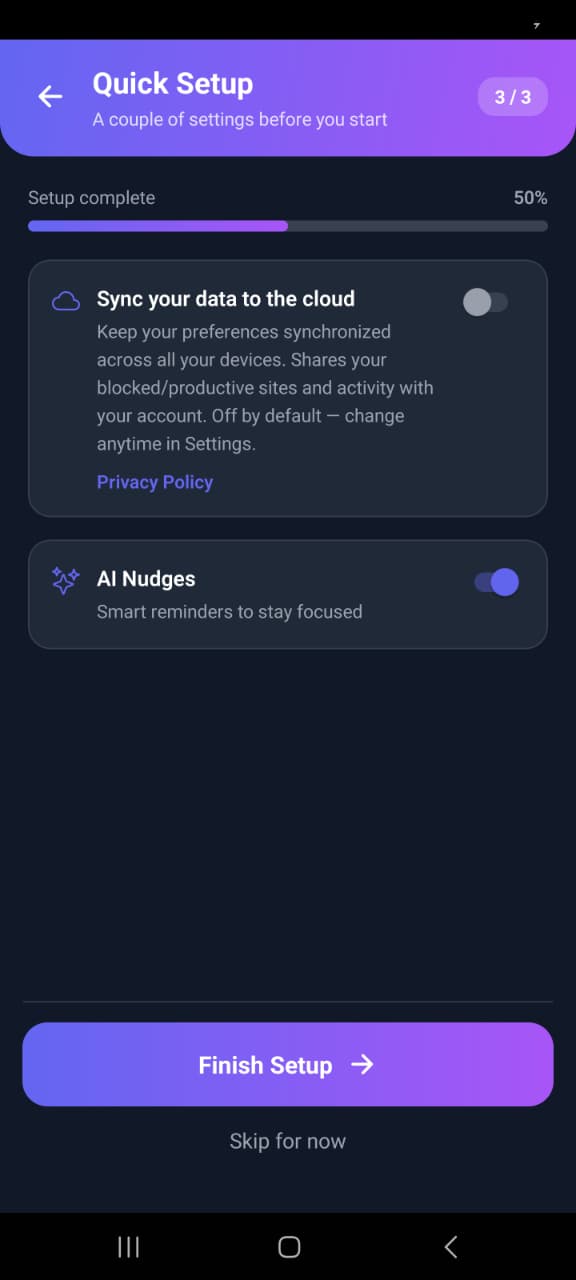
AI Nudges do not replace app limits or Focus Sessions. Limits define the boundary, Focus Sessions protect important periods, and nudges provide an additional reminder that can help make an attention shift more intentional.
Mindova does not describe this feature as reading your private conversations or knowing your mental state. It is a focus aid, not a claim that the app knows what you are thinking.
Mindova vs Android's Built-In Digital Wellbeing Tools
Android already includes Digital Wellbeing features on supported devices, including tools for managing app usage and focused periods. For some people, those built-in controls are enough.
If all you need is a simple timer for one app, it makes sense to try the tools already available on your phone first. Mindova is designed for people who want a broader workflow built around distracting and productive app classification, individual limits, an overall distraction budget, Focus Sessions, usage insights, mobile and desktop activity, and optional nudges.
You do not need a third-party blocker simply because one exists. The useful choice is the one that matches the distraction problem you are actually trying to solve.
Read our guide to blocking apps on Android
App Blocking Is Not the Same as App Locking for Privacy
An app blocker and a privacy app lock solve different problems. A privacy lock is usually designed to prevent another person from opening an application, often using a password, PIN, fingerprint, or another security control.
An app blocker for focus is about your own usage. The question is not who can open the app, but whether you want to open it right now or whether you have already used the amount of time you intended to give it.
Mindova is designed around distraction and attention management. It is not being presented as a biometric privacy vault, antivirus tool, parental surveillance platform, or phone-security product.
How Strict Is Mindova's App Blocking?
Mindova can interrupt access to selected Android apps when the restriction you configured has been reached. We confirmed this behavior during our Android testing.
We do not describe Mindova as an irreversible or impossible-to-bypass hard lock. Its current approach is built around deliberate limits, Focus Sessions, usage awareness, and creating friction before an automatic distraction continues.
If your main requirement is a blocker specifically designed to make restrictions extremely difficult to change or remove, compare that requirement carefully before choosing any app blocker.
What Mindova Does Not Claim to Do
Mindova is focused on attention management, so it should not be confused with every type of blocking or device-control software.
The current Android experience is not being presented as:
- an antivirus or malware blocker;
- a call or SMS spam blocker;
- a parental surveillance platform;
- a biometric privacy vault;
- a tool that removes only Instagram Reels or YouTube Shorts;
- an irreversible system-wide Locked Mode;
- an iPhone app.
The current mobile product covered on this page is Android. iPhone support should only be treated as available after the iOS version is publicly released.
Android Permissions and Privacy
App blocking and usage insights require Android permissions that a normal website does not need. Before enabling Mindova, review the permissions requested by the installed version and make sure you understand why they are needed.
Mindova's privacy documentation should explain how account data, usage information, and synchronization are handled. You should only enable the permissions you are comfortable using for the focus features you want.
Read the Mindova Privacy Policy
Frequently Asked Questions
What is an app blocker?
An app blocker is a tool that restricts or limits access to selected applications. People commonly use app blockers to reduce social media use, protect work or study periods, and make distracting apps less automatic to open.
Can Mindova block Android apps?
Yes. Mindova's Android app can restrict selected native Android apps according to the controls you configure. During our testing, we confirmed the blocking workflow with Instagram.
Can I set a daily time limit for an app?
Yes. Mindova supports individual daily limits for distracting apps, allowing you to keep an app available for part of the day instead of blocking it for the entire day.
Can I limit all distracting apps together?
Yes. Mindova also includes a Daily Distraction Limit for distracting app activity as a whole. This is separate from the individual limit assigned to a specific app.
Can Mindova block Instagram?
Yes. We tested Instagram with the Android version of Mindova and confirmed that the configured restriction prevented normal access after the available time was used.
Learn how to block the Instagram app on Android
Can Mindova block social media apps?
Mindova lets you select installed apps and classify the ones you want to control as distracting. This can include social media apps as long as they are supported by the Android blocking workflow.
Learn more about social media blocking
Does Mindova track screen time?
Mindova's Stats section can show app-usage information and separate activity into Focus, Productive, and Distractive categories. It also provides views across different time periods so you can review how your usage changes.
Learn more about screen time and app limits
Does Mindova work on desktop?
Yes. Mindova also works as a browser extension on supported Chromium-based desktop browsers. Mobile and desktop activity can be shown separately inside the Mindova experience.
Does Mindova work on iPhone?
Not yet. The current mobile product covered on this page is Android, and the iPhone version should not be treated as available until it is publicly released.
Does Mindova have a hard Locked Mode?
We are not presenting the current Mindova Android experience as an irreversible hard-lock system. Its focus is app blocking, daily limits, Focus Sessions, usage awareness, and helping make distracting behavior more deliberate.
Can Mindova block only Instagram Reels or YouTube Shorts?
Not with the general app-blocking workflow described on this page. Mindova controls access to the selected app rather than removing only one feed or feature inside that app.
Make Distracting Apps a Choice Again
You do not need to delete every app that sometimes distracts you, and you do not need to treat your phone as the problem. What matters is deciding which apps deserve your attention and how much time you actually want to give them.
Mindova lets you choose distracting apps, assign realistic limits, protect focused periods, keep productive apps available, and review where your time went afterward. When a distraction reaches the boundary you set, continuing is no longer the automatic next step.
Mouhsine
Admin
Passionate about helping people achieve peak mental performance through evidence-based strategies and mindful technology use.
Comments
Be the first to comment.
Ready to protect your focus?
Block distracting sites, set daily limits, and run focus sessions. Mindova is free.