7 Best Chrome Extensions for Focus and Productivity in 2026
Written by Mouhsine
Admin
Published August 18, 2026 · Updated October 12, 2026
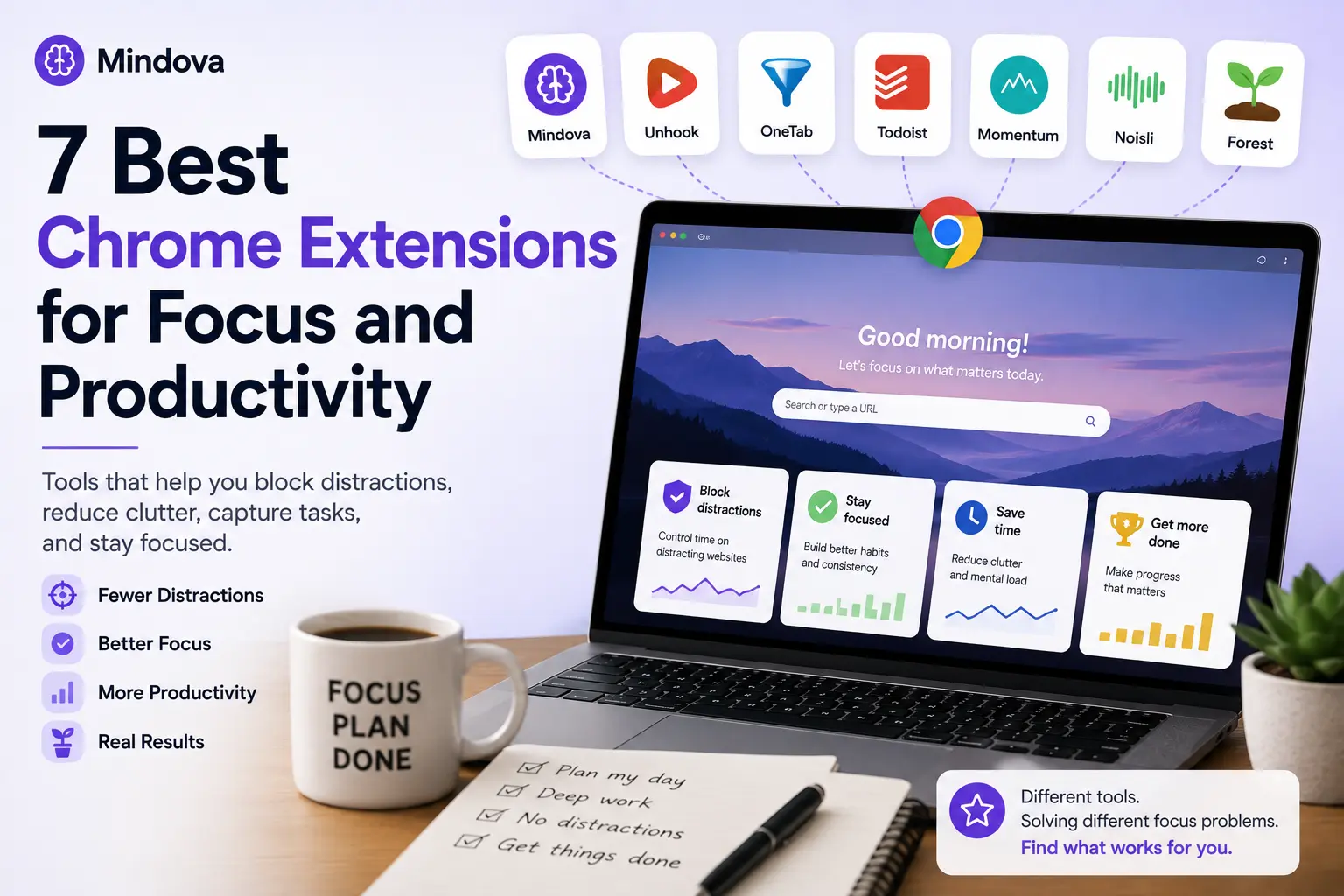
Chrome can be both your workspace and your biggest source of distraction.
The same browser can hold your documents, research, email, project tools, YouTube, Reddit, social media, and dozens of tabs competing for attention.
A productivity extension can help, but installing twenty of them usually creates another problem.
A better approach is to identify what is actually breaking your focus and choose one tool that addresses that problem.
If you're looking for the best Chrome extension for focus, the right choice depends on which browser habit is costing you the most attention.
For this guide, we selected seven extensions with different jobs:
- Mindova — distracting websites and daily limits
- Unhook — distracting parts of YouTube
- OneTab — tab overload
- Todoist — capturing tasks while browsing
- Momentum — a more intentional new-tab page
- Clockify — tracking where your work time goes
- Forest — gamified focus sessions
There is no universal winner. The best extension depends on what keeps pulling you away from your work.
How we researched this guide: Mindova is our own product, so we tested its current browser extension directly. For the other extensions, we verified functionality using official websites and Chrome Web Store listings, with key listing details rechecked in September 2026. We did not hands-on test those products unless explicitly stated.
Using Microsoft Edge, Brave, Opera, or Vivaldi? This guide focuses on Chrome because that is how people commonly search for browser extensions. Mindova also supports these Chromium-based desktop browsers. Compatibility for the other extensions can vary, so check each extension's official listing before installing.
Best Chrome Extensions for Focus: Quick Picks
| Extension | Best for |
|---|---|
| Mindova | Controlling distracting websites and daily browsing limits |
| Unhook | Removing distracting parts of YouTube |
| OneTab | Reducing tab clutter |
| Todoist | Capturing tasks without leaving the browser |
| Momentum | Creating a calmer new-tab experience |
| Clockify | Tracking time spent on work and projects |
| Forest | Gamifying focused work sessions |
How we chose these Chrome extensions
We deliberately avoided creating another list of thirty unrelated productivity tools.
Each extension here solves a different attention problem.
We looked for tools that can help when you:
- repeatedly open distracting websites;
- get pulled into YouTube recommendations;
- keep too many tabs open;
- forget tasks while browsing;
- turn every new tab into another detour;
- do not know where your working hours are going; or
- have trouble staying committed to a focus period.
That means you probably do not need all seven.
Start with the problem costing you the most attention.
Mindova — best for controlling distracting websites
If your focus breaks because you repeatedly open the same websites, a website blocker is a logical place to start.
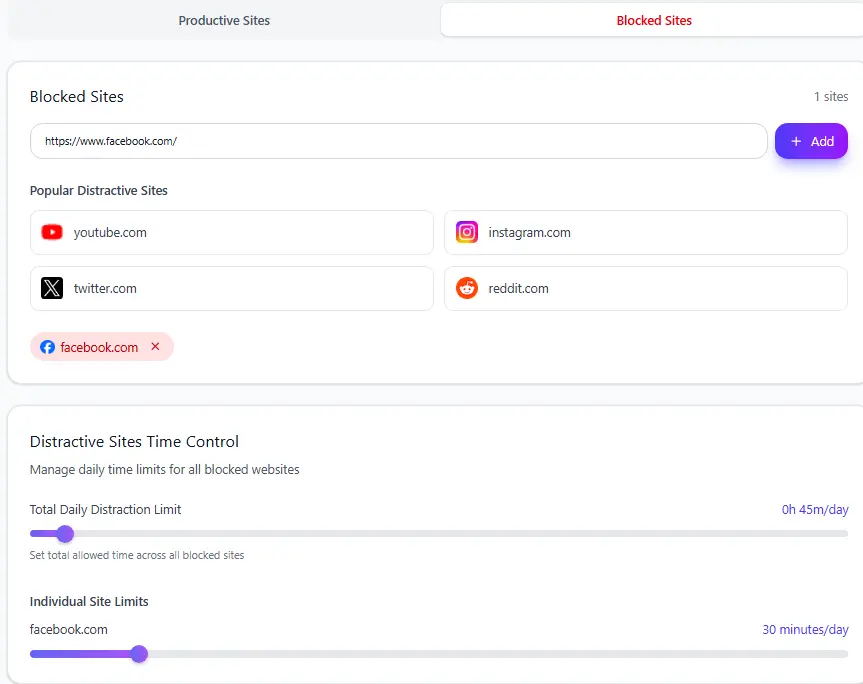
Mindova lets you add distracting websites and decide how much time you want to allow on each one.
For example:
- Facebook → 30 minutes/day
- Reddit → 20 minutes/day
- TikTok → 0 minutes/day
An Individual Site Limit of 0 minutes blocks the website when you try to visit it.
A higher allowance keeps the site available until the configured time has been used.
We tested this directly by assigning a distracting website a 30-minute daily limit.
The website remained accessible while time was available. Once the allowance was used, Mindova interrupted access with its Focus Time screen.
This approach is useful when a website is not completely useless.
Facebook, Reddit, LinkedIn, or another platform may genuinely be part of your work while still being easy to overuse.
What Mindova is useful for
- Blocking selected websites
- Different daily limits for different sites
- 0-minute immediate blocking
- Productive and Distracting website organization
- Focus Sessions
- Browsing and focus analytics
What the current public Mindova browser extension does not do
The public Mindova browser extension is browser-focused.
It does not currently provide:
- native desktop-app blocking;
- native mobile-app blocking through the browser extension;
- recurring blocking schedules;
- a hard Locked Mode; or
- system-level blocking outside the browser.
If your main requirement is a strict system-level blocker designed to be difficult to bypass, another category of product may be a better fit.
Mindova also offers a separate Android app for restricting selected native apps and setting daily app limits. This does not change the scope of the Chrome extension. See our Mindova app-blocker guide for the Android workflow. The iPhone app is coming soon.
Browser support
Mindova currently supports:
- Google Chrome
- Microsoft Edge
- Brave
- Opera
- Vivaldi
on supported desktop environments.
The public browser extension covered in this guide combines website blocking, daily limits, Focus Sessions, and browsing analytics.
New users can try Mindova free for 7 days. No credit card is required to start. Continued access after the trial requires a Monthly or Annual plan.
For a deeper comparison of dedicated blockers, see our guide to the best website blockers for focus.
Best for: People whose main distractions are websites and who want daily limits, blocking, Focus Sessions, and browsing insights in one browser-focused tool.
Unhook — best for removing YouTube distractions
Sometimes blocking an entire website is too aggressive.
YouTube is a good example.
You might need it for:
- tutorials;
- lectures;
- product demonstrations;
- technical walkthroughs;
- training videos.
The problem may not be YouTube itself.
The problem may be everything surrounding the video you actually came to watch.
Unhook is designed around that distinction.
It can hide YouTube features including Shorts, homepage recommendations, related videos, comments, end-screen suggestions, trending content, and other interface elements.
That makes it useful when your ideal rule is:
Keep YouTube, but remove the parts that make me continue browsing.
This is different from Mindova's current domain-level approach.
Mindova can limit or block youtube.com, but the current public browser-extension workflow does not selectively remove only Shorts or recommendations.
If you want to block or time-limit the whole website instead, see our guide to blocking YouTube on Chrome.
If YouTube is essential to your work but its recommendation system is the main distraction, Unhook is more precise for that particular problem.
Best for: People who need YouTube but want a cleaner, less distracting version of it.
View Unhook on the Chrome Web Store
OneTab — best for tab overload
Not every focus problem comes from social media.
Sometimes the browser itself becomes the distraction.
You start with four tabs.
An hour later you have:
- three documents;
- six search results;
- two email tabs;
- several articles you intend to read;
- GitHub;
- YouTube;
- and five tabs you no longer remember opening.
Even when you are not actively using them, that visual clutter can make it harder to see what matters.
OneTab takes a simple approach: click the extension and your open tabs are converted into a list that you can restore individually or together later.
Instead of keeping dozens of tabs visible across the top of Chrome, you can collapse them and return to the ones you actually need.
The value here is not blocking.
It is reducing tab clutter.
Best for: People who regularly end a work session with dozens of tabs open and have trouble deciding what can safely be closed.
Main tradeoff
OneTab will not stop you from visiting distracting websites.
If the problem is repeatedly opening Instagram, Reddit, or YouTube, tab organization is solving a different problem.
View OneTab on the Chrome Web Store
Todoist for Chrome — best for capturing tasks while browsing
A surprising amount of browser clutter starts with:
I'll remember this later.
You see something you need to do, open another tab so you do not forget it, then another, then another.
Soon the browser becomes your task manager.
The Todoist Chrome extension gives you another option.
Its Chrome extension can create tasks while you browse, save websites as tasks, and turn selected text into linked tasks.
That helps separate:
I need to do this later
from:
I need to keep this tab open all day.
Best for: People whose tab clutter comes from unfinished tasks and things they are afraid they will forget.
Main tradeoff
Todoist is fundamentally a task-management tool.
It will not block distracting websites or control how long you spend on them.
Use it when the problem is task capture, not impulse browsing.
View Todoist for Chrome on the Chrome Web Store
Momentum — best for a calmer new-tab page
A new tab looks harmless.
But it is one of the most common decision points in a browser.
You open a tab to search for one work-related thing, then muscle memory takes over and you end up somewhere unrelated.
Momentum replaces Chrome's standard new-tab experience with a more intentional dashboard.
Its Chrome extension includes Focus Mode, to-do lists, website shortcuts, customizable dashboard elements, and other new-tab tools.
The goal is not to make Chrome more powerful.
It is to make the moment after opening a new tab slightly more intentional.
For some people, that small interruption is useful.
For others, changing the new-tab page will make very little difference.
Best for: People whose distractions frequently begin immediately after opening a new tab.
Main tradeoff
Momentum changes the environment rather than enforcing behavior.
If you already know exactly which websites are taking hours from your day, blocking or limiting those sites will probably have a bigger impact.
View Momentum on the Chrome Web Store
Clockify — best for tracking where your work time goes
Being busy and knowing where your time went are not the same thing.
You can spend most of the day inside your browser without having a clear picture of how much time went to:
- client work;
- writing;
- development;
- research;
- meetings;
- administration; or
- smaller tasks that quietly consumed the afternoon.
Clockify Time Tracker adds time tracking directly to the browser.
Its Chrome extension lets you start and stop timers from the web and includes features such as integrations with more than 50 web apps, idle detection, reminders, automatic timer controls, and a Pomodoro timer.
You can then review and analyze recorded time in Clockify.
The useful distinction is that Clockify is not primarily trying to stop you from opening distracting websites.
It answers a different question:
What did I actually spend my working time on?
That can be especially useful for freelancers, people who bill by time, and anyone who repeatedly reaches the end of the day wondering where the hours went.
Best for: People who want to measure time spent on work, projects, and tasks from their browser.
Main tradeoff
Time tracking does not automatically prevent distraction.
Clockify can show where your working time went, but if the underlying problem is repeatedly opening distracting websites, a blocker or daily-limit tool addresses that behavior more directly.
View Clockify Time Tracker on the Chrome Web Store
Forest — best for gamifying focused work sessions
Knowing that you should focus and actually staying focused are different things.
Some people respond better when a focus period feels like a visible commitment.
Forest uses a gamified approach built around focused work periods and growing virtual trees.
Its Chrome extension describes a 30-minute concentration workflow intended to make focus feel more engaging. The extension remains available in the Chrome Web Store, although the listing we checked showed its last update as December 22, 2024.
That is worth noting because this guide is current to 2026: availability is verified, but Forest is not one of the more recently updated extensions in this list.
Its approach turns:
I should stop checking things.
into something closer to:
I am currently inside a focus period I chose to finish.
It is a different approach from strict website blocking.
Instead of relying primarily on restrictions, Forest adds a small reward loop around staying focused.
Best for: People who find ordinary timers boring but respond well to visual progress and gamification.
Main tradeoff
Gamification only helps if it motivates you.
If you routinely abandon timers the moment you become bored, stronger website restrictions may be more useful.
View Forest on the Chrome Web Store
Do you actually need seven productivity extensions?
Probably not.
Installing every productivity extension you find can create its own kind of clutter.
Instead, identify your biggest focus problem.
If you automatically open distracting websites
Start with a website blocker or daily limits.
If YouTube is necessary but recommendations are the problem
Use a tool that removes distracting parts of YouTube rather than blocking the entire site.
If your browser has 40 tabs open
Solve tab overload first.
If tabs are really reminders for unfinished work
Use a task-capture system.
If new tabs constantly turn into detours
Change the new-tab experience.
If you do not know where your work hours are going
Try time tracking for a few days and review what actually consumed your time.
If you struggle to commit to a focus period
Try a focus timer or gamified session.
One extension that fixes the real problem is more useful than seven extensions you forget are installed.
Chrome productivity extensions vs website blockers
It is useful to separate productivity extensions from website blockers.
A productivity extension may help you:
- organize tabs;
- capture tasks;
- change your new-tab page;
- track working time; or
- structure focus periods.
A website blocker has a narrower purpose:
prevent or limit access to websites that repeatedly interrupt your work.
If the problem is primarily organizational, a blocker may not be necessary.
But if you already know:
Every time I should be working, I end up on YouTube, Reddit, X, or Instagram.
then reorganizing your tabs or tracking your time may not address the core behavior.
Start with the distraction that actually appears in your day.
Can Chrome extensions really improve focus?
They can help, but no extension automatically creates discipline.
A productivity tool usually does one of three things.
It removes a trigger
Example: hiding YouTube recommendations.
It adds friction
Example: limiting a distracting website.
It makes the intended action easier to follow
Example: capturing a task instead of leaving another tab open, or tracking the project you are actively working on.
The tool becomes useful when that intervention matches the real problem.
The wrong tool simply adds another icon to your browser.
A simple browser focus setup
For many people, a useful setup does not need to be complicated.
For example:
Website distractions
Use daily limits or blocking.
Work tasks
Keep one task manager.
Tab overload
Collapse or close anything unrelated to the current task.
Time awareness
Track work time only if knowing where your hours go would change your decisions.
Focus period
Use one timer or Focus Session.
That may be enough.
You do not need a productivity extension for every possible behavior.
Which Chrome Extension for Focus Should You Install First?
Start with the thing that repeatedly breaks your attention.
If you lose twenty minutes every time you open YouTube, address YouTube.
If you spend your day moving between thirty tabs, solve tab overload.
If you reach the end of every day without knowing what consumed your hours, try time tracking.
If websites such as Reddit, TikTok, X, or Instagram are the biggest problem, start with blocking or daily limits.
For a broader setup involving several distracting sites, read our guide to blocking distracting websites and staying focused.
The goal is not to build the most sophisticated browser setup.
It is to remove enough friction from the work—and add enough friction to the distraction—that staying focused becomes easier.
7-day free trial for new users. No credit card required to start. View pricing.
Mouhsine
Admin
Passionate about helping people achieve peak mental performance through evidence-based strategies and mindful technology use.
Related Articles

How to Focus on Writing Without Digital Distractions
Learn how to stay focused while writing by separating drafting from research, reducing digital distractions, and keeping the online tools you actually need
Creative Block: How to Get Unstuck and Start Creating Again
Feeling creatively stuck? Learn what creative block can look like, how to identify what is stopping you, and practical ways to generate ideas and move forward
How to Avoid Distractions While Working: 10 Practical Strategies
Learn how to avoid distractions while working by reducing digital triggers, managing notifications, limiting distracting websites, and protecting focused work time.
Comments
Be the first to comment.
Ready to protect your focus?
Block distracting sites, set daily limits, and run focus sessions. Mindova is free.