How to Temporarily Deactivate Facebook Without Deleting Your Account
Written by Mouhsine
Admin
Published August 23, 2026 · Updated August 29, 2026
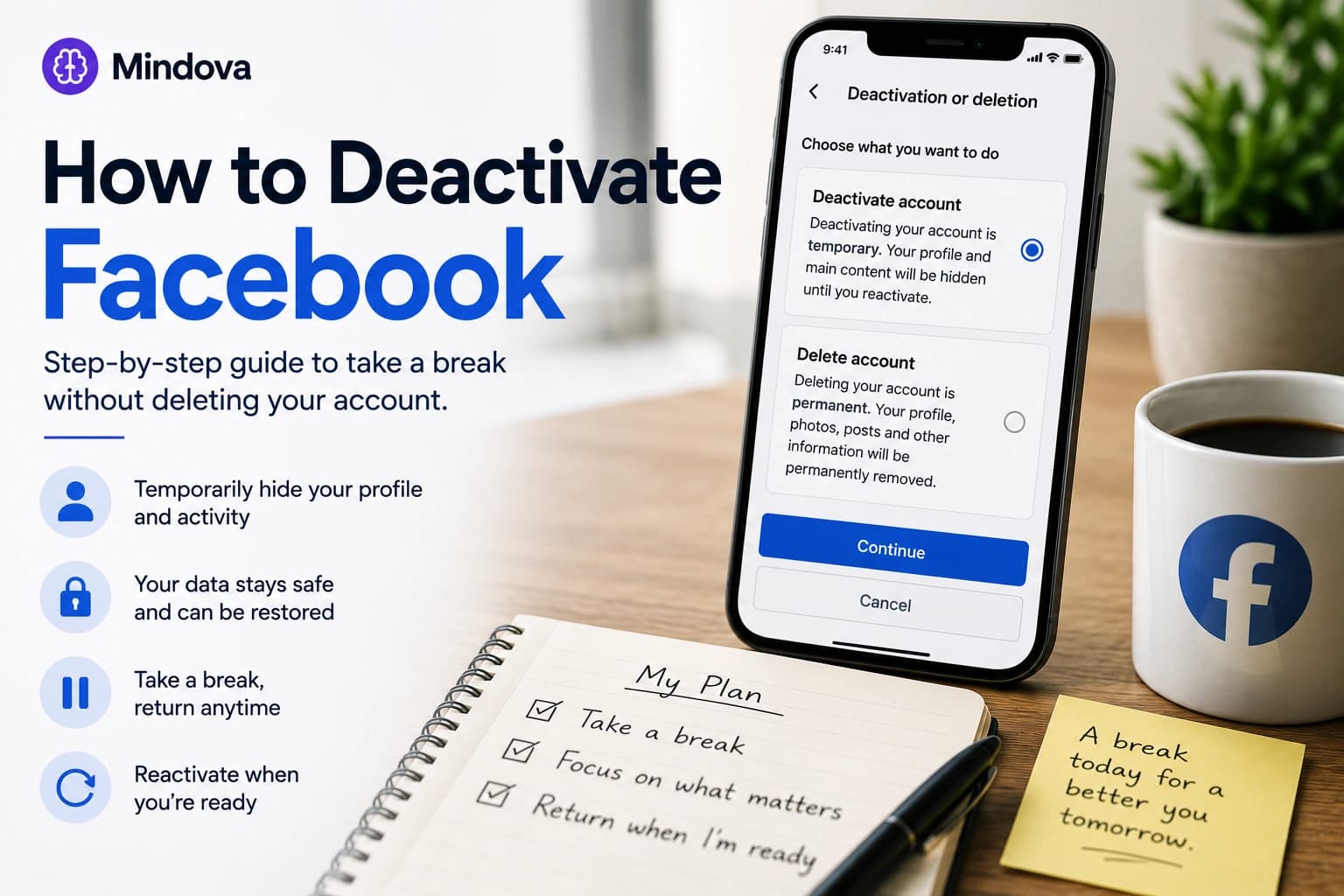
If you want a real break from Facebook but do not want to permanently delete your account, temporary deactivation is the middle option.
Your Facebook profile is taken offline, but your account data is not permanently erased. You can return later by reactivating the account.
That makes deactivation different from simply uninstalling the Facebook app or blocking facebook.com.
Those actions reduce access.
Deactivation changes the status of the Facebook account itself.
Quick answer: Open Facebook's Accounts Center, go to Personal details → Account ownership and control → Deactivation or deletion, select your Facebook account, choose Deactivate account, and follow the confirmation steps. Facebook's interface can change, so individual menu labels may vary slightly between devices or app versions.
Deactivating Facebook vs deleting Facebook
Before continuing, make sure you want deactivation, not deletion.
| Deactivate Facebook | Delete Facebook |
|---|---|
| Temporary | Intended to be permanent |
| Profile becomes unavailable while deactivated | Account is scheduled for removal |
| Account data is retained | Account data is eventually removed |
| You can reactivate later | Recovery becomes unavailable after Meta's applicable cancellation process |
| Useful for taking a break | Useful when you actually want to leave Facebook |
If your goal is:
I want Facebook out of my life for a few weeks.
choose Deactivate account.
If your goal is:
I no longer want this Facebook account at all.
then deletion is a separate process.
Do not select Delete simply because you want a temporary digital break.
How to deactivate Facebook on iPhone or Android
Facebook now manages deactivation through Accounts Center.
The exact appearance can vary slightly between iPhone, Android, and different Facebook app versions, but the general path is:
- Open the Facebook app.
- Open the Menu.
- Choose Settings & privacy.
- Open Settings.
- Enter Accounts Center.
- Choose Personal details.
- Open Account ownership and control.
- Choose Deactivation or deletion.
- Select the Facebook account you want to manage.
- Choose Deactivate account.
- Tap Continue and follow Facebook's confirmation steps.
Facebook may ask why you are deactivating or present alternatives before completing the process.
Read the final confirmation screen carefully rather than tapping through it automatically, especially if you use Facebook to manage Pages or access other services.
How to deactivate Facebook on desktop
The process on desktop goes through the same Accounts Center system.
From Facebook:
- Sign in to your account.
- Open your profile/account menu.
- Choose Settings & privacy.
- Open Settings.
- Open Accounts Center.
- Select Personal details.
- Choose Account ownership and control.
- Open Deactivation or deletion.
- Select your Facebook account.
- Choose Deactivate account.
- Continue through the confirmation process.
If Facebook changes the placement of a menu, look specifically for:
Accounts Center → Personal details → Account ownership and control
rather than following an old tutorial that still references Facebook's previous settings structure.
What happens when you deactivate Facebook?
Deactivation is designed to hide your Facebook presence without permanently erasing the account.
In general:
- your Facebook profile is no longer available in the normal way;
- your photos, posts, and other account content are not permanently deleted;
- people generally cannot visit your deactivated profile;
- some information you previously sent to other people, such as messages, can remain visible to them;
- you can reactivate the account later.
That last distinction is important.
Deactivation is a pause.
It is not a data-erasure process.
If permanent removal is what you actually want, use Facebook's deletion option instead.
What happens to Messenger if you deactivate Facebook?
Facebook deactivation and Messenger are related, but they are not necessarily the same action.
Depending on your account and the choices Facebook presents during deactivation, Messenger can remain available even while the Facebook profile itself is deactivated.
That can be useful if your goal is:
I want to leave the Facebook feed, but I still need people to message me.
It is less useful if Messenger itself is part of your distraction problem.
Before deactivating, decide which of these you actually want:
Option 1 — Leave Facebook but remain reachable through Messenger
or:
Option 2 — Take a broader break from Facebook-related communication
Do not assume deactivating the Facebook profile automatically produces the second outcome.
Will your posts and photos disappear?
They are not permanently deleted simply because you deactivate the account.
That is one of the main differences between deactivation and deletion.
Your profile and much of its content become unavailable while the account is deactivated, but the account can later be restored.
Some information can remain visible outside your profile.
For example, messages you previously sent to another person do not necessarily disappear from that person's conversation just because your Facebook profile is deactivated.
So do not use deactivation as a privacy-erasure tool.
If your concern is permanently removing information from Facebook, that is a different task.
What about Facebook Pages, groups, and connected services?
Take a minute to review this before confirming deactivation if Facebook is part of your work.
You may use your account for:
- managing a Facebook Page;
- administering groups;
- Meta business tools;
- Facebook Login on another service;
- advertising;
- other connected Meta services.
The effect can depend on how those assets and permissions are configured.
Facebook's confirmation flow is the best place to check account-specific consequences before proceeding.
This matters especially if your Facebook profile is not only a personal feed but also an access point for something your business or team relies on.
Should you download your Facebook information first?
For temporary deactivation, you normally do not need to download everything simply because the account data is being retained.
But downloading a copy can still make sense if:
- you are considering permanent deletion later;
- important photos or posts exist only on Facebook;
- you want an independent backup;
- you simply feel more comfortable having your own copy.
Do not confuse backup with deactivation.
Backing up your Facebook information does not deactivate the account, and deactivating does not automatically create a separate backup for you.
How to reactivate Facebook
Temporary deactivation is reversible.
When you decide to return, sign back into the Facebook account and follow any reactivation prompts Facebook provides.
Because returning can be easy, think about whether you actually want to reactivate before logging back in.
If you are taking a planned two-week break, for example, avoid repeatedly visiting Facebook just to see whether you missed anything.
That defeats the purpose of the break and can lead you straight back into your previous usage pattern.
How to avoid reactivating Facebook out of habit
Deactivation removes your active Facebook profile from normal use.
It does not necessarily remove the habit of checking Facebook.
You may still automatically:
- tap the location where the app used to be;
- type
facebook.com; - open an old bookmark;
- follow a Facebook link;
- reach for the site when work gets difficult.
If you want the break to stick, remove some of those automatic routes.
Uninstall the Facebook app
If you are taking a deliberate break, removing the app prevents muscle memory from immediately reopening it.
Uninstalling the app and deactivating the account are two different actions.
Deactivation changes the account.
Uninstalling removes the app from that device.
Doing both can make sense during a temporary break.
Remove saved shortcuts and bookmarks
If facebook.com is sitting in your bookmarks bar or browser shortcuts, you are keeping the old route visible.
Remove it.
You are not trying to make Facebook impossible to find forever.
You are trying to stop an automatic habit from making the decision for you.
Log out where appropriate
Saved sessions can make returning almost frictionless.
If your goal is a serious break, review devices and browsers where Facebook remains signed in.
Again, the goal is friction, not pretending that you can make a service permanently inaccessible to yourself.
What if you want a break without deactivating Facebook?
Then deactivation may be more aggressive than you need.
You can keep your Facebook account active while reducing how often you use it.
For example:
- turn off unnecessary notifications;
- remove the mobile app;
- stop keeping Facebook permanently open in a tab;
- check at a deliberate time;
- limit
facebook.comin your work browser.
That is the intent of our separate guide to how to stop using Facebook so much.
Keeping this distinction matters:
Facebook detox = change your usage.
Facebook deactivation = temporarily take the account offline.
What if you only want to block Facebook while working?
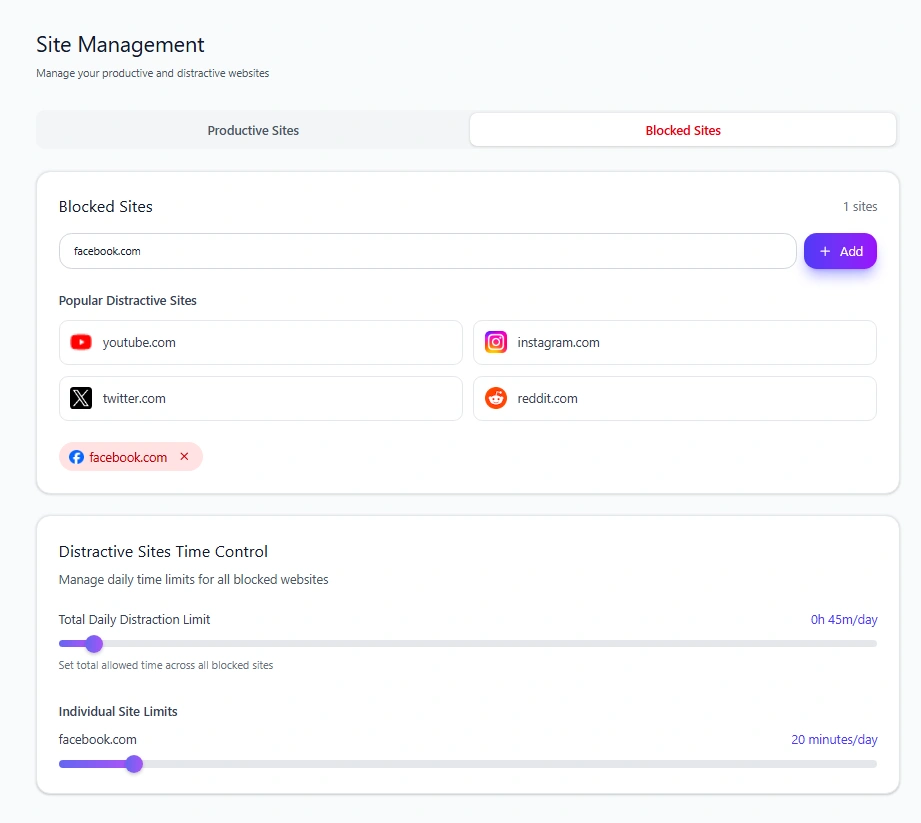
You do not need to deactivate your Facebook account for that either.
If the problem is specifically:
I keep opening Facebook in Chrome when I should be working.
treat it as a website-blocking problem.
Mindova lets you add facebook.com as a distracting website in supported desktop browsers.
You can, for example:
- set an Individual Site Limit of 0 minutes when you do not want browser access;
- or give Facebook a limited daily allowance if you still need it occasionally.
Mindova does not deactivate your Facebook account.
It also does not currently block the native Facebook app on iPhone or Android.
For the browser-specific setup, use our guide to how to block Facebook and set a daily limit.
A simple way to choose between the three options
Ask what you are actually trying to accomplish.
“I still want Facebook, but I use it too much.”
Start with a Facebook detox.
Reduce notifications, remove automatic triggers, and add sensible usage boundaries.
“I want Facebook completely out of the picture for a while.”
Use temporary deactivation.
“I only need Facebook blocked while I work on my computer.”
Use a website block or daily browser limit.
Do not deactivate an entire account when the actual problem is one distracting browser tab.
And do not expect a browser blocker to perform account-level deactivation.
Different problems need different controls.
Frequently asked questions
Is Facebook deactivation permanent?
No. Deactivation is intended to be temporary. You can reactivate the account later.
Does deactivating Facebook delete my photos?
No. Temporary deactivation is not the same as permanently deleting your Facebook account and its content.
Can people see my Facebook profile after I deactivate it?
Your profile is generally unavailable while the Facebook account is deactivated. Some information that already exists elsewhere, such as messages previously sent to other people, can remain visible.
Can I still use Messenger after deactivating Facebook?
Facebook can allow Messenger to remain active while the main Facebook profile is deactivated. Check the options presented for your account if you want Messenger to remain available.
Can I reactivate Facebook later?
Yes. A temporarily deactivated account can be reactivated by returning to Facebook and following the account's reactivation process.
Will uninstalling Facebook deactivate my account?
No.
Deleting or uninstalling the Facebook app from your phone only removes the application from that device.
Your Facebook account remains active unless you separately deactivate or delete it.
Can Mindova deactivate my Facebook account?
No.
Mindova controls website access inside supported desktop browsers. It does not modify your Facebook account status.
Can Mindova block Facebook after I deactivate it?
Mindova can block access to facebook.com in a supported desktop browser.
That can add browser-level friction if repeatedly visiting Facebook is what causes you to abandon your break.
It does not prevent every possible route back to Facebook and should not be described as an irreversible lock.
Take a break without making it permanent
You do not need to permanently delete Facebook just because you want some distance from it.
Temporary deactivation gives you a way to take your profile offline while preserving the option to return later.
Just make sure deactivation actually matches your problem.
If you only want to reduce your usage, start with a practical Facebook detox.
If the real problem is opening Facebook in your work browser, block or limit Facebook directly.
And if distracting websites extend beyond Facebook, use our broader guide to blocking distracting websites and staying focused.
Mouhsine
Admin
Passionate about helping people achieve peak mental performance through evidence-based strategies and mindful technology use.
Related Articles

Digital Detox: What Is It, and Does It Actually Help?
Learn what a digital detox really is, what research says about its benefits, and how to reduce distracting technology without quitting every screen.

Digital Detox Retreats: Cost, Benefits, and Are They Worth It?
What happens at a digital detox retreat, how much does one cost, and is it worth paying for? Compare retreat types, evidence, downsides, and at-home alternatives.
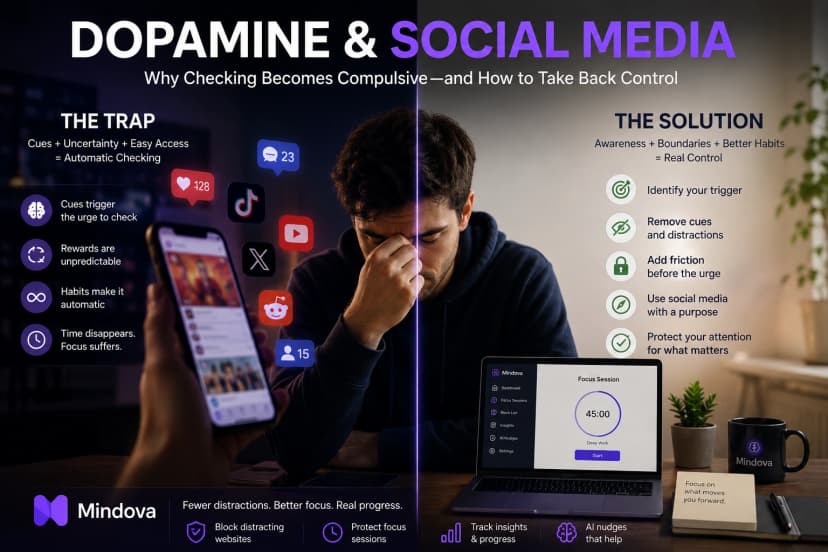
Dopamine and Social Media: Why Checking Becomes Compulsive
Learn what dopamine really has to do with social media, why checking can become habitual, and practical ways to reduce compulsive scrolling.
Comments
Be the first to comment.
Ready to protect your focus?
Block distracting sites, set daily limits, and run focus sessions. Mindova is free.