How to Block YouTube on Chrome and Set a Daily Limit 2026
Written by Mouhsine
Admin
Published August 9, 2026 · Updated October 12, 2026

YouTube can be useful for tutorials, research, music, and entertainment. The problem is when you open it for one specific reason and end up staying much longer than you intended.
With Mindova, you can add the YouTube website to your blocked sites, block youtube.com completely with a zero-minute limit, give it its own daily time allowance, and use Focus Sessions when you only want YouTube unavailable during a specific work or study period.
For this guide, we tested the current Mindova browser extension ourselves. We added YouTube to Blocked Sites, set an individual limit of 45 minutes per day, reached that limit, and checked the resulting activity in Mindova Analytics.
Quick answer: To block YouTube on Chrome with Mindova, open Site Management → Blocked Sites, add
youtube.com, and set its Individual Site Limit to 0 minutes/day for an immediate block. Choose a higher limit if you still want some daily YouTube access, or use a Focus Session when you only want YouTube unavailable during a specific work or study period.
Important: This guide covers the YouTube website in a desktop browser. The Mindova browser extension does not block the native YouTube mobile app, individual channels, or only YouTube Shorts. Mindova also offers a separate Android app for restricting supported native apps. The iPhone app is coming soon.
What we tested
We tested this workflow with the current Mindova browser extension:
- Added
youtube.comto Blocked Sites. - Confirmed that YouTube received its own Individual Site Limit.
- Set YouTube to 45 minutes/day.
- Used YouTube until the available time was reached.
- Confirmed that Mindova displayed its Focus Time screen for
youtube.com. - Confirmed that the screen allowed us either to leave YouTube or temporarily add more time.
- Checked YouTube usage inside Mindova Analytics.
The screenshots in this guide come from the real Mindova interface used during the test.
Step 1: Install Mindova
Install the Mindova website blocker extension in Chrome.
7-day free trial for new users. No credit card required to start. View pricing.
After installation, open the extension and sign in.
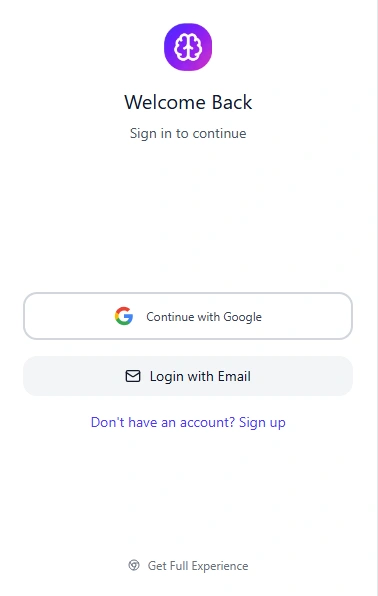
Mindova currently supports sign-in with Google or email.
If this is your first time using the extension, follow the Mindova Setup Guide before continuing.
Step 2: Open Site Management
From the full Mindova dashboard:

- Select Site Management.
- Open the Blocked Sites tab.
- Find the field labelled Enter website URL.
YouTube currently appears as one of Mindova's suggested Popular Distractive Sites, so you can select it directly instead of typing the domain manually.
You are not limited to those suggestions. Mindova also lets you manually enter other website domains.
Step 3: Add YouTube to Blocked Sites
Select YouTube from the suggested websites or manually enter:

youtube.com
Then select Add.
YouTube should now appear inside your Blocked Sites list.
Once a website is added, Mindova gives it its own control under Individual Site Limits.
Step 4: Block YouTube Completely or Set a Daily Time Limit
Mindova gives you two different controls that are easy to confuse:

- Total Daily Distraction Limit
- Individual Site Limits
They solve different problems.
Block YouTube completely
If you want YouTube blocked whenever you try to open it, set its Individual Site Limit to:
0 minutes/day
In Mindova, zero does not mean unlimited.
It means youtube.com is blocked when you try to visit it.
This is the most direct option when your goal is to stop opening YouTube during the day.
Give YouTube a daily time limit
Under Individual Site Limits, youtube.com gets its own separate allowance.
During our test, we set YouTube to:
45 minutes/day
This lets you treat YouTube differently from the rest of your blocked sites.
That matters because YouTube is not always a pure distraction. You may need it for a tutorial, lecture, product demo, or research.
A separate limit lets you keep useful access without leaving the site completely unrestricted.
Total Daily Distraction Limit
The Total Daily Distraction Limit is an overall allowance shared across the websites you have classified as distracting.
For example, if YouTube, Instagram, Reddit, and X are all on your blocked list, the total limit gives you one combined daily budget across those sites.
Use this when you want to control distracting browsing as a whole.
Step 5: Temporarily Block YouTube With a Focus Session
A daily limit controls how much time YouTube gets across your day.
A Focus Session solves a different problem: temporarily protecting a specific period when you want your attention somewhere else.
If your goal is to block YouTube only while studying or working, a Focus Session can be more appropriate than using a full-day zero-minute rule.
A simple workflow is:
- Add YouTube to Blocked Sites.
- Give it a realistic daily limit.
- Start a Focus Session before your most important work or study period.
- Keep YouTube closed until the session ends.
- Check your browsing activity later.
This is useful when you still want YouTube available during part of the day but do not want it interrupting focused work.
What happens when your YouTube time runs out?

We tested what happens after the individual YouTube allowance has been used.
Instead of continuing directly to YouTube, Mindova displayed a Focus Time screen.
The message explained that the total time set for youtube.com had been reached.
You then have two choices.
You can leave YouTube by selecting:
Close it, I'm going back to work!
Or you can temporarily add:
- 5 minutes
- 10 minutes
- 15 minutes
- 30 minutes
This is an important limitation to understand.
Mindova currently creates an intentional point of friction rather than an irreversible lock. If you genuinely need more YouTube time, you can add it.
That also means Mindova is not designed to make bypassing the rule completely impossible.
Its purpose here is to interrupt automatic browsing and make continuing an intentional choice.
Should you block YouTube or just limit it?
The right setting depends on why you use YouTube.
If short-form scrolling is the bigger issue, see how to block TikTok on Chrome.
If YouTube is only one of several sites pulling your attention away, see our guide to blocking distracting websites and choosing which sites to block, limit, or keep available.
YouTube is mostly entertainment
Set its Individual Site Limit to:
0 minutes/day
That blocks the website when you try to open it.
If a complete block feels too restrictive, use a relatively small daily allowance instead.
When the available time is gone, the Focus Time screen forces you to make a new decision before continuing.
YouTube is useful for studying
Do not choose a limit simply because it sounds strict.
Estimate how much YouTube you genuinely need for lectures, explanations, or tutorials, then give it enough time for those tasks.
Use Focus Sessions during reading, writing, or problem-solving periods when YouTube is not needed.
YouTube is part of your work
If you regularly use YouTube for research, training, product videos, or publishing, blocking it for the entire day may create more friction than value.
Give it a realistic daily allowance and use Focus Sessions during work that does not require video.
The goal is not to create the strictest rule possible. It is to separate intentional YouTube use from automatic checking.
If live streams are another distraction, see our guide to blocking Twitch.
Use Analytics to check whether your limit is working

A limit is only useful if it changes the behavior you wanted to change.
Open Analytics in Mindova instead of guessing.
The dashboard can show information such as:
- Focus time.
- Productive time.
- Distracting time.
- Productivity score.
- Streak.
- Daily activity trends.
- Most visited websites.
- Most blocked websites.
During our test period, YouTube appeared inside the Most Visited Websites section, which made it easy to see the time associated with the domain.
Use that information to adjust your limit.
If YouTube still consumes more time than you want, lower its allowance.
If the current limit constantly interrupts legitimate tutorials or work, increase it instead.
A limit should reflect your actual behavior, not an arbitrary number.
What Mindova does not do in this YouTube workflow
The workflow described here controls access to the YouTube website through Mindova's current public desktop browser extension.
It does not:
- Block the native YouTube mobile app through the browser extension.
- Block one specific YouTube channel.
- Block only YouTube Shorts.
- Block only the recommendation feed.
- Hide particular videos or creators.
- Create an irreversible permanent YouTube lock.
- Apply a website restriction to every device you own automatically.
This guide covers Mindova's desktop browser experience. Mindova also offers a separate Android app for restricting supported native apps.
Being clear about those limits matters because blocking an entire website is different from controlling what appears inside YouTube itself.
Can Mindova block the YouTube app on Android?
Mindova for Android lets you select supported distracting apps and assign individual daily limits. If YouTube is available in your installed-app list, you can classify it as distracting and configure a daily allowance. The Android app also includes a Daily Distraction Limit, Focus Sessions, and app-usage insights.
This is separate from the desktop extension blocking youtube.com. Neither workflow described here selectively blocks only YouTube Shorts, recommendations, or individual channels.
Our documented native Android blocking test used Instagram, not YouTube. We are not claiming to have tested YouTube app blocking individually.
Learn more about Mindova's Android app blocker
Get Mindova for Android on Google Play
YouTube is still opening: troubleshooting
If YouTube does not behave as expected, check the actual Mindova settings before reinstalling anything.
Make sure protection is active
Open the Mindova extension.
Confirm that Extension Status displays:
Active & Protecting
If protection is disabled, your website rules will not be applied.
Confirm that youtube.com is in Blocked Sites
Open:
Site Management → Blocked Sites
Make sure youtube.com appears in the list.
If it does not, add it again.
Check the Individual Site Limit
Look under Individual Site Limits.
For an immediate block, set YouTube to:
0 minutes/day
If YouTube still has unused time available, it can remain accessible until that allowance is consumed.
Check your Total Daily Distraction Limit
Remember that the total limit and the individual YouTube limit are separate controls.
Review both before assuming the rule is not working.
Refresh an already-open YouTube tab
If YouTube was already open when you changed the settings, refresh the page.
If necessary, close the tab and open YouTube again.
Check your Focus Session
If you are relying on a Focus Session, confirm that the session timer is actually running.
Get help
If your settings look correct but YouTube still behaves differently from expected, visit the Mindova Help Center.
Frequently asked questions
How do I block YouTube on Chrome?
Install Mindova, open Site Management → Blocked Sites, add youtube.com, and set its Individual Site Limit to 0 minutes/day if you want YouTube blocked whenever you try to open it.
Can I set a daily time limit for YouTube?
Yes. After adding youtube.com, Mindova creates an Individual Site Limit for it. In our test, we used a 45-minute daily allowance.
Can I temporarily block YouTube while I work?
Yes. Add YouTube to Blocked Sites and use a timed Focus Session when you need a protected work or study period.
Can I block YouTube completely?
Yes. Set the Individual Site Limit for youtube.com to 0 minutes/day to block the website when you try to open it.
Mindova's current Focus Time screen can still allow you to deliberately add more time, so this is not presented as an irreversible anti-bypass lock.
What happens when my YouTube limit is reached?
Mindova displays a Focus Time screen. You can close the site and return to work or temporarily add 5, 10, 15, or 30 minutes.
Can Mindova block only YouTube Shorts?
Not with the current public browser-extension workflow. The rule applies to the YouTube website rather than only the Shorts section.
Can Mindova block a specific YouTube channel?
Not with this website-blocking workflow. It controls access to youtube.com, not individual channels or creators.
Does Mindova block the YouTube mobile app?
The Mindova browser extension only controls the YouTube website in supported desktop browsers. Mindova also has a separate Android app that can apply limits to supported native apps, including YouTube if it is available in your app selection. The iPhone app is coming soon.
Explore Mindova's Android app blocker
Does Mindova work outside Chrome?
Mindova also works on supported Chromium-based desktop browsers, including Microsoft Edge, Brave, Opera, and Vivaldi.
Is Mindova free?
New users can try Mindova free for 7 days. No credit card is required to start. Continued access after the trial requires a Monthly or Annual plan.
Make YouTube an intentional choice
YouTube does not have to be either completely unrestricted or removed from your day.
Add youtube.com to Mindova, choose whether you want a complete browser block or a daily allowance, and use Focus Sessions when you only want YouTube unavailable during a specific period.
Then use your Analytics instead of guesswork to decide whether the limit needs to move up or down.
Mouhsine
Admin
Passionate about helping people achieve peak mental performance through evidence-based strategies and mindful technology use.
Related Articles
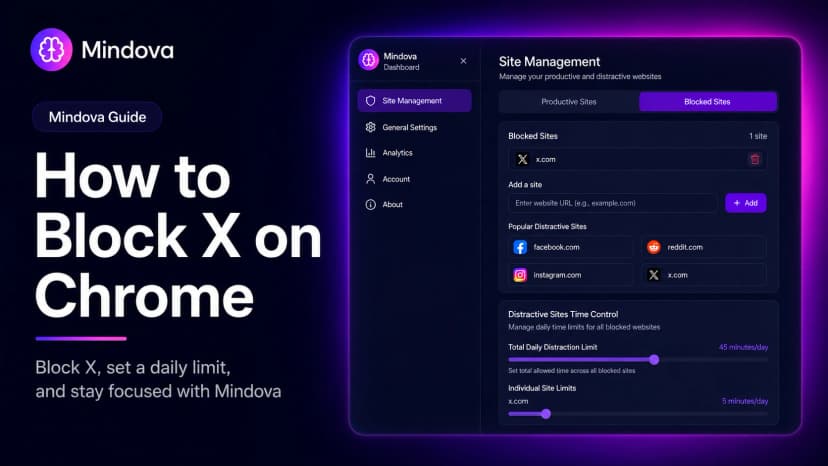
How to Block X (Twitter) on Chrome and Set a Daily Limit 2026
Block X (Twitter) on Chrome with a tested browser method. Use Mindova to block x.com or twitter.com, set a daily limit, and stay focused
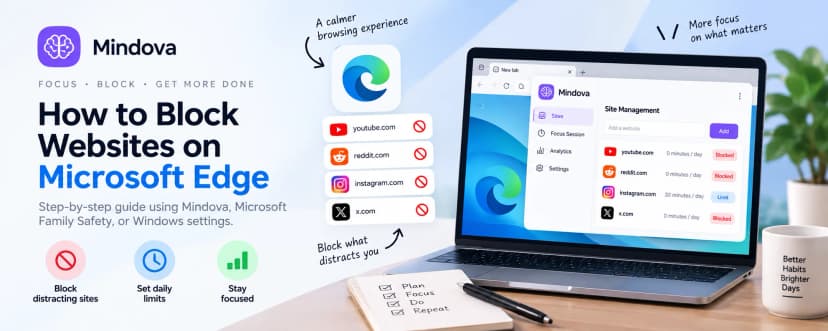
How to Block Websites on Microsoft Edge: 3 Methods
Block websites on Microsoft Edge with Mindova, Microsoft Family Safety, or Windows. Choose the best method for personal focus, family, or system-wide blocking.
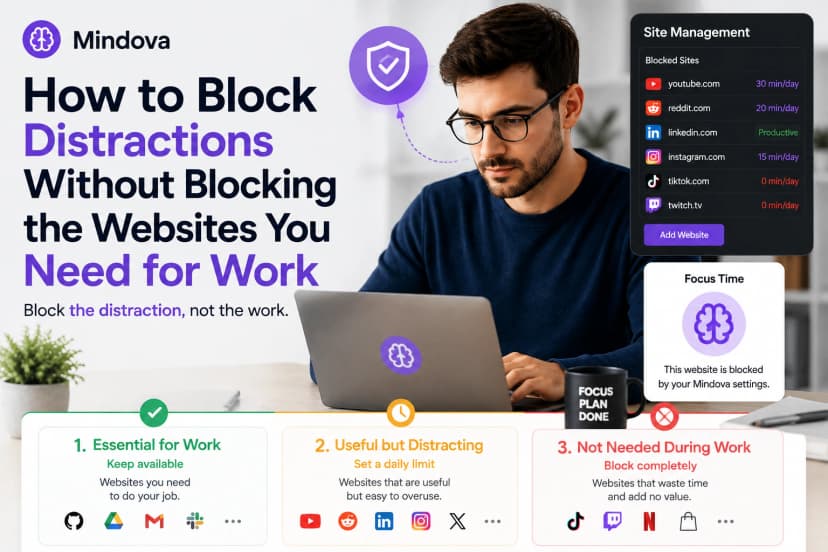
How to Block Online Distractions Without Blocking Work Sites
Block online distractions without losing access to websites you need for work. Learn how to keep essential sites available, limit useful distractions, and block the rest
Comments
Be the first to comment.
Ready to protect your focus?
Block distracting sites, set daily limits, and run focus sessions. Mindova is free.