How to Avoid Distractions While Working: 10 Practical Strategies
Written by Mouhsine
Admin
Published August 17, 2026 · Updated August 29, 2026
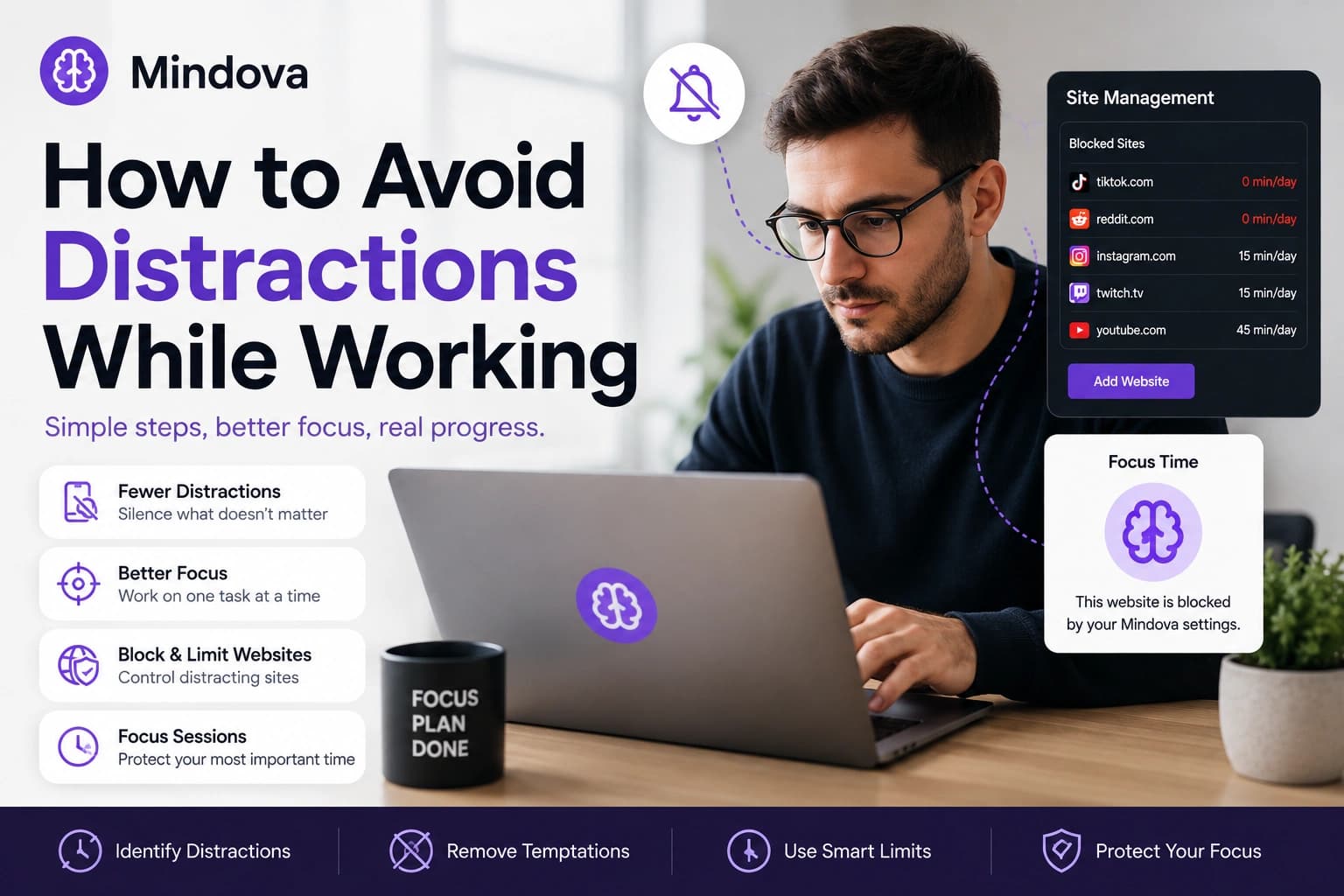
You open your laptop to finish one task. A notification appears. You check it, notice another tab, open a website for “just a minute,” and suddenly the original task is no longer in front of you.
Avoiding distractions at work gets easier when you stop treating focus as a test of willpower and start changing the environment around your work.
You do not need to remove every distraction from your life. You need to make the distractions you reach for automatically slightly harder to access and make the task you actually want to finish easier to return to.
Quick answer: Identify the few things that interrupt you most. Move your phone out of reach, disable unnecessary notifications, close unrelated tabs, work on one task at a time, and block or limit websites you repeatedly open without a clear reason. Use protected focus periods when you need fewer opportunities to drift.
If distracting websites are one of the main things breaking your focus, Mindova can add friction by blocking selected sites completely, limiting their daily use, or protecting a focused work session.
1. Identify what actually distracts you
Do not begin by blocking twenty websites.
For a few work sessions, pay attention to what happens immediately before you lose focus.
Maybe you:
- check your phone whenever a task becomes difficult;
- open YouTube while waiting for something;
- visit Reddit for one answer and continue browsing;
- switch repeatedly between email and your main task;
- keep X, Instagram, or news sites open in background tabs;
- respond to notifications as soon as they arrive.
Your real distraction list is probably shorter than you think.
Start with the two or three behaviors that repeatedly interrupt your work.
That gives you something specific to change instead of trying to create a completely distraction-free environment.
2. Put your phone somewhere you cannot reach automatically
Putting your phone on silent removes the sound, but it does not remove the habit of checking it.
For focused work, create a little physical friction.
Put your phone:
- in a drawer;
- across the room;
- inside your bag;
- in another room when practical.
The goal is not to make your phone impossible to use.
It is to turn checking it from an automatic movement into a deliberate decision.
If you genuinely need your phone for work, keep the functions you need available and reduce alerts that have nothing to do with the current task.
3. Turn off notifications that do not require immediate action
Not every notification deserves your attention at the moment it arrives.
Review notifications from:
- social media;
- news apps;
- shopping apps;
- email;
- messaging platforms;
- browser websites.
Keep alerts that genuinely require quick action.
Mute the rest during focused work.
You can still check email or messages later. The difference is that you decide when to check them instead of allowing every notification to decide for you.
For communication that is rarely urgent, consider checking it at a few deliberate points during the day instead of keeping it in front of you continuously.
4. Close tabs that have nothing to do with the current task
A browser full of open tabs creates more opportunities to leave what you are doing.
Before starting focused work, keep only the pages the task requires.
For example, if you are writing a report, you may need:
- the document;
- your research;
- one or two reference pages.
You probably do not need Instagram, Reddit, YouTube, email, three news articles, and yesterday's searches open beside them.
You do not have to permanently close useful pages.
Bookmark them, save them for later, or put them in another window.
The goal is simply to make the current task the most obvious thing on your screen.
5. Work on one task at a time
Some distractions look productive.
You write for five minutes, check email, answer a message, return to the document, open a spreadsheet, then check another notification.
You are busy, but your attention never stays anywhere for long.
Before a focused work period, define one outcome.
Instead of:
Work on the project
use something concrete:
Finish the introduction and first two sections.
Or:
Review the five customer requests and reply to each one.
A clear finishing point makes it easier to notice when you have drifted into something unrelated.
6. Keep a “check later” list
Not every distraction comes from social media.
Sometimes your own thoughts interrupt you:
“I should check that price.”
“I need to reply to Sarah.”
“What was the name of that software?”
“Let me search this quickly.”
Instead of immediately opening another tab, write the thought in a small check later list.
Then continue working.
When your focus period ends, review the list.
Some items will still matter. Others will no longer feel urgent.
This gives legitimate thoughts somewhere to go without turning each one into a new browsing session.
7. Block or limit websites you repeatedly open
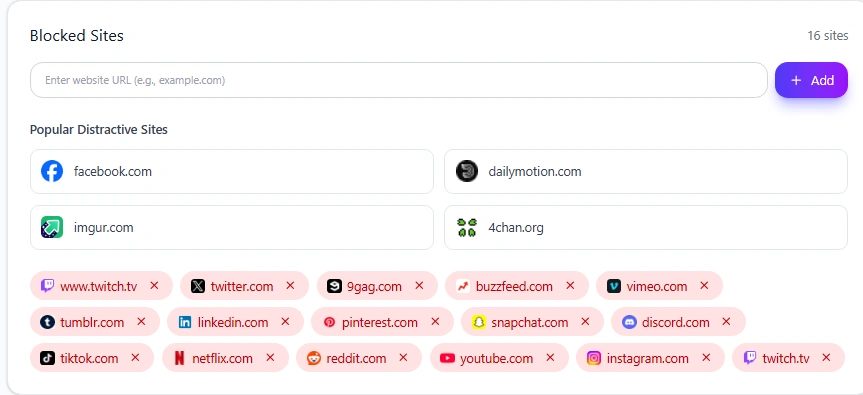
Some websites remain difficult to ignore even after you clean up your tabs and notifications.
This is where website blocking can help.
But not every distracting website needs the same rule.
A site you do not need while working can be blocked completely.
A website you sometimes need can have a daily allowance.
For example:
- TikTok → completely blocked
- Twitch → limited
- Instagram → limited if needed for work
- YouTube → available for tutorials
- Reddit → limited research access
With Mindova, an Individual Site Limit of 0 minutes/day blocks a website when you try to visit it. A higher limit keeps some daily access available.
If you have not configured Mindova yet, start with the Mindova Setup Guide.
If websites are the main source of your distraction, see the complete guide to blocking distracting websites, including how to manage several sites with different limits.
The goal is not to block the largest number of websites possible.
It is to control the websites that repeatedly interrupt your work.
8. Protect important work with a Focus Session
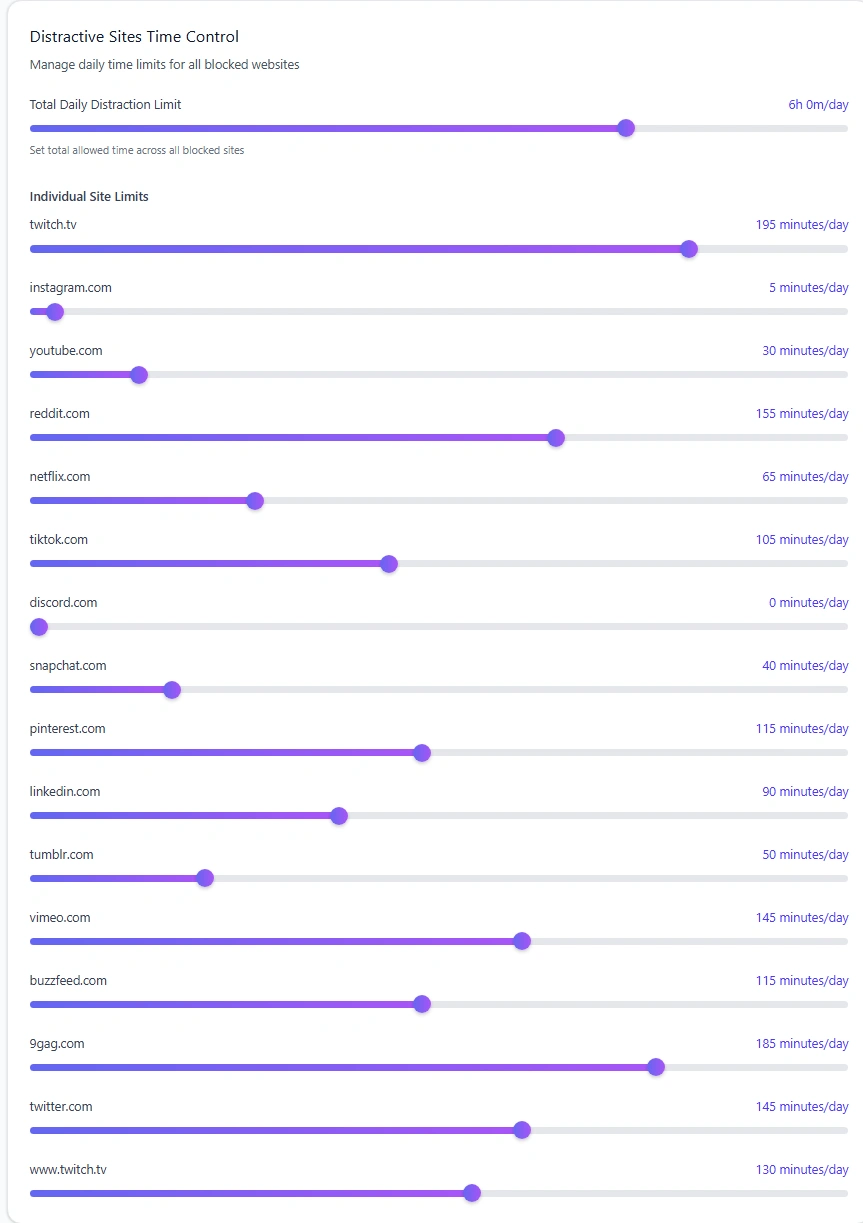
Daily limits manage website access across the day.
Sometimes you need something stricter for the next focused period.
That is where a Focus Session is useful.
It can help when you are:
- writing;
- studying;
- coding;
- preparing a presentation;
- reading;
- doing detailed analysis.
During the work portion of a Mindova Focus Session, websites that are not explicitly marked Productive are unavailable, including Neutral websites.
This lets you decide which websites the current task genuinely requires before you begin.
YouTube, for example, may be useful during a training session but unnecessary while you are writing.
Reddit may help when troubleshooting a technical problem but become an easy detour during unrelated work.
You do not need every hour of your day to be a Focus Session.
Use one when uninterrupted attention has enough value to justify stricter boundaries.
A simple focused-work setup
If you are not sure where to begin, try this during your next work session.
Before you start
- Choose one specific task.
- Put your phone out of reach.
- Close unrelated browser tabs.
- Mute unnecessary notifications.
- Keep a small list for things you want to check later.
- Block or limit websites you know you will be tempted to open.
- Start a Focus Session if the task needs stronger boundaries.
While you work
When something unrelated comes to mind, put it on your check-later list instead of opening another tab.
If you automatically try to visit a restricted website, use the interruption as a prompt to ask:
Did I actually come here for something necessary?
If the answer is no, return to the task.
When you finish
Stop intentionally.
Take a proper break and then look at what repeatedly tried to pull your attention away.
That gives you something specific to improve during the next session.
9. Take breaks deliberately
A break is useful when it actually feels like a break.
If every pause immediately turns into scrolling, returning to work can become harder because the feed has created a new thing you want to continue.
Try something that changes your physical state instead:
- stand up;
- get water;
- walk for a few minutes;
- stretch;
- look away from the screen;
- eat something;
- step outside.
Then come back with a clear next task.
The point is not to create a perfect productivity routine.
It is to stop every pause from automatically becoming another source of digital distraction.
10. Review what keeps breaking your focus
Your first setup will not be perfect.
After several days, ask:
- Which website did I keep opening?
- Which notifications actually interrupted me?
- Did I keep reaching for my phone?
- Did I block something I genuinely needed?
- Which time of day was easiest to focus?
- Which restriction felt too strict?
- Which restriction did I repeatedly ignore?
If you use Mindova, Analytics can also help you review signals such as Productive Time, Distracting Time, Focus Time, blocking activity, and frequently visited websites.
Do not treat the data as a score you need to maximize.
Use it to understand what is actually happening.
A simple cycle is enough:
notice → change one thing → work → review → adjust
You do not need to redesign your entire routine every week.
What if you need distracting websites for work?
Do not block a website just because other people consider it distracting.
A social media manager may need Instagram.
A recruiter may need LinkedIn.
A developer may find useful answers on Reddit.
A student may need YouTube.
A marketer may need Pinterest or X.
The better question is:
Do I need this website for the work I am doing right now?
If you never need it during work, block it.
If you need it occasionally, give it a limit.
If you need it regularly, keep it available and control the websites that actually cause the problem.
The same website can be productive in one context and distracting in another.
Frequently asked questions
How can I avoid distractions while working from home?
Create stronger boundaries around your work period. Keep your phone away, reduce unnecessary notifications, close unrelated browser tabs, define one task, and block or limit websites you repeatedly open during work.
What are common digital distractions at work?
Common examples include phones, notifications, social media, video platforms, messaging, email, news sites, and unnecessary browser tabs. The most important distractions are the ones that repeatedly interrupt your own work.
Should I completely block distracting websites?
Not always.
Completely block websites you do not need during work. Use daily limits for websites that are useful but easy to overuse.
How do I stop checking websites while working?
Remove open tabs and shortcuts that make visiting them automatic. If you still keep opening the same websites, blocking them or setting a daily limit can add enough friction to interrupt the habit.
Can a website blocker improve focus by itself?
A blocker can remove easy routes to distraction, but it does not choose your task, silence every notification, move your phone, or decide how you spend your breaks.
It works best as one part of a broader focus setup.
Does Mindova block distractions on mobile apps?
Not currently.
Mindova's current blocking workflow controls websites inside supported desktop browsers.
Make distraction harder, not work harder
You do not need perfect concentration for eight hours.
Start with the moments where your attention leaks most often.
Move the phone.
Silence unnecessary notifications.
Close the extra tabs.
Choose one task.
Block or limit the websites you repeatedly open.
Then protect the periods where focused attention matters most.
A good distraction system should make the work easier to stay with—not make your entire digital life harder to use.
Mouhsine
Admin
Passionate about helping people achieve peak mental performance through evidence-based strategies and mindful technology use.
Related Articles

How to Focus on Writing Without Digital Distractions
Learn how to stay focused while writing by separating drafting from research, reducing digital distractions, and keeping the online tools you actually need
Creative Block: How to Get Unstuck and Start Creating Again
Feeling creatively stuck? Learn what creative block can look like, how to identify what is stopping you, and practical ways to generate ideas and move forward
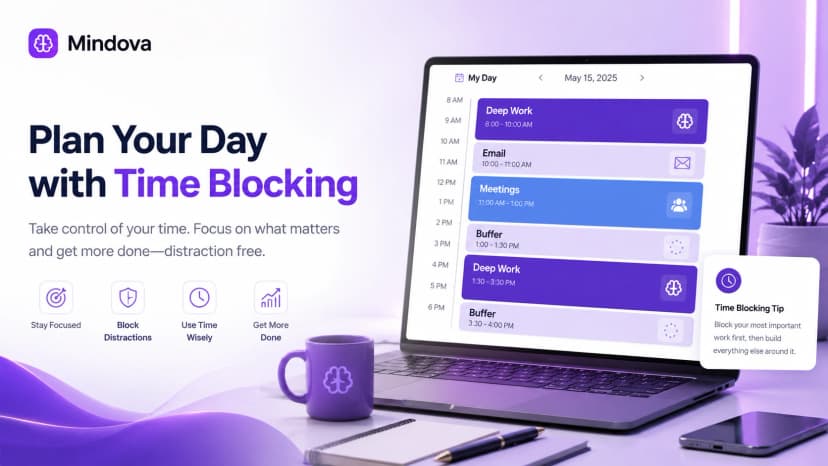
Time Blocking: How to Plan Your Day and Protect Your Focus
Learn how time blocking works, how to build a realistic daily schedule, use buffers and task batching, protect focus time, and adjust when plans change.
Comments
Be the first to comment.
Ready to protect your focus?
Block distracting sites, set daily limits, and run focus sessions. Mindova is free.