How to Stop Using Facebook So Much: A Practical Facebook Detox
Written by Mouhsine
Admin
Published August 23, 2026 · Updated August 29, 2026
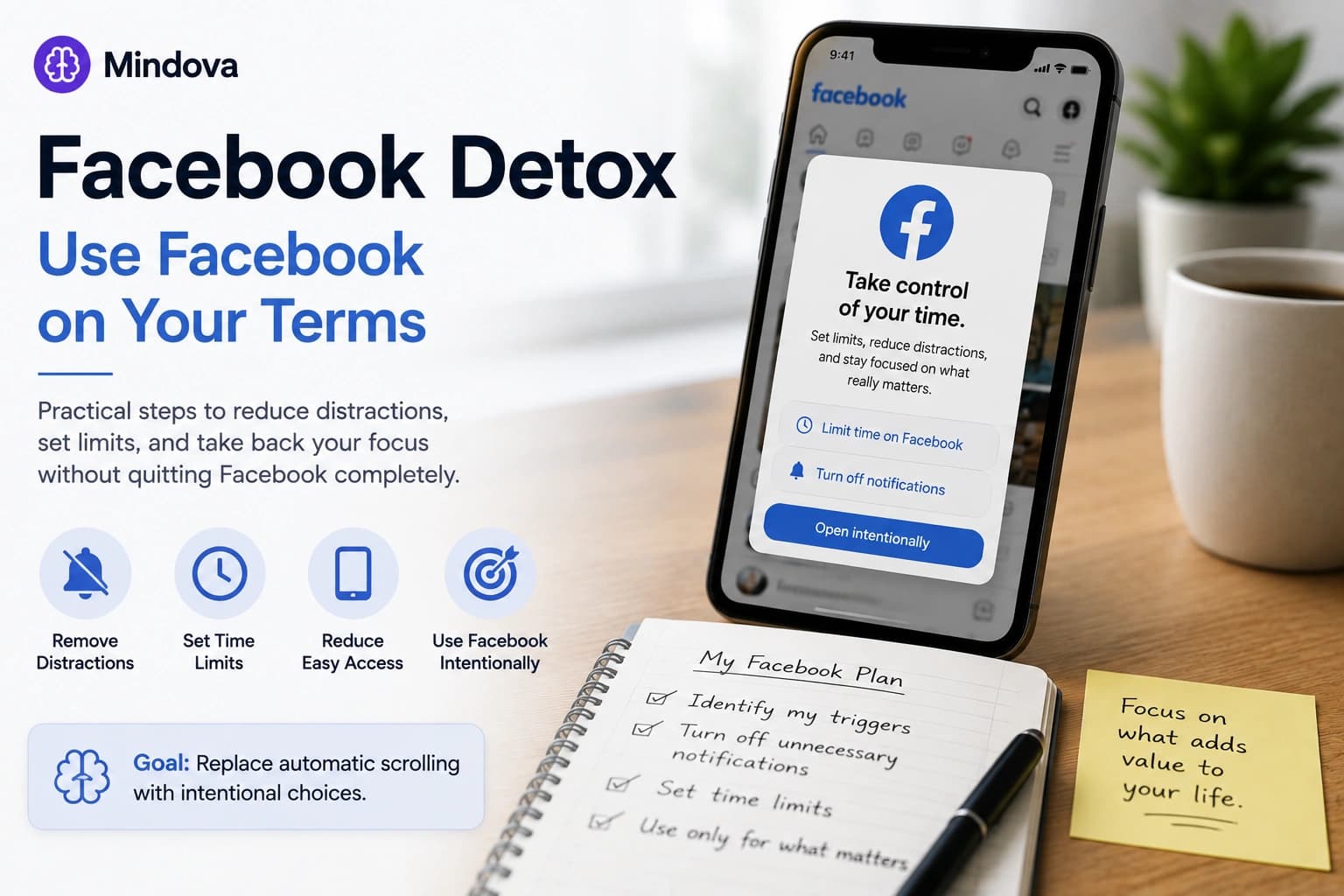
You open Facebook to check one thing.A message. An event. A group update.A few minutes later, you are still scrolling.
If that happens regularly, you do not necessarily need to delete your account or disappear from Facebook completely. A more useful first step may be to change how easy Facebook is to open, when you allow yourself to use it, and what triggers you to check it in the first place.
That is what this Facebook detox is about.
Quick answer: Start by identifying when you automatically open Facebook. Remove unnecessary notifications, make the app less convenient to reach, decide when Facebook is actually useful to you, and add limits to the places where you keep reopening it. If reducing access is not enough, temporary deactivation is a stronger option.
1. Decide what you actually want to change
“Use Facebook less” is difficult to act on because it does not define the problem.
Your problem might be:
- opening Facebook every time work becomes difficult;
- checking it immediately after waking up;
- scrolling in bed;
- repeatedly checking Groups;
- opening the feed when you only needed Messenger;
- visiting
facebook.comautomatically while working; - spending much longer on the platform than you intended.
Pick the behavior first.
For example:
I want to stop opening Facebook while I work.
is much easier to solve than:
I need a digital detox.
You also do not have to choose between unlimited Facebook and quitting permanently.
Your goal could simply be:
Use Facebook deliberately instead of automatically.
2. Find your Facebook trigger
Before changing anything, notice what happens immediately before you open Facebook.
Is it:
Boredom?
You have a few empty minutes.
Task difficulty?
You reach a frustrating part of your work and look for an easier activity.
A notification?
Facebook itself brings you back.
Habit?
You unlock your phone and open it without a clear reason.
A legitimate need?
You actually need a group, event, Marketplace listing, business Page, or message.
Those situations need different solutions.
If notifications cause most of your visits, fix notifications.
If the problem is automatic browser checking, add friction in the browser.
If Facebook is genuinely useful but you stay much longer than intended, a time allowance may work better than a complete block.
The point is to target your actual loop, not apply every digital-detox trick you can find.
3. Turn off the notifications that do not deserve your attention
A Facebook detox becomes much harder if Facebook is still asking you to come back throughout the day.
Start with the interruptions you do not need.
Review:
- push notifications;
- notification badges;
- sounds;
- email notifications;
- group alerts;
- Page updates;
- live-video alerts;
- reminders that are not genuinely useful.
Facebook provides controls for different notification categories, and your phone's operating system can also control whether Facebook is allowed to send notifications at all. (Facebook)
You do not need to disable everything if some alerts matter.
The useful question is:
Would I choose to open Facebook for this if it had not interrupted me first?
If the answer is usually no, that notification probably does not need immediate access to your attention.
4. Remove Facebook from the easiest path
A habit is easier to repeat when the path has almost no friction.
If the Facebook app is on your first Home Screen, logged in, covered in badges, and available with one tap, checking it requires almost no decision.
You can change that without deleting your account.
Depending on how strict you want your detox to be:
- remove Facebook from your Home Screen;
- place it somewhere less visible;
- log out after using it;
- remove saved shortcuts;
- close Facebook tabs when you are finished;
- or uninstall the mobile app entirely.
Uninstalling Facebook does not mean deleting your Facebook account.
If you genuinely need the platform later, you can still decide to access it another way.
The goal is to put a small decision between:
I feel like checking Facebook.
and:
Facebook is already open.
5. Decide what Facebook is still useful for
A detox is easier to maintain when you know what you are keeping Facebook for.
Maybe you still need:
- one professional group;
- local events;
- Marketplace;
- a community;
- family updates;
- a business Page;
- Messenger.
Write that down mentally.
Then ask whether you need unrestricted access to the entire feed just because one Facebook feature remains useful.
For example:
I need Facebook Groups for work.
does not necessarily mean:
I need the Facebook app beside me all day.
This distinction helps you reduce Facebook use without turning the detox into an unrealistic promise that you will never use the platform again.
6. Give Facebook a boundary instead of checking it all day
If you still want Facebook in your life, decide when it gets your attention.
That could mean:
- after finishing your main work;
- once at lunch;
- once in the evening;
- only from your desktop;
- or a limited amount of time each day.
The exact rule matters less than having one.
Compare:
I'll try not to use Facebook much today.
with:
I'll check Facebook after I finish this work block.
The second rule removes repeated negotiations throughout the day.
You already know when Facebook is allowed back in.
7. Block or limit Facebook in your desktop browser
Removing the mobile app does not solve the problem if you immediately start typing facebook.com into your laptop.
If browser access is where you repeatedly lose focus, you can treat Facebook as a website distraction.
Mindova lets you add facebook.com to your distracting websites and choose an Individual Site Limit.
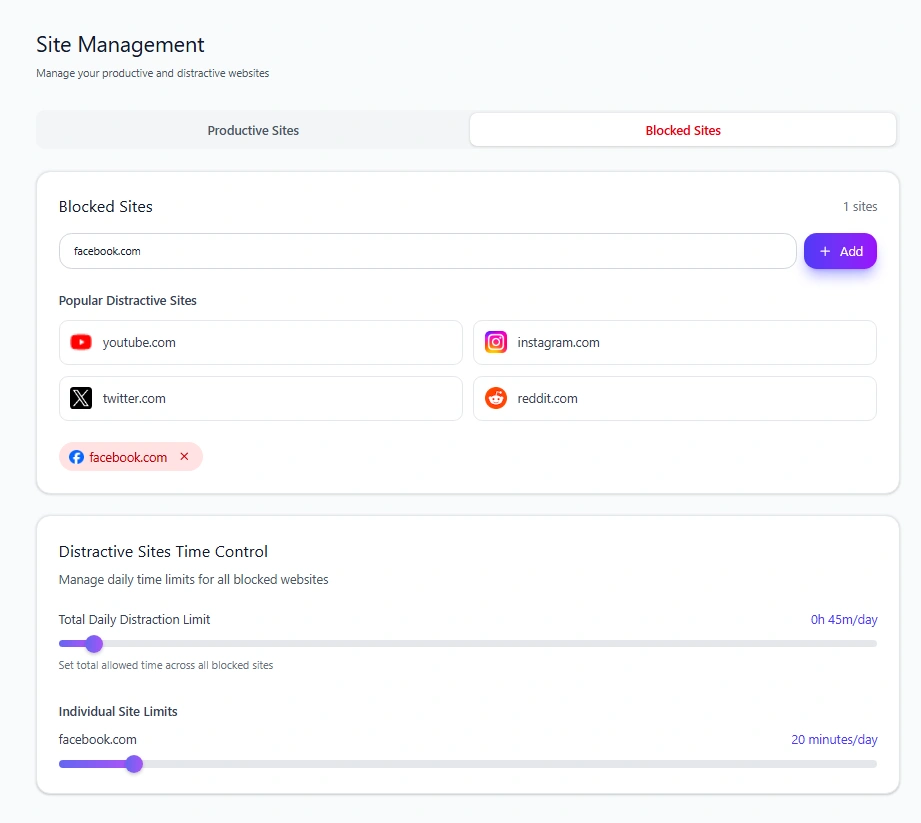
For example:
0 minutes/day
→ block Facebook when you try to visit it.
or:
20 minutes/day
→ keep Facebook available until that allowance is used.
Mindova supports per-site limits from 0 to 240 minutes per day in 5-minute steps. When a limit is reached, the current product creates a decision point rather than claiming an irreversible lock.
This is especially useful if Facebook is occasionally necessary but repeatedly turns into a longer browsing session than you intended.
Important: Mindova currently controls the Facebook website in supported desktop browsers. It does not currently block the native Facebook app on iPhone or Android, and it does not provide Locked Mode or recurring blocking schedules.
For the complete setup, see how to block Facebook and set a daily limit.
8. Do not replace Facebook with another feed
A Facebook detox can technically succeed while changing almost nothing.
You stop opening Facebook...
and start opening Instagram.
Or Reddit.
Or X.
Or YouTube Shorts.
Cleveland Clinic's digital-detox guidance specifically warns about replacing one digital habit with another when evaluating whether a detox is working. (Cleveland Clinic)
Pay attention to substitution.
If your Facebook use drops but another feed immediately absorbs the same empty moments, the underlying habit may still be:
discomfort → open feed.
In that case, the next step is not necessarily another blocker.
It may be deciding what you want to do in those moments instead.
9. Give the automatic check somewhere else to go
Removing a habit creates an empty moment.
Plan for it.
When you would normally open Facebook, you could:
- continue the task in front of you;
- write the thought down instead of chasing it;
- stand up;
- get water;
- walk for a few minutes;
- read;
- message the person you actually wanted to talk to directly.
The replacement does not need to be impressive.
It only needs to stop every moment of boredom from automatically becoming a feed.
For work in particular, keep the next action obvious.
If you finish one task and do not know what comes next, Facebook has an easy opening.
10. Review whether the detox is actually helping
Do not measure success only by whether you avoided Facebook completely.
A better review asks:
- Am I opening Facebook less automatically?
- Am I spending less time there than I intended?
- Did another platform replace it?
- Are notifications still pulling me back?
- Which time of day causes the most problems?
- Do I actually miss the access I removed?
- Which Facebook features do I still genuinely need?
Research on social-media detoxes suggests that reducing use is achievable for many participants, but results should not be treated as a guarantee that every person will experience the same psychological or productivity benefits. In one study, Facebook was among the platforms where many participants successfully reduced their usage during the detox period. (PubMed Central (PMC))
The practical goal is simpler:
Does your current Facebook setup give you more control over when you use it?
If yes, keep what is working.
If not, tighten the specific boundary that keeps failing.
What if reducing Facebook use is not enough?
You may reach a point where:
- you keep bypassing your rules;
- you do not currently need Facebook;
- even occasional access immediately turns into heavy use;
- or you simply want a cleaner break.
That is when temporary deactivation becomes a different option.
Deactivation is not the same thing as reducing your daily usage. Meta says a temporarily deactivated Facebook profile is hidden, while your photos, posts, and videos are not deleted, and you can choose to return later. Messenger may also remain available depending on your setup. (Facebook)
We keep that process separate because someone searching for deactivation usually wants account-management instructions, not general detox advice.
See our guide to temporarily deactivating Facebook without deleting your account.
Facebook detox vs deleting Facebook
You do not have to escalate straight from “I use Facebook too much” to permanent deletion.
Think of the options as different levels.
| Option | What changes | Good when |
|---|---|---|
| Remove notifications | Facebook stops calling you back as often | Alerts are the main trigger |
| Remove/uninstall the app | Mobile access requires more effort | Automatic phone checking is the problem |
| Set usage boundaries | Facebook remains available at chosen times | You still need the platform |
| Block/limit facebook.com | Desktop browser access gets a boundary | Your work browser is the problem |
| Temporarily deactivate | Your profile goes offline without permanent deletion | You want a stronger break |
| Delete account | Permanent account removal | You genuinely want to leave Facebook |
Start with the smallest intervention that solves your actual problem.
Strictness is not automatically better.
Is Facebook's “Take a Break” feature the same as a Facebook detox?
No.
Facebook also uses Take a Break as the name of a feature for reducing how much you see of a particular person's profile and how that person interacts with your content.
Facebook's own Help Center categorizes it as “Take a break from someone's profile.” (Facebook)
That is different from taking a break from Facebook itself.
This article is about reducing your use of the platform.
Frequently asked questions
How do I stop using Facebook so much?
Start by identifying what triggers your Facebook checks. Disable unnecessary notifications, make Facebook less convenient to open, decide when you actually want to use it, and add a browser or app-level limit where needed.
Do I need to delete Facebook to do a detox?
No. A Facebook detox can mean reducing use rather than eliminating it. You can remove notifications, uninstall the app, use Facebook only at specific times, or limit browser access while keeping the account active.
Should I uninstall the Facebook app?
If most of your unwanted Facebook use happens automatically on your phone, uninstalling the app can add useful friction. It does not delete your Facebook account.
Can I block Facebook without deactivating my account?
Yes. If your problem is browser distraction rather than the account itself, you can block or limit access to facebook.com while leaving the Facebook account active.
Does Mindova block the Facebook mobile app?
No. Mindova's current shipping product blocks and limits websites in supported desktop browsers. Native mobile app blocking is not currently available.
What if I want to leave Facebook temporarily?
Use Facebook's temporary deactivation option rather than turning this detox article into a deactivation workflow. Your account can later be reactivated. See our dedicated Facebook deactivation guide.
Make Facebook a choice again
The goal of a Facebook detox is not to prove that you can live without Facebook.
It is to stop opening it when you never consciously decided to.
Remove unnecessary triggers.
Make automatic access slightly harder.
Keep the parts of Facebook that are genuinely useful.
Put boundaries around the parts that consume more attention than you want to give them.
And if the problem is happening across several distracting websites rather than Facebook alone, use our broader guide to blocking distracting websites and staying focused.
Mouhsine
Admin
Passionate about helping people achieve peak mental performance through evidence-based strategies and mindful technology use.
Related Articles

Digital Detox: What Is It, and Does It Actually Help?
Learn what a digital detox really is, what research says about its benefits, and how to reduce distracting technology without quitting every screen.

How to Temporarily Deactivate Facebook Without Deleting Your Account
Learn how to temporarily deactivate Facebook on mobile or desktop, what happens to your profile and Messenger, and how to reactivate your account later.

Digital Detox Retreats: Cost, Benefits, and Are They Worth It?
What happens at a digital detox retreat, how much does one cost, and is it worth paying for? Compare retreat types, evidence, downsides, and at-home alternatives.
Comments
Be the first to comment.
Ready to protect your focus?
Block distracting sites, set daily limits, and run focus sessions. Mindova is free.