How to Block Shopping Sites (Amazon, Temu, Shein) and Stop Impulse Buying
Written by Mouhsine
Admin
Published November 6, 2026 · Updated November 10, 2026
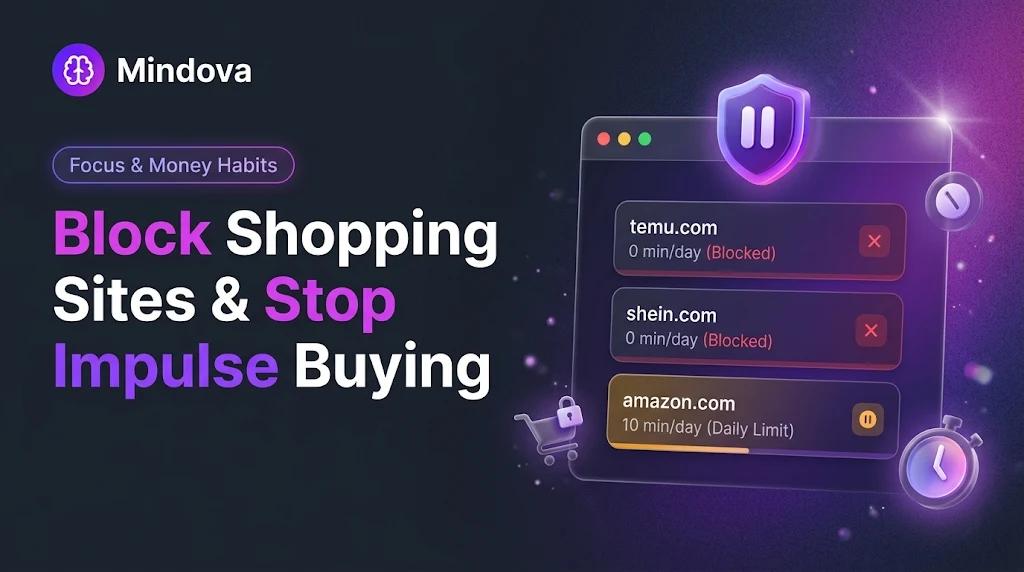
"Just looking" on Amazon, a 3 a.m. Temu scroll, a Shein haul you did not plan. Online shopping is built to remove every pause between wanting something and buying it, and sales like Black Friday add a countdown on top.
The most reliable fix is not more willpower. It is putting the pause back. In this guide, we show how we blocked Temu and Shein and gave Amazon a small daily allowance with Mindova, then add the money habits that make impulse buying harder.
Quick answer: To block shopping websites on your computer, add them to a website blocker such as Mindova and choose a limit for each one. Set 0 minutes/day for sites you only open on impulse (for example Temu or Shein), and a short daily allowance, such as 10 minutes/day, for sites you sometimes need (for example Amazon). Then add friction to checkout: do not let sites save your card, and wait 24 hours before you buy.
Disclosure: Mindova is our product. We tested the Mindova browser extension and web dashboard ourselves in November 2026. The money tips below come from the sources linked next to them. This article is about habits and tools, not financial or medical advice.
What we tested
We set up a real shopping block on our own computer:
- Added amazon.com, temu.com and shein.com to Mindova's Blocked Sites.
- Gave amazon.com a limit of 10 minutes/day.
- Set temu.com and shein.com to 0 minutes/day.
- Opened each site in the browser after the settings had synced.
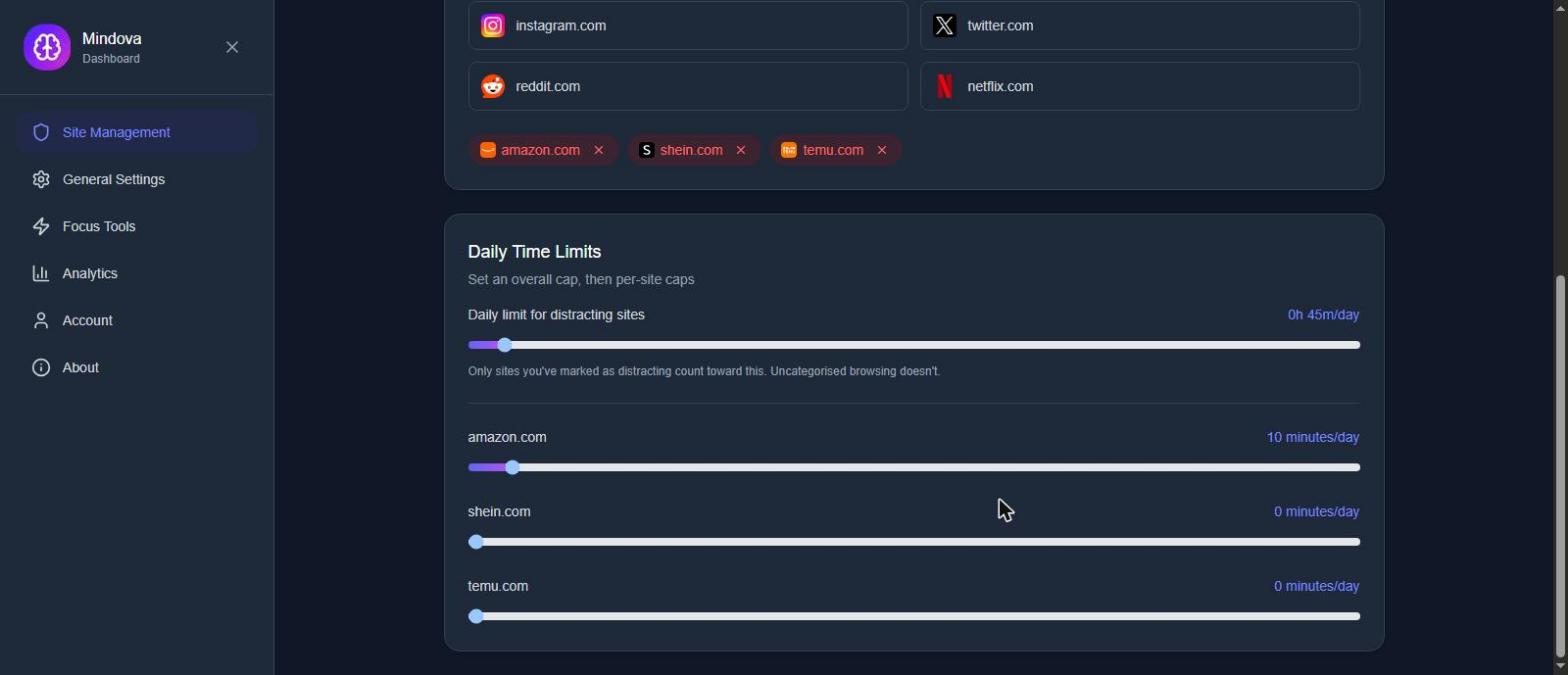
Results:
- Temu was blocked with Mindova's Focus Time screen.
- Shein redirected us to its local store, ma.shein.com, and Mindova blocked that address too.
- Amazon opened normally, because its 10-minute allowance had not been used yet.
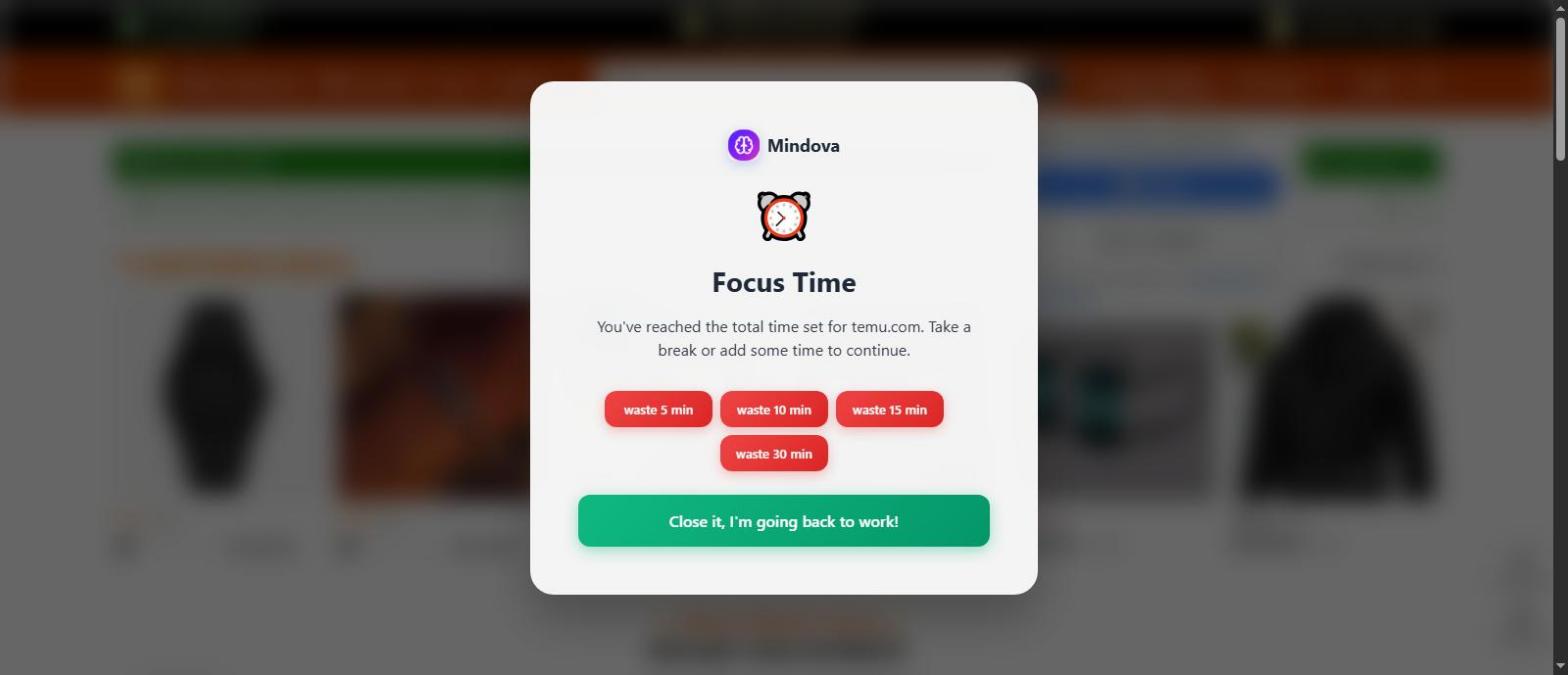
One practical detail: we made the changes in Mindova's web dashboard, and it took several minutes for them to reach the browser extension. If you set up your block right before a sale starts, do it a little in advance.
How to block shopping websites with Mindova
Step 1: Install Mindova
Mindova is a website blocker extension for Chrome and other Chromium browsers, including Edge, Brave, Opera and Vivaldi.
Free plan available, no credit card required. Try Pro free for 7 days. View pricing.
The Free plan lets you block up to 3 websites, which is enough for the three shopping sites that cost you the most.
Step 2: Add your shopping sites to Blocked Sites
Open Site Management → Blocked Sites and add each domain, for example amazon.com, temu.com and shein.com. Use the main domain; in our test, blocking shein.com also covered the local store ma.shein.com.
Step 3: Choose block or limit for each site
Each site gets its own Individual Site Limit:
- 0 minutes/day blocks the site every time you open it.
- A higher number gives you a daily allowance. When it is used, Mindova shows its Focus Time screen.
Check the number after you add a site, and refresh the page once to confirm that the limit you chose was saved.
Step 4: Decide what happens when you hit the limit
On the Focus Time screen you can close the site or add 5, 10, 15 or 30 minutes. That is deliberate friction, not a lock: if you really need to buy something, you can, but you have to choose it.
Block or limit? Not every shopping site is the same
| Site type | Example | Our suggestion |
|---|---|---|
| Sites you only open on impulse | Temu, Shein, flash-sale sites | Block: 0 minutes/day |
| Sites you need for essentials | Amazon, your supermarket | Limit: a short allowance, such as 10 minutes/day |
| Sites you use for work | Marketplaces you sell on, supplier sites | Leave them open, or mark them as Productive |
A short allowance on Amazon works better than a total block for most people: you can still reorder what you actually need, but you lose the hour of browsing "recommended for you".
A Black Friday plan that uses friction
Black Friday is on November 27, 2026, and Cyber Monday is on November 30. Sales use countdowns and "only 3 left" messages to rush the decision. A simple plan:
- Before the sale: write the short list of things you actually need, with a budget for each.
- During the sale: keep your impulse sites at 0 minutes/day and give one store a short allowance to buy what is on your list.
- For anything not on the list: use the 24-hour rule. Add it to your cart and come back tomorrow. If you still want it, decide then (U.S. Bank).
- After the sale: look at what you bought and adjust your limits for the next sale.
Add more friction outside your browser
Blocking the sites is one layer. These habits, suggested by U.S. Bank's guide to impulse buying, add more:
- Do not let shopping sites save your card. Typing your card details again gives you a moment to reconsider.
- Unsubscribe and unfollow. Sale emails and shopping accounts are reminders to buy.
- Notice the trigger. U.S. Bank points to stress, boredom and social pressure as common triggers. If you shop when you are bored at night, that is when your block matters most.

Block distractions. Stay focused with Mindova.
Block distracting websites and apps, set limits, and protect your focus time across your browser and phone.
Free plan, no credit card • Try Pro free for 7 days
Limitations to know
- Mindova adds friction; it is not an unbreakable lock. You can add more time on the Focus Time screen.
- Each limit applies to the browser where Mindova is installed. Another browser or device is still open unless you set it up there too.
- If shopping feels out of control, causes debt, or keeps happening despite these steps, talk to a doctor, a mental health professional, or a debt adviser. A blocker can help with habits, but it is not treatment.
- The extension does not block shopping apps on your phone. For that, see how to block apps on Android.
Frequently asked questions
How do I block shopping websites on Chrome?
Install a website blocker extension such as Mindova, open Site Management → Blocked Sites, add the shopping domains, and set each one to 0 minutes/day to block it or to a small daily allowance to limit it.
Can I block Temu or Shein completely?
Yes. Set them to 0 minutes/day in Mindova. In our test, Mindova blocked both temu.com and Shein's local store ma.shein.com. You can still add time on purpose from the Focus Time screen.
Should I block Amazon or just limit it?
If you use Amazon for essentials, a short daily limit is usually more realistic than a full block. Block it during sales if your list is already done.
What is the 24-hour rule for shopping?
Add the item to your cart and wait a day before you buy. If you still want it tomorrow, decide then. Some people use 48 hours for bigger purchases; the idea is the same pause.
Does blocking shopping sites stop impulse buying?
It removes the easiest moments: the late-night scroll and the "just checking" visit. Combined with not saving your card and the 24-hour rule, it makes buying a decision instead of a reflex.
Bottom line
Impulse buying online is fast because nothing slows you down. Put the pause back: block the sites you only open on impulse, give the one store you need a small daily allowance, and keep your card details off shopping sites. If you want to see how much time shopping and other distracting sites take from your week, try our free screen time calculator, or read our guide on how to block distracting websites.
Less scrolling. More focused time.
Use Mindova to block distracting websites and apps, set daily limits, and create protected time for studying, working, or deep focus.
- Browser ExtensionChrome, Edge, Brave, Opera & Vivaldi
- Android AppBlock and limit distracting apps on Android.
- iPhone AppControl distracting apps and protect your focus on iPhone.


Start free — no credit card needed. Try Pro free for 7 days whenever you like.
Mouhsine
Admin
Passionate about helping people achieve peak mental performance through evidence-based strategies and mindful technology use.
Related Articles
How to Block the X (Twitter) Website on Chrome and Set a Daily Limit
Block the X (Twitter) website on Chrome in 4 steps: add twitter.com to Mindova, then set 0 minutes for a full block or a daily limit. Tested on x.com.
How to Block Websites on Microsoft Edge: 3 Methods
Block websites on Microsoft Edge with Mindova, Microsoft Family Safety, or Windows. Choose the best method for personal focus, family, or system-wide blocking.
7 Benefits of Blocking Distracting Websites and Apps
What are the benefits of blocking distracting websites and apps? 7 research-backed benefits, the honest limits of blockers, and how to start.
Comments
Be the first to comment.