How to Block Online Distractions Without Blocking Work Sites
Written by Mouhsine
Admin
Published August 17, 2026 · Updated September 21, 2026
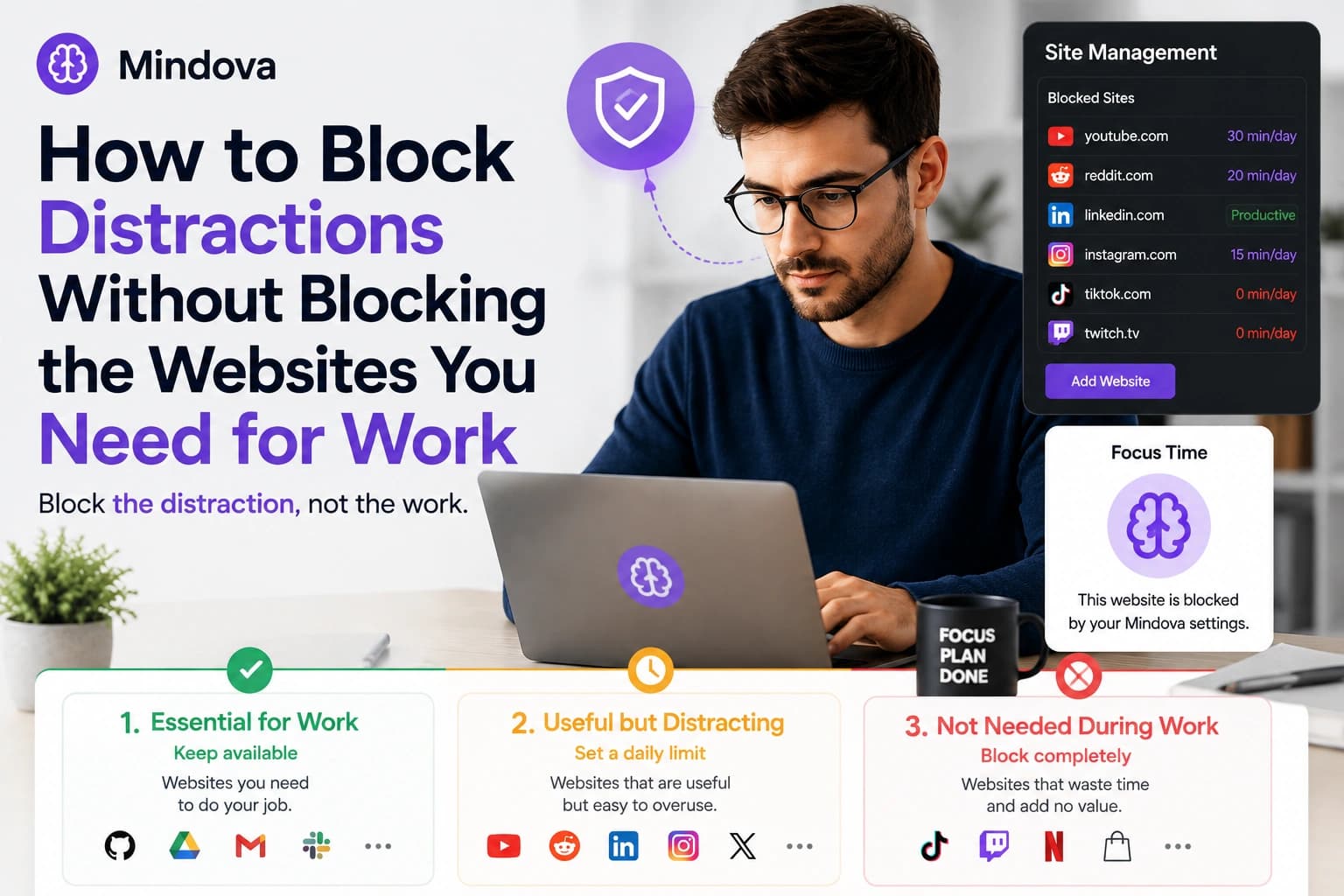
Blocking distractions sounds simple until one of the websites distracting you is also part of your job.
YouTube can waste an hour, but it may also contain the tutorial you need.
Reddit can become endless scrolling, but one thread might solve a technical problem.
LinkedIn can distract you with its feed while still being necessary for recruiting or networking.
The solution is not to block the entire internet.
It is to separate websites into three practical groups:
- websites you need for work;
- websites that are useful but easy to overuse;
- websites you do not need during work.
Then give each group a different rule.
Quick answer: To block online distractions without blocking the websites you need for work, leave essential sites available, give useful-but-distracting websites a daily limit, and use a 0-minute limit for sites you do not need. If you use a Focus Session, mark the work websites you need as Productive.
Why Blocking Everything Usually Backfires
A blocking setup becomes frustrating when it stops you from doing legitimate work.
Imagine you block:
- YouTube;
- Reddit;
- LinkedIn;
- Instagram;
- Discord.
That might look productive on paper.
But then you need a YouTube tutorial.
A developer needs a Reddit answer.
A recruiter needs LinkedIn.
A marketer needs Instagram.
Suddenly the blocker is no longer protecting your work. It is getting in the way of it.
That is usually when people start bypassing restrictions or disabling the tool completely.
A better setup is selective.
The question should not be:
Is this website distracting?
Instead ask:
What role does this website play while I am working?
1. Keep Essential Work Websites Available
Start with the websites you genuinely need to complete your work.
For example:
- GitHub for development;
- Google Docs for writing;
- Gmail for communication;
- Slack for work conversations;
- Stack Overflow for technical research;
- your company dashboard;
- a project management tool.
These are not websites you want your distraction rules to interfere with.
In normal browsing, websites you have not added to your distracting-site rules remain available.
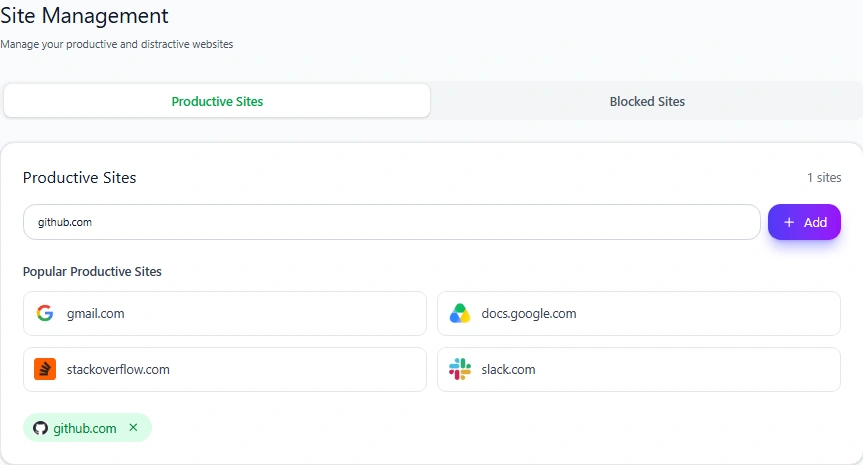
Mindova also includes a Productive Sites section. This becomes especially useful during Focus Sessions, when you want to identify the websites that should remain available while other non-Productive sites are restricted.
In our test, we added github.com to Productive Sites.
The important principle is simple:
Do not block a website merely because it can sometimes be distracting.
If it is genuinely necessary for your current work, keep it available.
2. Give Useful-but-Distracting Websites a Daily Limit
This is where the setup becomes more flexible.
Some websites are neither completely productive nor completely useless.
YouTube is a perfect example.
You may need it for:
- tutorials;
- product demonstrations;
- lectures;
- training;
- technical explanations.
But after the useful video finishes, recommendations can turn a five-minute visit into a much longer session.
Instead of blocking YouTube completely, you can give it a daily allowance.
For our test, we added youtube.com to Mindova's Blocked Sites and set an Individual Site Limit of 30 minutes/day.
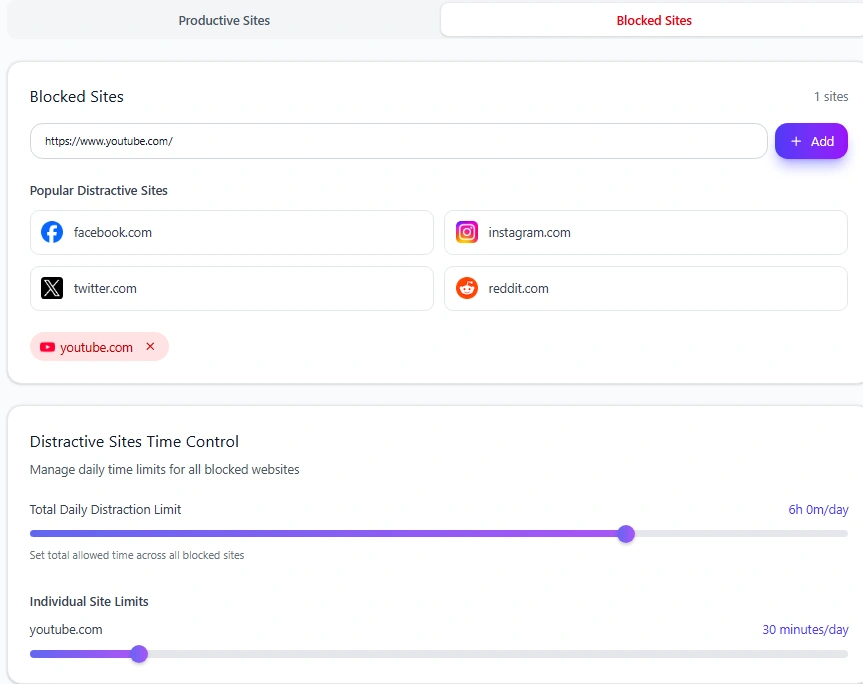
YouTube remained accessible while time was still available.
Once the 30-minute allowance was used, Mindova interrupted access with its Focus Time screen.
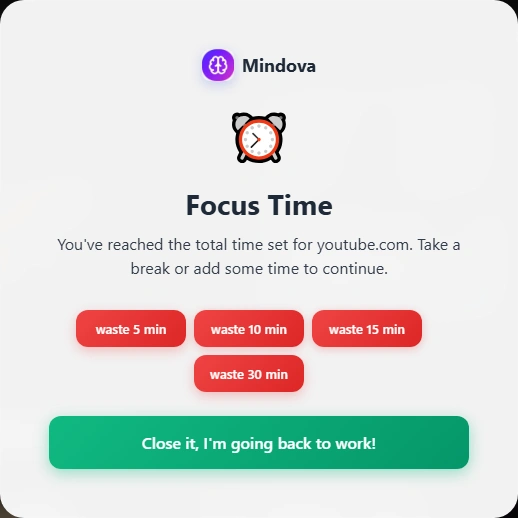
This is useful when the website still has a legitimate role in your work but you do not want unlimited access.
3. Use a 0-Minute Limit for Websites You Do Not Need
Other websites may have no useful role during your work session.
If that is the case, there is little reason to give them an allowance.
In Mindova, setting an Individual Site Limit to 0 minutes/day means the site is blocked when you try to visit it.
That might make sense for:
- TikTok during work;
- Netflix during study;
- Twitch during a writing session;
- an entertainment forum;
- a shopping website you repeatedly check;
- a news site you tend to refresh without a reason.
The point is not that those websites are bad.
They simply may not belong inside the hours you are trying to protect.
For a broader setup involving several websites, see our guide to blocking distracting websites.
A Practical Three-Group System
Before configuring anything, make a small list.
Group 1: Essential for work
Keep these available.
Examples:
- GitHub
- Google Docs
- Gmail
- your work dashboard
Group 2: Useful but distracting
Give these a daily limit.
Examples:
- YouTube
- X
Group 3: Not needed during work
Set these to 0 minutes/day.
Examples:
- TikTok
- Twitch
- Netflix
- entertainment sites
- shopping sites
Your list will be different from somebody else's.
That is the point.
Use Productive Sites During Focus Sessions
Normal browsing and Focus Sessions are slightly different.
During normal browsing, you do not need to build a large allowlist of every legitimate website. Sites that are not part of your distracting-site rules remain available.
During a Mindova Focus Session, websites that are not explicitly marked Productive can be restricted during the work portion of the session.
If you rely on GitHub, Google Docs, a company dashboard, documentation, or another work tool during a Focus Session, mark those websites as Productive first.
A simple workflow is:
- Keep essential work websites available.
- Add useful-but-distracting sites and give them realistic daily limits.
- Set unnecessary sites to 0 minutes/day.
- Mark the websites you need during Focus Sessions as Productive.
- Start a Focus Session when you want a stricter work period.
This lets you reduce distractions without accidentally removing the tools you need to finish the task.
YouTube: Useful Tool or Distraction?
YouTube shows why rigid blocking can be a bad fit.
Suppose you are learning a new framework.
You may need three tutorials during the day.
Blocking YouTube completely would make your work harder.
Leaving it unrestricted gives you access to everything—including recommendations, Shorts, entertainment videos, and unrelated browsing.
A daily limit creates a middle ground.
For example:
YouTube → 30 minutes/day
You can still use the site deliberately.
But access does not remain unlimited.
If YouTube is one of your biggest distractions, we also have a dedicated guide on how to block YouTube on Chrome.
Reddit: Research Without Endless Browsing
Reddit can have the same problem.
A developer may search:
error message + Reddit
and find the answer in one thread.
But from there it is easy to open:
- another post;
- the homepage;
- a subreddit;
- unrelated discussions.
Completely blocking Reddit may remove a useful research source.
Leaving it unrestricted may create a new distraction.
A modest daily limit can work better if Reddit still has a legitimate role in your work.
If you do not need Reddit at all during work, set the limit to zero instead.
LinkedIn and Instagram Can Also Be Work Tools
Not every social platform is automatically a distraction.
A recruiter may spend legitimate time on LinkedIn.
A marketer may need Instagram.
A designer might use Pinterest for references.
A founder may use X for industry research.
This is why copying somebody else's blocklist usually does not work very well.
Ask:
What do I actually need this website for?
Then choose the least restrictive rule that still protects your attention.
Do Not Confuse Selective Website Blocking With Feature Blocking
There is an important limitation here.
The current public Mindova browser extension controls access at the website level.
It does not selectively allow one part of a website while blocking another.
For example, it does not currently:
- allow YouTube tutorials while blocking only Shorts;
- allow Instagram publishing while blocking only Reels;
- allow one subreddit while blocking the Reddit homepage;
- allow one Twitch streamer while blocking the rest of Twitch;
- block only LinkedIn's feed while keeping every other feature available.
If you need a website, the practical options are to leave it available or give the domain a time limit.
That distinction matters because “block distractions without blocking work tools” does not always mean you can separate every productive and distracting feature inside the same website.
What About Websites You Have Not Added?
Mindova does not automatically block every website you visit during normal browsing.
If a website has not been added to your distracting or blocked-site rules, it remains available through the normal browser workflow.
That means you do not need to build a giant allowlist before you can work.
Instead, start with the sites that are actually causing the problem.
This keeps the setup simpler:
leave normal work sites alone → add the problem sites → choose the right limit for each one
If you use Focus Sessions, separately mark the websites you need during those sessions as Productive.
Example Setup for a Developer
A developer might use:
Keep available
- GitHub
- Stack Overflow
- documentation websites
- project management tools
Limited
- YouTube → 30 minutes
- Reddit → 20 minutes
Blocked
- TikTok → 0 minutes
- Twitch → 0 minutes
- Netflix → 0 minutes
This keeps research tools reachable without giving entertainment sites unlimited access.
Example Setup for a Marketer
A marketer might need a very different setup.
Keep available
- company dashboard
- Google Docs
- analytics tools
Limited
- X
- YouTube
Blocked
- unrelated entertainment or streaming sites
The same website can also change groups depending on the task.
Instagram might be necessary while publishing a campaign but unnecessary while writing a strategy document.
Example Setup for Studying
A student may need:
Keep available
- university websites
- course platform
- research sources
Limited
- YouTube for lectures
- Reddit for occasional research
Blocked
- TikTok
- Twitch
- Netflix
- entertainment websites
You do not need to make every website inaccessible to create a focused study environment.
Start Less Strict Than You Think
It is tempting to begin with the most aggressive possible setup.
That is not always the best one.
Start with:
- a few obvious distractions;
- reasonable limits for sites you still need;
- zero-minute blocks only where access is genuinely unnecessary.
Then work normally for several days.
If a website is still taking too much time, reduce its limit.
If a restriction repeatedly stops legitimate work, loosen it.
The goal is not to create the strictest blocker.
It is to create a setup you can actually keep using.
Frequently Asked Questions
How can I block distractions without blocking work websites?
Keep essential work websites available, give useful-but-distracting websites a daily limit, and use 0 minutes/day for websites you do not need.
If you use a Focus Session, mark the websites you need during that session as Productive.
Can I use YouTube for work without leaving it completely unrestricted?
Yes. You can give YouTube an Individual Site Limit instead of blocking it completely.
In our test, YouTube remained accessible until its 30-minute daily allowance was used.
Does Mindova block every website except Productive Sites?
Not during normal browsing.
Websites you have not added to your distracting-site rules remain available normally.
Productive Sites are especially useful when you want work websites to remain available during a Focus Session.
Can I set a different limit for every website?
Yes. Individual Site Limits let different blocked websites have different daily allowances.
What does 0 minutes/day mean?
A 0-minute Individual Site Limit means the website is blocked when you try to visit it.
Can Mindova block only YouTube Shorts or Instagram Reels?
Not with the current public browser-extension workflow.
Mindova works at the website/domain level rather than selectively blocking individual features inside a platform.
Is Mindova free?
New users can try Mindova free for 7 days. No credit card is required to start. Continued access after the trial requires a Monthly or Annual plan.
Block the Distraction, Not the Work
The best blocking setup is not the one that closes the most websites.
It is the one that removes unnecessary browsing while leaving you able to do your job.
Keep essential websites available.
Give useful-but-distracting sites a limit.
Block sites you genuinely do not need.
Then adjust the rules based on how you actually work.
If you want to build a larger blocklist with different rules for several sites, start with our guide to blocking distracting websites.
Mouhsine
Admin
Passionate about helping people achieve peak mental performance through evidence-based strategies and mindful technology use.
Related Articles
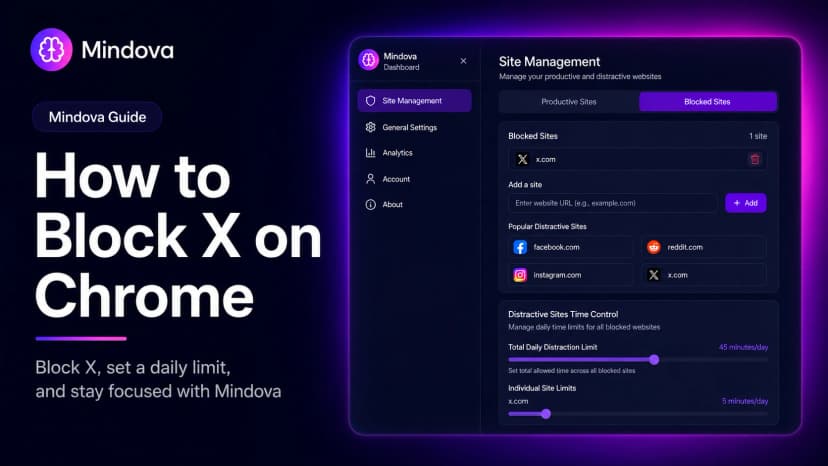
How to Block X (Twitter) on Chrome and Set a Daily Limit 2026
Block X (Twitter) on Chrome with a tested browser method. Use Mindova to block x.com or twitter.com, set a daily limit, and stay focused
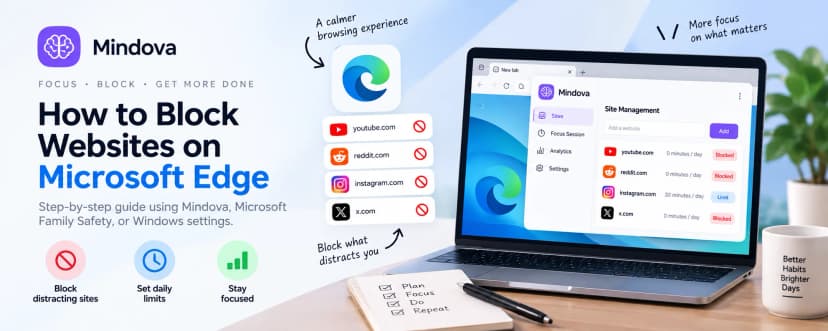
How to Block Websites on Microsoft Edge: 3 Methods
Block websites on Microsoft Edge with Mindova, Microsoft Family Safety, or Windows. Choose the best method for personal focus, family, or system-wide blocking.
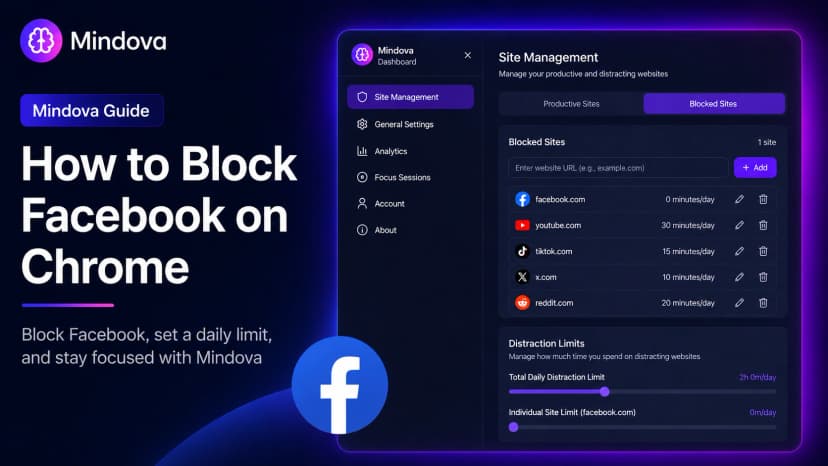
How to Block Facebook on Chrome and Set a Daily Limit 2026
Learn how to block Facebook on Chrome with Mindova, set a daily time limit, use Focus Sessions, and reduce distracting browsing on supported desktop browsers.
Comments
Be the first to comment.
Ready to protect your focus?
Block distracting sites, set daily limits, and run focus sessions. Mindova is free.