Advanced Time Blocking for Deep Work
Written by Mindova Team
Admin
Published February 23, 2026 · Updated July 7, 2026

You've been time blocking for a while. Your calendar has slots, you mostly stick to them, and your days feel less chaotic than they used to. But you've hit a ceiling. Meetings still bleed into focus time, your deep work gets interrupted, and some days feel productive but shallow. This is where the advanced moves come in.
Theme your days, not just your hours
Blocking individual tasks is good. Theming whole days is better. The idea is to give each day a center of gravity, one type of work it's built around.
Say you set Mondays for planning and creative work, Tuesdays and Thursdays for meetings, Wednesdays for deep project work, and Fridays for admin and loose ends. Now you're not whiplashing between writing a strategy doc and joining a call every 40 minutes. Related work clusters together, and the mental cost of switching between completely different modes drops.
Themed days also make protecting your time easier. "I keep Wednesdays clear for focused work" is a rule people respect. "I'm a bit busy" is not.
Build buffers in on purpose
Beginners block their work. Experienced blockers block the space around their work.
A buffer is unscheduled time you leave deliberately, 15 to 25 percent of your day left open. It exists to absorb the things you can't predict: the call that runs long, the task that's harder than expected, the urgent request that lands at 2 p.m. Without buffers, one overrun cascades through every block after it, and by mid-afternoon your careful plan is fiction.
Treat buffers as part of the plan, not a failure of it. A day that's 75 percent scheduled and holds together beats a day that's 100 percent scheduled and collapses by lunch.
Defend your deep-work blocks
Your deep-work block is the most valuable and most fragile thing on your calendar. One ping, one "quick question," one impulsive tab and the focus you spent fifteen minutes building is gone, and it takes longer than you'd think to get back.
Protecting it takes more than good intentions.
Make starting automatic
Open the same way every time: same spot, same first action, notifications already off. A consistent on-ramp tells your brain it's time to go deep without you having to decide.
Remove the escape hatches
Most lost focus isn't dramatic. It's a half-conscious reach for a familiar site during a hard moment. Block those sites and apps for the duration of the block so the easy out simply isn't there. If you're prone to talking yourself out of your own rules, a locked mode that resists impulsive unblocking keeps the decision made.
Match the work to your energy
Don't waste your sharpest hours on email. If you think best in the morning, put your hardest block there and push shallow work to the afternoon slump. Fighting your own rhythm spends your best block on your worst work.
Right-size your blocks
Not every block should be the same length.
- Deep work: 50 to 90 minutes, then a real break. Long enough to get past the warm-up, short enough to stay sharp.
- Shallow and admin work: 25 to 45 minutes. Email, calls, and routine tasks, batched so they don't bleed into everything.
- Breaks: treat them as blocks too. They're what makes the next deep block possible.
Batching matters as much as length. Group similar work so your brain stays in one mode instead of paying the switching tax over and over.
Review like it's part of the system
The plan-the-night-before habit is good. Add a weekly review on top of it.
Each evening, set tomorrow's top few priorities and assign them blocks. Once a week, step back: which blocks consistently overran, which themes worked, where your buffers got eaten. Adjust the template, not just tomorrow. The point isn't a perfect calendar. It's a calendar that keeps getting closer to how you actually work.
Don't over-engineer it
The failure mode at this level isn't too little structure. It's too much. A schedule so rigid you resent it gets abandoned within a week. Leave room to breathe, skip a block when life demands it, and let the system bend instead of break. The goal is sustained focus, not a color-coded monument you're afraid to touch.
Put this into practice with Mindova
Mindova is a website and app blocker that turns these ideas into daily habits — set focus schedules, block distracting sites and apps, and track your progress across every device.
- Block distracting websites and apps in seconds
- See pricing — start free, no credit card required
- Get started free and reclaim your focus today
- Block specific apps: Block YouTube
Mindova Team
Admin
Passionate about helping people achieve peak mental performance through evidence-based strategies and mindful technology use.
Related Articles

Distraction-Free Writing: A Setup for Focus
How to build a distraction-free writing setup and the habits that protect your drafting time from pings, tabs, and the urge to check.
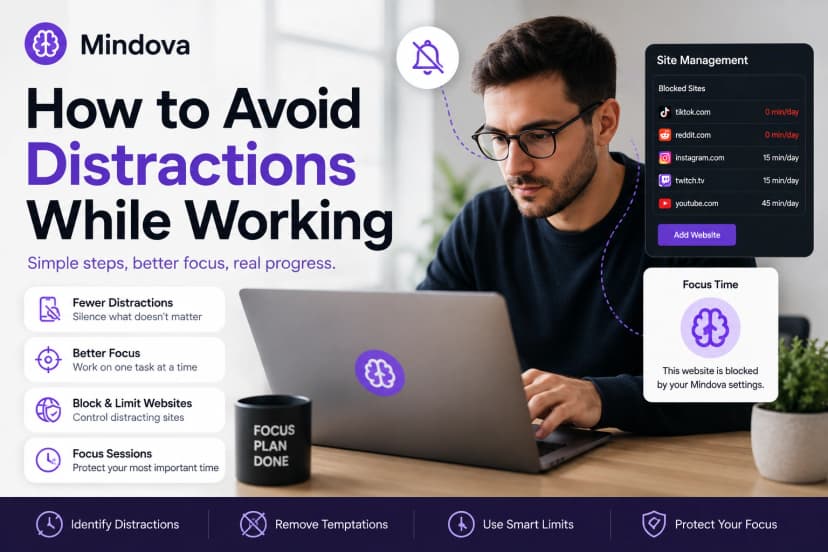
How to Avoid Distractions While Working: 10 Practical Strategies
Learn how to avoid distractions while working by reducing digital triggers, managing notifications, limiting distracting websites, and protecting focused work time.

Build Focus Habits With the Cue-Reward Loop
Break focus into cue, craving, response, and reward, and concentration stops depending on motivation.
Comments
Be the first to comment.
Ready to protect your focus?
Block distracting sites, set daily limits, and run focus sessions. Mindova is free.