Time Blocking: How to Plan Your Day and Protect Your Focus
Written by Mouhsine
Admin
Published September 2, 2026 · Updated September 3, 2026
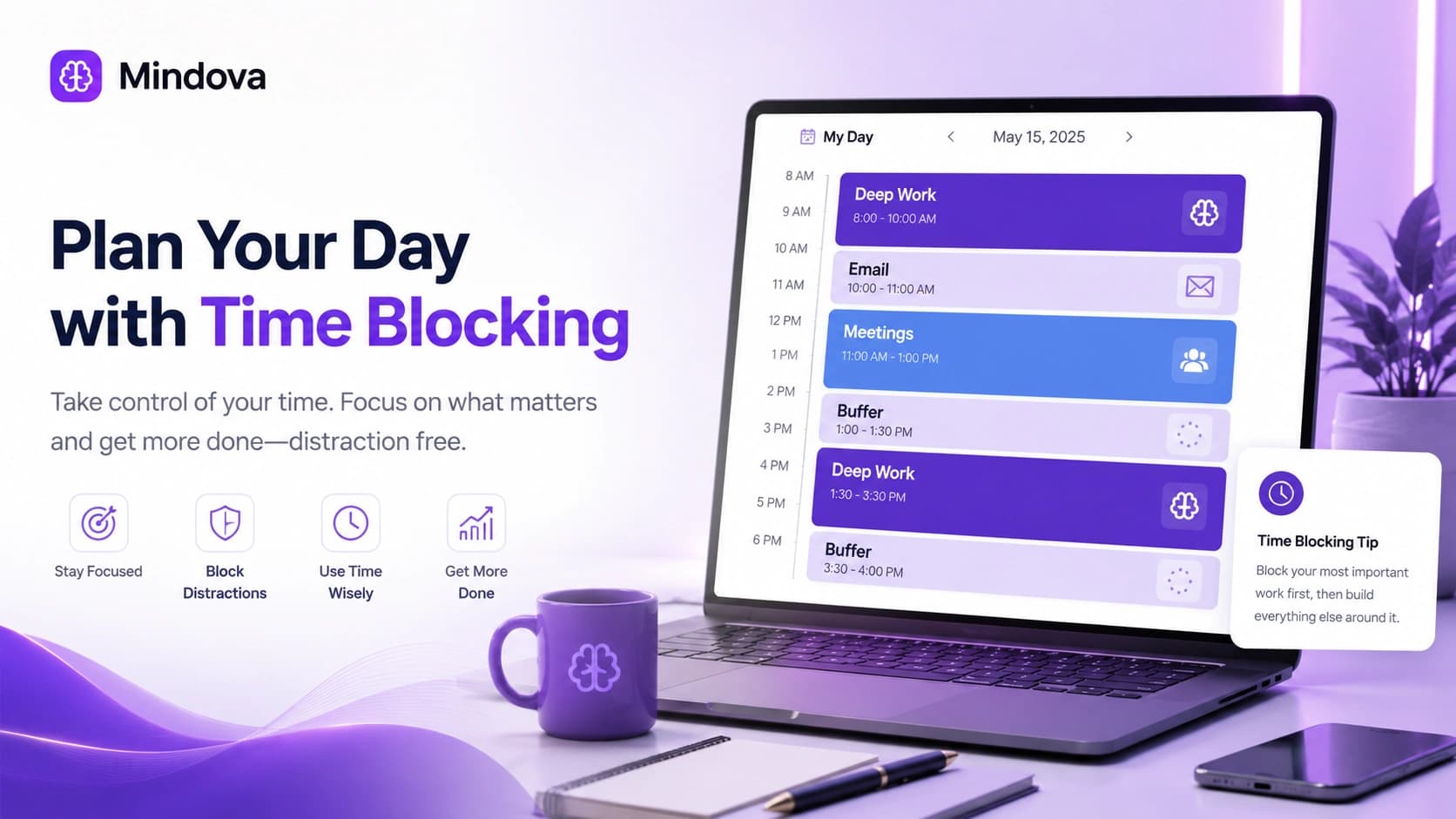
A to-do list can tell you what needs to happen.
It does not tell you when you are going to do any of it.
That gap is where a lot of workdays fall apart.
You start with five priorities, answer one email, join a meeting, notice another message, handle something urgent, and suddenly it is late afternoon. You were busy all day, but the work you considered important never had a protected place to happen.
Time blocking fixes that by assigning work to specific periods of your day before the day gets filled by everything else.
Instead of:
Write the report.
you decide:
9:00–10:30: Draft the report.
Instead of:
Answer email.
you decide:
11:30–12:00: Email and messages.
The calendar becomes more than a record of meetings. It becomes a plan for where your attention is supposed to go.
What Is Time Blocking?
Time blocking is a planning method where you divide your available day into blocks of time and assign a task, type of work, or activity to each block.
The idea is commonly associated with productivity writer Cal Newport, who advocates planning a workday by giving every minute an intended job while remaining willing to revise the plan as reality changes.
His key point is often misunderstood:
A time-blocked schedule is not supposed to predict the day perfectly.
The schedule is a plan.
When something changes, you update the remaining blocks rather than declaring the entire system broken.
Cal Newport's original planning system is explained through his Time-Block Planner.
Time Blocking vs a To-Do List
A to-do list answers:
What needs to be done?
Time blocking adds a second question:
When will I do it?
Suppose your list says:
- Finish presentation
- Reply to client emails
- Research competitors
- Review analytics
- Exercise
Every item may be important.
But they are all competing for the same undefined space called today.
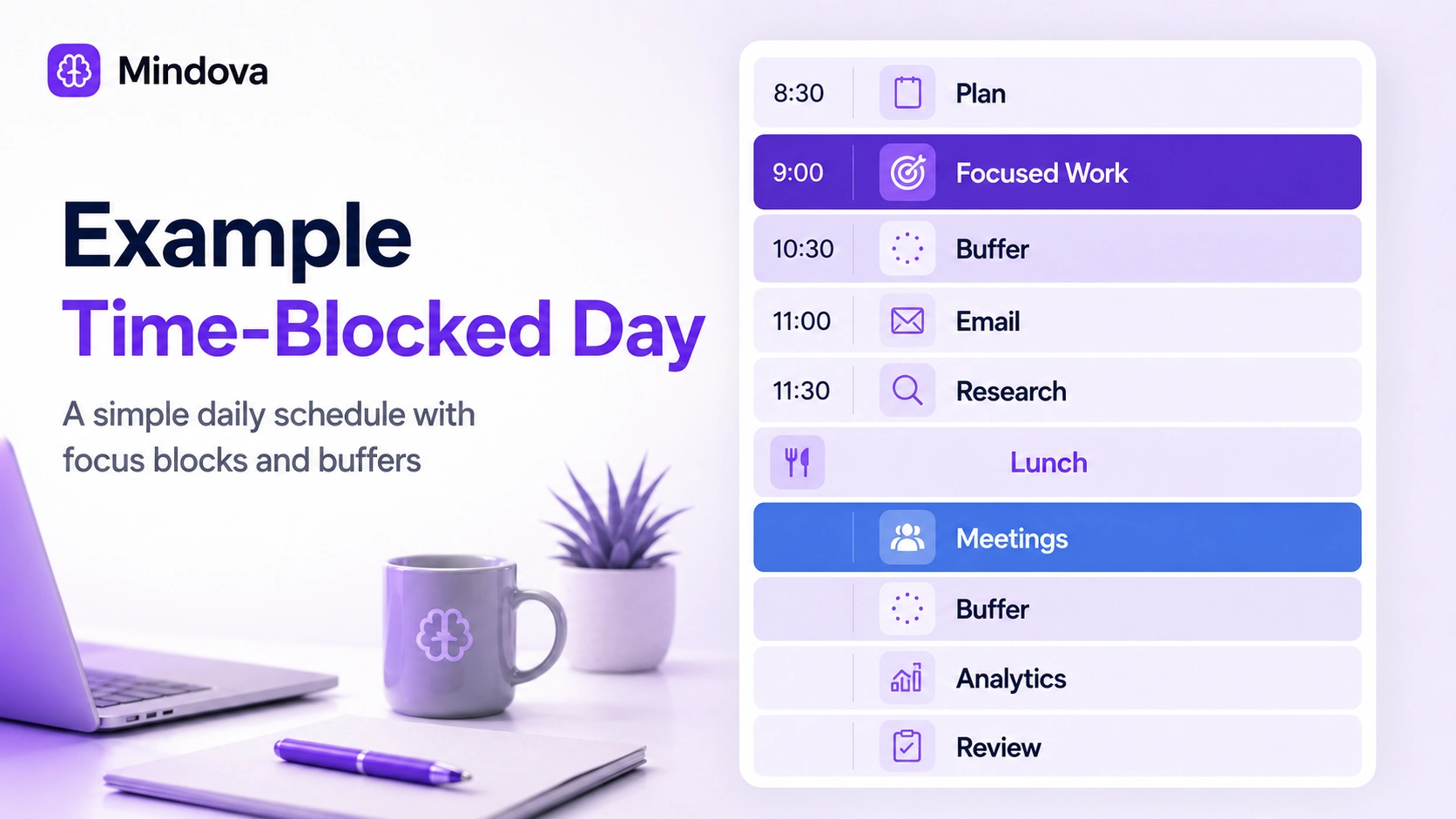
With time blocking, the day could become:
| Time | Block |
|---|---|
| 8:30–9:00 | Plan the day and prepare |
| 9:00–10:30 | Presentation — focused work |
| 10:30–11:00 | Buffer / break |
| 11:00–11:30 | Email and messages |
| 11:30–12:30 | Competitor research |
| 12:30–1:30 | Lunch |
| 1:30–2:30 | Meetings |
| 2:30–3:00 | Buffer |
| 3:00–4:00 | Analytics review |
| 4:00–4:30 | Admin and tomorrow's plan |
Nothing about this schedule is sacred.
Its value is that the important work now has somewhere to happen.
How to Time Block Your Day
A complicated calendar is not the goal.
Start with a realistic map of the work you actually have.
1. Start With the Time You Cannot Move
Put fixed commitments on the calendar first.
That might include:
- meetings;
- classes;
- appointments;
- school runs;
- lunch;
- commuting;
- deadlines tied to a particular hour.
These are the boundaries you have to plan around.
Do not build an idealized eight-hour focus schedule when three hours are already occupied by meetings.
Start with reality.
2. Decide What Actually Matters Today
Next, identify the small number of outcomes that deserve meaningful time.
There is a difference between:
Work on marketing.
and:
Finish the first draft of the landing page.
The second gives the block an outcome.
Try asking:
If only two important pieces of work were completed today, which two would make the day worthwhile?
Those are usually the tasks that deserve protection first.
If deciding what to work on becomes a problem of its own, our guide to overcoming analysis paralysis covers how to narrow options and stop endless decision loops.
3. Give the Important Work a Real Block
Now put those priorities on the calendar.
Do not automatically place the important work wherever there happens to be empty space.
Look at:
- when the work is due;
- what other people depend on;
- when interruptions are likely;
- how much uninterrupted time the task needs;
- when you personally tend to work well.
If your mornings are usually quiet and your afternoons are full of meetings, putting demanding work first may make sense.
If your mornings are dominated by family responsibilities, your schedule will look different.
The method should fit your constraints.
4. Estimate the Block — Then Expect to Be Wrong Sometimes
You will misjudge how long work takes.
That is normal.
If you have never tracked a particular task before, your first estimate is simply an estimate.
Instead of trying to create perfect predictions, use each day to improve the next one.
You may learn that:
Writing the weekly report takes 90 minutes, not 45.
Or:
I only need 20 minutes for email if I process it in one batch.
That information makes future schedules more realistic.
Time blocking gets better when the calendar becomes feedback rather than a test you either pass or fail.
5. Batch Similar Work Together
Not every task needs its own individual calendar block.
Small related activities can be grouped.
For example:
Admin block
- invoices;
- forms;
- expense reports;
- small approvals.
Communication block
- email;
- Slack;
- follow-ups.
Research block
- competitor research;
- reading;
- collecting references.
This is often called task batching.
The goal is not to claim that switching between tasks literally “drains” a fixed supply of mental energy.
The practical reason is simpler: keeping related activities together reduces repeated setup and makes it easier to see where shallow work is consuming the day.
6. Leave Buffer Time
One of the easiest ways to make time blocking fail is to fill every available minute.
Real days contain:
- meetings that run long;
- tasks that take longer than expected;
- urgent requests;
- breaks;
- conversations;
- small problems you could not predict.
So leave some open space.
There is no scientifically correct percentage of your calendar that must remain empty.
The right amount depends on how unpredictable your work is.
Someone with four meetings a day may need much more slack than someone working independently on one project.
The principle is:
Do not build a schedule that requires everything to go perfectly.
Stanford's Center for Teaching and Learning similarly recommends realistic estimates, flexibility, and intentional unscheduled time when teaching the time-blocking method.
7. Protect Focus Blocks From Digital Distractions
Putting:
9:00–10:30 — Write
on a calendar does not automatically mean you will spend those 90 minutes writing.
You can still spend half the block checking Reddit, YouTube, news, social media, or email.
Before an important block starts:
- close unrelated tabs;
- silence notifications you do not need;
- put your phone away if possible;
- prepare the files you need;
- reduce access to the websites that repeatedly pull you away.
If distracting websites are the main problem, see how to avoid digital distractions while working.
The calendar creates the intention.
Your environment helps protect it.
8. Replan When the Day Changes
This is one of the most important parts of time blocking.
Suppose you planned:
9:00–10:30 — Write report.
At 9:45, an urgent issue takes 40 minutes.
Your original schedule is now impossible.
The wrong response is:
Time blocking doesn't work.
The useful response is:
Given what changed, what should the rest of the day look like now?
Move the blocks.
Shorten something less important.
Push something to tomorrow.
Use your buffer.
A schedule that can be revised is much more useful than one that only works on perfect days.
Time Blocking Variations
Once you understand the basic method, there are several useful ways to adapt it.
Task batching
Group similar smaller tasks into one block rather than scattering them through the day.
Useful for email, admin, calls, approvals, or research.
Day theming
Instead of only assigning work to hours, you give certain days a broader theme.
For example:
Monday: planning and writing
Tuesday: meetings
Wednesday: project work
Thursday: meetings and collaboration
Friday: reviews and administration
This is more practical when you have enough control over your week to cluster similar work.
You do not need themed days to practice time blocking.
It is simply one extension of the method.
Deep-work blocks
Some work benefits from longer periods with fewer interruptions.
Writing, programming, strategy, design, analysis, and difficult problem-solving may need more continuity than answering email.
A deep-work block gives that type of task a protected place in the day.
We will treat Deep Work as its own topic, rather than pretending time blocking and deep work are the same method.
How Long Should a Time Block Be?
There is no universal best length.
A block should be long enough to make useful progress but short enough to fit the work and your day.
Email might need 20 minutes.
A meeting might need an hour.
Writing may need 60 or 90 minutes.
A difficult study task may feel easier in shorter intervals.
You may also discover that an originally planned block is too short or too long after trying it several times.
The point is to learn from the work.
Not to force every task into the same timer.
Time Blocking vs the Pomodoro Technique
These two methods solve different parts of the planning problem.
Time blocking asks:
When am I going to work on this?
You reserve a period in your day.
Pomodoro asks:
How will I structure the work and breaks inside the period?
The classic Pomodoro approach uses a 25-minute work interval followed by a short break.
You can therefore combine them.
For example:
9:00–11:00 — Study biology
could be the time block.
Inside it, you might use several Pomodoro-style work intervals.
But you do not have to.
A time block can contain one uninterrupted session, several shorter intervals, meetings, administration, or almost any other planned activity.
For the full method, see our guide to the Pomodoro Technique.
Time Blocking vs Timeboxing
The terms are often used loosely and sometimes interchangeably.
A useful distinction is:
Time blocking reserves a period of your calendar for a task or category of work.
Timeboxing places a fixed time limit around the activity.
For example:
2:00–3:30 — Work on presentation
is a time block.
If you decide:
I stop working on the presentation at 3:30 even if it is not finished
you are also using that block as a timebox.
In practice, you can use both ideas together.
The terminology matters less than whether your calendar is helping you make deliberate trade-offs.
Time Blocking for Work
For a typical workday, the biggest opportunity is often protecting important work from reactive work.
A simple structure might be:
Morning: demanding project work
Late morning: messages and admin
Afternoon: meetings and collaboration
Late afternoon: review and next-day planning
But do not copy someone else's schedule just because it looks productive.
A customer-support role, manager, developer, writer, salesperson, and freelancer face completely different constraints.
Good time blocking reflects the work you actually do.
Time Blocking for Studying
Students can use the same principle.
Instead of:
Study tonight.
try:
6:00–7:00 — Practice calculus problems
7:00–7:20 — Break / dinner
7:20–8:10 — Recall biology chapter 4
8:10–8:30 — Review tomorrow's tasks
The calendar organizes time.
It does not determine whether your study method is effective.
What you actually do inside the block still matters.
What If You Hate Rigid Schedules?
Then do not create one.
Time blocking does not require scheduling every minute.
You can block only:
- your highest-priority work;
- meetings;
- communication periods;
- personal commitments.
Leave the rest flexible.
You can also use broader blocks such as:
9:00–12:00 — Project work
instead of specifying every 30 minutes.
The point is intentionality, not calendar decoration.
Common Time-Blocking Mistakes
Planning an imaginary day
If your calendar ignores meetings, family obligations, commute time, or interruptions that happen every day, the plan will fail before it starts.
Scheduling every minute
No slack means one delay breaks everything after it.
Creating vague blocks
“Work” gives you very little direction.
“Finish first draft of proposal” gives you somewhere to start.
Underestimating recurring work
If the same task overruns every week, stop using the old estimate.
Update the plan.
Treating the schedule as a promise
The calendar is a decision made with the information you had earlier.
When the information changes, update the decision.
Letting shallow work take the best blocks automatically
Email and messages are easy to start, which makes them good at occupying time you never deliberately gave them.
Spending more time designing the schedule than doing the work
If your planning system becomes another form of procrastination, simplify it.
You do not need twenty calendar colors and seven categories to know what you should do next.
Does Time Blocking Actually Make You More Productive?
Time blocking is widely used as a planning technique, but we should not turn that into a claim that a particular calendar structure is scientifically proven to maximize productivity.
There is no universal schedule that will make every person perform better.
Its practical value comes from what the method makes explicit:
- what you intend to work on;
- when you intend to work on it;
- how much time you are willing to give it;
- what will not fit today;
- and when the plan needs to change.
That structure may be particularly useful when an open-ended task list keeps losing to meetings, notifications, or reactive work.
The right test is therefore not:
Did I follow every block perfectly?
It is:
Did the calendar help me spend more of my available time on what I actually intended to do?
How Mindova Fits Into Time Blocking

Mindova does not create or schedule your calendar blocks.
Your calendar decides:
This is when I intend to focus.
Mindova can help with a narrower part of the problem:
What happens in your desktop browser during that block?
Mindova currently supports timed Focus Sessions, website blocking, Individual Site Limits, browsing and focus insights, and optional AI Nudges in supported desktop browsers.
For example, suppose your calendar says:
9:00–10:00 — Write proposal.
You can start a timed Focus Session when the block begins to reduce access to distracting websites while you work.
Or suppose Reddit is useful to you but regularly takes more time than intended.
An Individual Site Limit can give it a daily allowance instead of requiring an all-or-nothing block.
Mindova does not currently provide recurring calendar schedules, a Locked Mode, or native iPhone/Android app blocking.
Its role here is simple:
your calendar decides when the work happens; Mindova can help protect the browser environment while you do it.
Frequently Asked Questions
What is time blocking?
Time blocking is a planning method where you divide available time into calendar blocks and assign each block a task, category of work, or activity.
How do I start time blocking?
Start with fixed commitments, identify the most important work, give that work specific calendar blocks, leave room for unexpected events, and adjust the schedule when reality changes.
Do I need to time block my entire day?
No.
You can block only important work, meetings, communication periods, or other activities where having a planned time is useful.
How long should a time block be?
There is no universally correct duration.
Choose a length that fits the task, then adjust it as you learn how long that work actually takes.
Should I leave gaps between time blocks?
Usually, yes.
Some unscheduled time makes the plan more resilient when tasks run long or unexpected work appears. There is no single ideal buffer percentage for everyone.
What happens if I miss a time block?
Replan.
Move the work, shorten a lower-priority block, use available buffer time, or reschedule the task.
Missing one block does not mean you have to abandon the rest of the day.
Is time blocking the same as Pomodoro?
No.
Time blocking primarily decides when work will happen.
Pomodoro structures work and breaks inside a session.
You can use them together.
Is time blocking the same as timeboxing?
They overlap.
A useful distinction is that time blocking reserves calendar space, while timeboxing also gives an activity a fixed endpoint.
Is time blocking good for deep work?
It can help reserve uninterrupted time for demanding work, but the calendar block alone does not create deep concentration.
The environment, interruptions, task clarity, and nature of the work still matter.
Does time blocking work if my schedule changes constantly?
It can, but your blocks need to remain flexible.
If your work is highly unpredictable, use fewer or broader blocks and leave more open time rather than trying to predict every hour.
Build a Calendar You Can Change
The goal of time blocking is not to predict tomorrow perfectly.
It is to stop leaving every hour undecided.
Give important work a place before the inbox, meetings, notifications, and unexpected requests start competing for it.
Then let reality change the plan when it needs to.
A useful time-blocked day is not the one where every block happened exactly as written.
It is the one where your calendar helped you answer a much more important question:
What deserves my attention next?
Mouhsine
Admin
Passionate about helping people achieve peak mental performance through evidence-based strategies and mindful technology use.
Related Articles

How to Focus on Writing Without Digital Distractions
Learn how to stay focused while writing by separating drafting from research, reducing digital distractions, and keeping the online tools you actually need
Creative Block: How to Get Unstuck and Start Creating Again
Feeling creatively stuck? Learn what creative block can look like, how to identify what is stopping you, and practical ways to generate ideas and move forward
How to Avoid Distractions While Working: 10 Practical Strategies
Learn how to avoid distractions while working by reducing digital triggers, managing notifications, limiting distracting websites, and protecting focused work time.
Comments
Be the first to comment.
Ready to protect your focus?
Block distracting sites, set daily limits, and run focus sessions. Mindova is free.