Is Opal Free? Free Plan vs Pro, Prices and Cheaper Alternatives (2026)
Written by Mouhsine
Admin
Published November 5, 2026 · Updated November 10, 2026
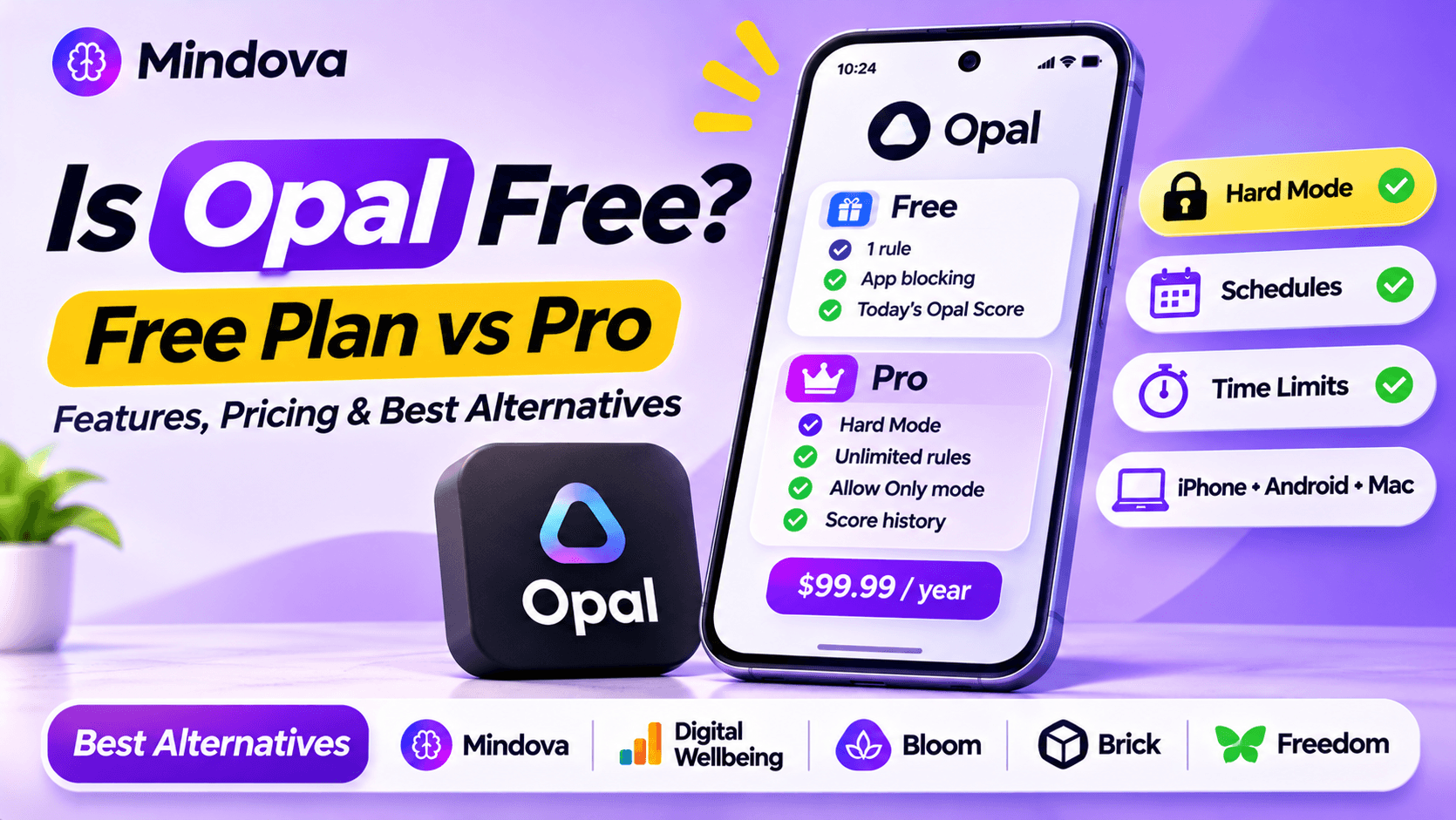
Yes, Opal is free to download and it has a free plan that never expires. But the free plan is small: you get one rule (a schedule, a time limit or an open limit), basic app blocking and today's Opal Score. The features most people install Opal for, like Hard Mode and unlimited rules, are part of Opal Pro, which costs $99.99 a year.
Below is exactly what you get for free, what Pro costs, whether it is worth it, and cheaper alternatives, especially if you use Android. Prices come from Opal's official pricing page, checked in November 2026.
Opal free vs Opal Pro at a glance
| Opal Free | Opal Pro | |
|---|---|---|
| Price | $0, forever | $19.99/month, $99.99/year, or $399 lifetime |
| Platforms | iPhone, Android and Mac | iPhone, Android and Mac |
| Rules | 1 rule (schedule, time limit or open limit) | Unlimited rules |
| App blocking | Yes | Yes |
| Hard Mode (cannot be turned off during a session) | No | Yes |
| Allow Only mode | No | Yes |
| Opal Score | Today only | With history |
| Timers and soundscapes | Basic | Advanced |
| Trial | – | 7 days (yearly) or 3 days (monthly) |
Opal also offers students up to 50% off Opal Pro.
What Opal's free plan includes
The free plan is enough to test how Opal works:
- One rule. You choose one: a schedule (block apps at set times), a time limit (a daily budget for an app) or an open limit (how many times you can open it).
- App blocking for the apps inside that rule.
- Basic timers and soundscapes for focus.
- Opal Score for today, with no history.
The limit that matters most is the single rule. If you want, for example, a work schedule and a daily limit for Instagram, you already need Pro.
How much Opal Pro costs
| Plan | Price | Cost over 3 years |
|---|---|---|
| Monthly | $19.99/month | about $720 |
| Yearly | $99.99/year (about $8.29/month) | about $300 |
| Lifetime | $399 one-time | $399 |
The yearly plan is the best value unless you are sure you will use Opal for more than four years. Opal offers a free week on the yearly plan and a 3-day free trial on the monthly plan; the lifetime plan is a one-time purchase.
What you only get with Opal Pro
- Hard Mode: Opal describes it as "No way out": once it is on, you cannot turn Opal off during a session. This is the main reason people pay.
- Unlimited rules, so you can combine schedules, time limits and open limits.
- Allow Only, which blocks everything except the apps you choose.
- Opal Score with history and advanced timers.
Is Opal worth paying for?
Opal Pro is worth it if you need Hard Mode and you want one app across iPhone, Android and Mac. If you mostly want to limit a few apps, $99.99 a year is a lot: the free plan's single rule may be enough, or a cheaper app can do the job.
A simple test: use the free plan for a week. If you keep turning your rule off, you need a stricter tool. If you do not, you may not need to pay at all.
Free and cheaper Opal alternatives (Android)
Disclosure: Mindova is our app. We did not test Opal or the other apps in this section; their details come from their official sites. The Mindova screenshots are from our own phone.
Mindova: free daily limits for more than one app
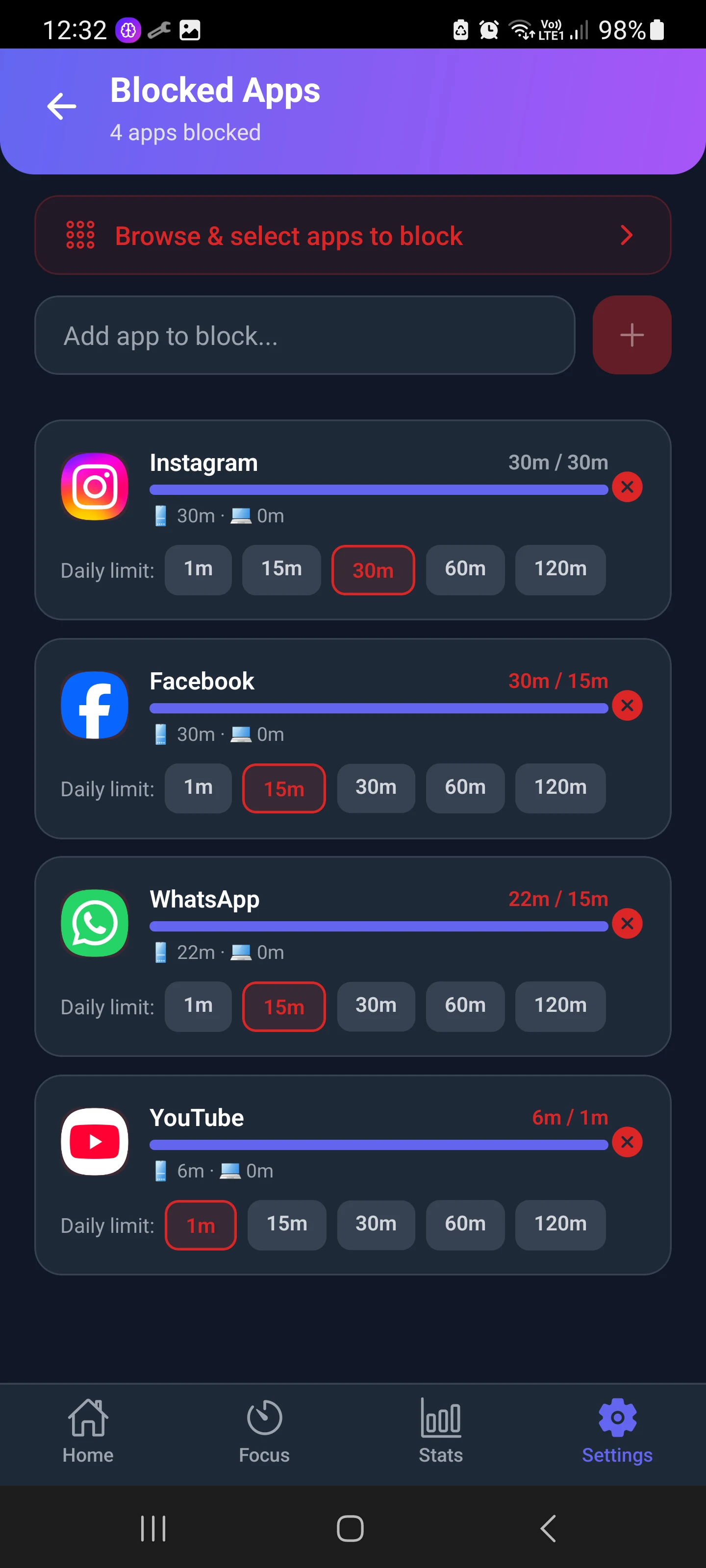
Mindova is an app blocker for Android and iPhone (plus a browser extension for your computer). Its free plan covers 3 blocked apps on Android, each with its own daily limit, plus 10 Focus Sessions a month and 7 days of stats. Opal's single free rule can also include several apps, but you only get one rule; with Mindova's free plan, each of the 3 apps gets its own daily limit.
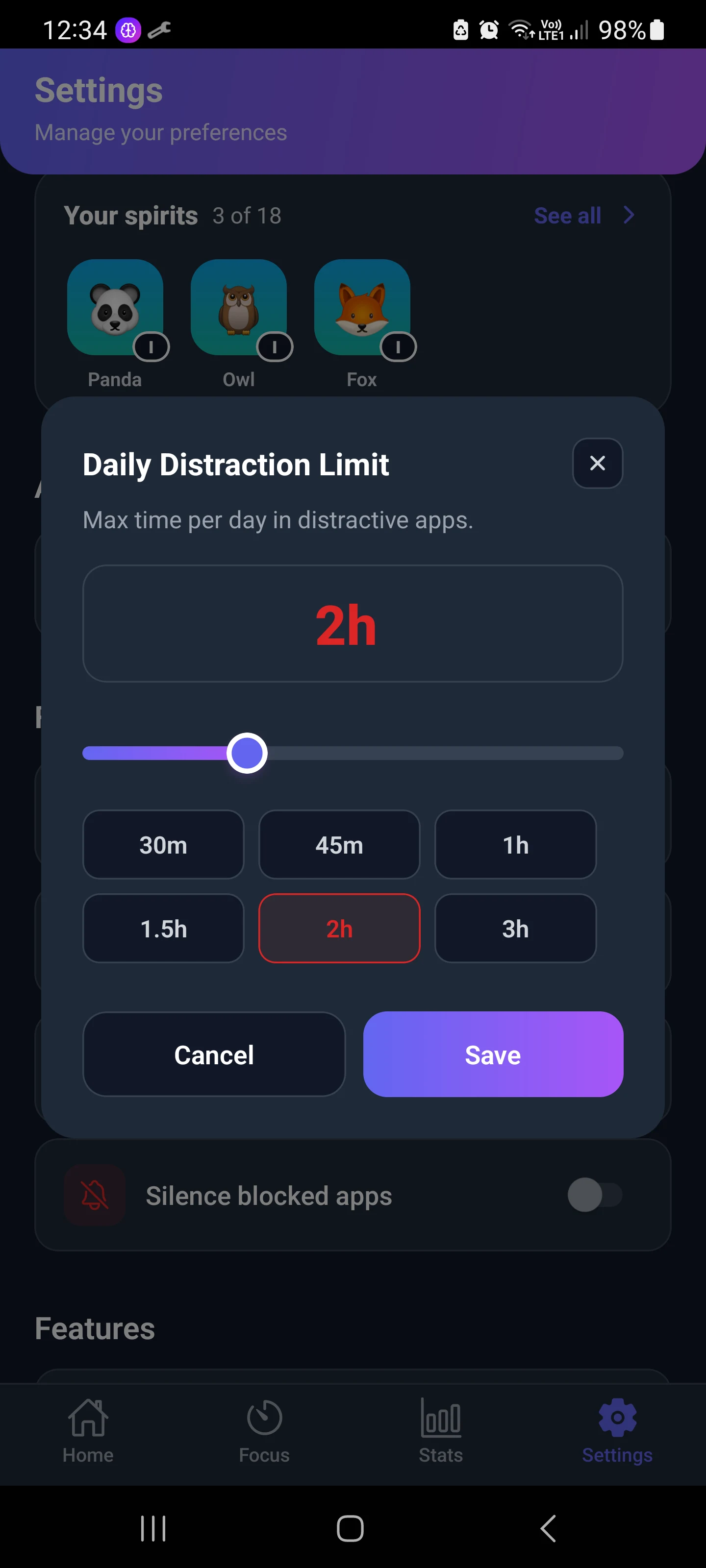
You can also set one Daily Distraction Limit that all your distracting apps share.
Honest trade-offs: Mindova has no Hard Mode. When you hit a limit you can take 5 or 10 extra minutes, which costs energy for Nova, the app's focus companion. That is friction, not a lock. Pro costs $4.99/month or $39.99/year (about $120 over 3 years), with a 7-day free Pro trial. See Mindova pricing.

Block distractions. Stay focused with Mindova.
Block distracting websites and apps, set limits, and protect your focus time across your browser and phone.
Free plan, no credit card • Try Pro free for 7 days
Digital Wellbeing: free and already on your phone
Every recent Android phone includes Digital Wellbeing, with app timers, Focus mode and Bedtime mode. It is free and unlimited, but easy to bypass: you can change a timer in a few taps unless you set an App limits PIN (on phones that offer it). See our guide to the Digital Wellbeing app.
Freedom: cheaper yearly, across devices
Freedom has a free plan and a Premium plan at $3.33/month on the yearly plan, with scheduling and a Locked Mode. It runs on Mac, Windows, iPhone, Android and Chromebook.
Bloom or Brick: pay once, no subscription
If you want something that is truly hard to undo without a subscription, physical blockers are an option: Bloom's card costs $39 and Brick costs $59, both with no subscription. Compare them in our Bloom vs Brick guide, or see more options in Brick alternatives.
For more Android options, see our comparison of the best app blockers for Android.
FAQ
Is Opal completely free?
No. Opal has a free plan with one rule, basic app blocking and today's Opal Score. Hard Mode, unlimited rules and Allow Only need Opal Pro.
How much is Opal per month?
Opal Pro costs $19.99 per month, or $99.99 per year (about $8.29 per month). A lifetime plan costs $399.
Is Opal available on Android?
Yes. Opal's pricing page lists iPhone, Android and Mac for both the free plan and Pro.
Is there an app like Opal but free?
Yes. On Android, Digital Wellbeing is free and built in, and Mindova has a free plan with daily limits for up to 3 apps. Freedom also has a free plan.
Is Opal better than Apple Screen Time or Digital Wellbeing?
Opal Pro is harder to bypass thanks to Hard Mode, and it works the same way on iPhone, Android and Mac. The built-in tools are free but easy to switch off.
Is Brick or Opal better?
They solve different problems. Brick is a $59 device you tap to lock and unlock apps, with no subscription. Opal is software with schedules, limits and Hard Mode on Pro. If you want a physical barrier, choose Brick; if you want automatic rules, choose Opal.
Bottom line
Opal is free, but only in a limited way: one rule and no Hard Mode. If you need Hard Mode, Opal Pro at $99.99 a year is the plan to pick. If you mainly want daily limits on Android, try a free option first and only pay when you know what you need.
Less scrolling. More focused time.
Use Mindova to block distracting websites and apps, set daily limits, and create protected time for studying, working, or deep focus.
- Android AppBlock and limit distracting apps on Android.
- Browser ExtensionChrome, Edge, Brave, Opera & Vivaldi
- iPhone AppControl distracting apps and protect your focus on iPhone.


Start free — no credit card needed. Try Pro free for 7 days whenever you like.
Mouhsine
Admin
Passionate about helping people achieve peak mental performance through evidence-based strategies and mindful technology use.
Related Articles
How to Block the YouTube App on Android Without Deleting It
Block the YouTube app on your Android phone without deleting it. Use Digital Wellbeing app timers, Focus Mode, YouTube's Shorts limit, or Mindova.
How to Block X (Twitter) on Android Without Deleting It
Block the X (Twitter) app on Android without deleting it. Use App timers, Focus Mode, Mindova or Private DNS, with step-by-step instructions.
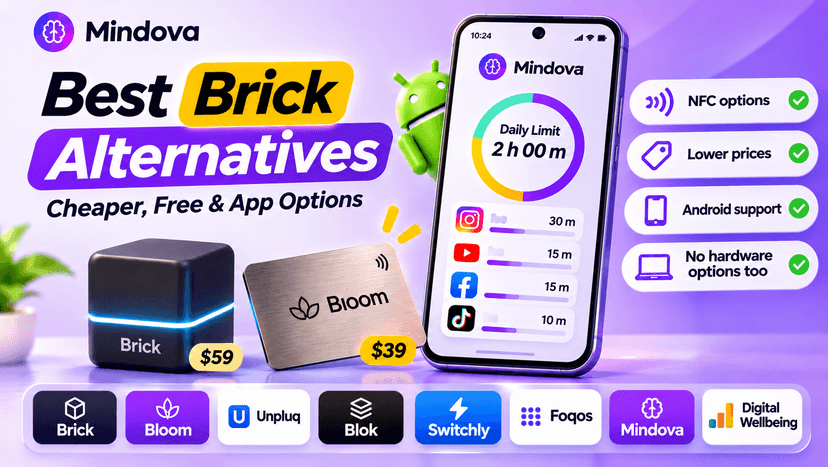
Brick Alternatives (2026): Cheaper and Free Ways to Block Apps on Android
Brick costs $59 and needs a puck you tap. Compare cheaper NFC cards, free open-source blockers and app-only options for Android, with official prices and honest trade-offs.
Comments
Be the first to comment.