Best App Blockers for Android in 2026 (9 Options Compared)
Written by Mouhsine
Admin
Published November 5, 2026 · Updated November 10, 2026
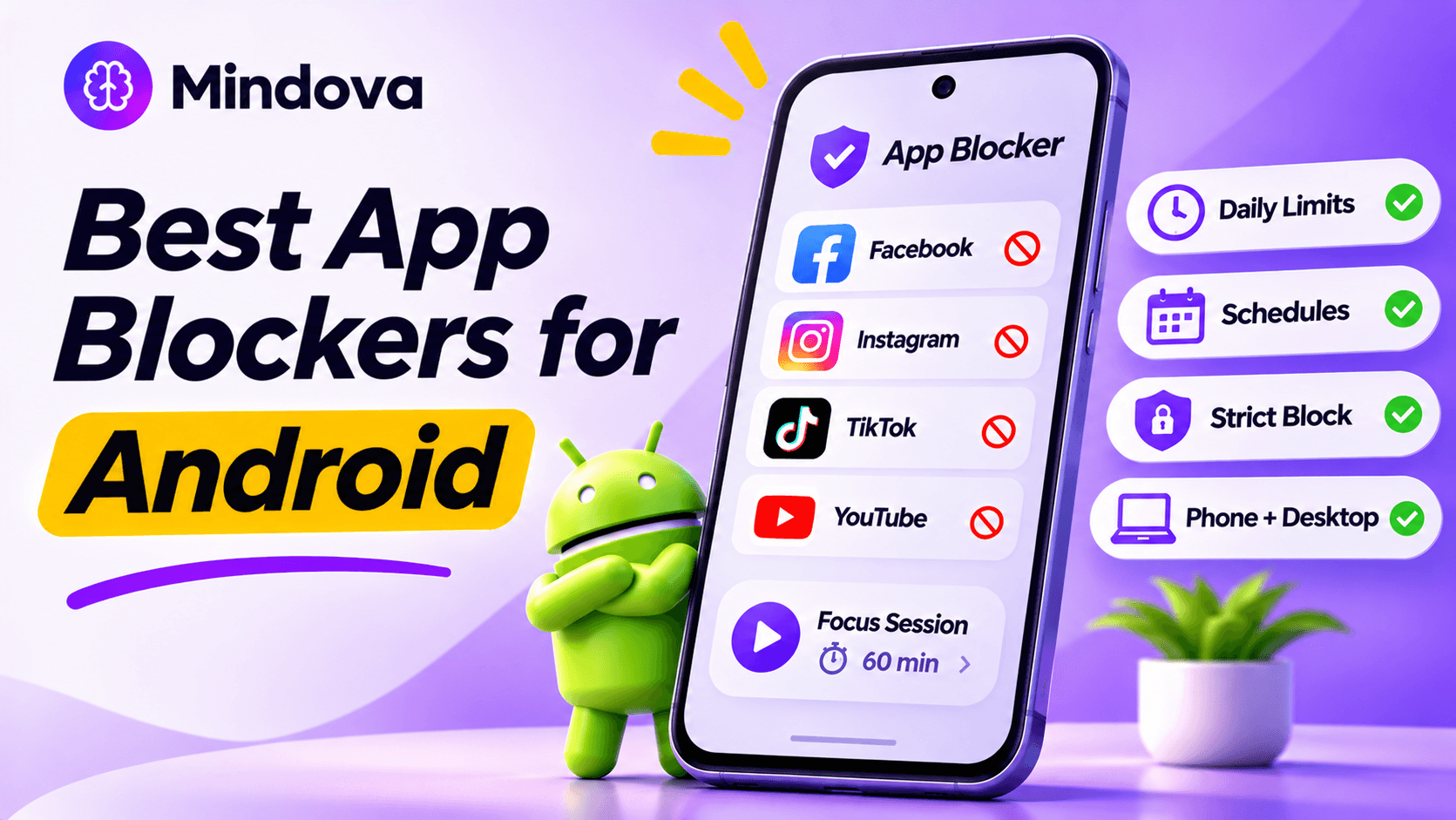
Android gives you more freedom than iPhone when it comes to blocking apps. That is good news and bad news: there are dozens of app blockers on Google Play, and many of them look almost identical.
The right one depends on why you keep opening the app. Some people need a hard block during work hours. Others need a daily limit, a short pause before Instagram opens, or one blocker that also covers their laptop.
We compared the most popular Android app blockers by what they actually do, who they are best for, and how easy they are to bypass.
Quick answer: The best app blockers for Android in 2026 are Mindova (one daily limit across all your distracting apps, plus a desktop browser extension), AppBlock (the most complete scheduling and strict mode options), Stay Focused (strict blocking of apps, websites, and keywords), StayFree (usage stats plus limits), and ScreenZen (the best free option for mindful pauses). If you do not want another app, start with Android's built-in Digital Wellbeing.
Disclosure: Mindova is our product. We tested Mindova on Android ourselves. Information about the other apps comes from their Google Play listings and official websites at the time of writing. Features and prices change, so check the latest version before you subscribe.
Best Android App Blockers Compared
| App | Best for | Pricing model |
|---|---|---|
| Mindova | One daily limit across all distracting apps, phone plus desktop | Free plan (3 apps) + Pro from $3.33/month |
| AppBlock | Detailed schedules and strict mode | Free plan + paid Pro |
| Stay Focused | Strict blocking of apps, websites, and keywords | Free plan + paid premium |
| StayFree | Understanding your usage before you block | Free plan + paid premium |
| ScreenZen | Free mindful pauses before opening apps | Free (donation-supported) |
| one sec | Breaking automatic opens with a short intervention | Free for one app + paid Pro |
| Forest | Gamified focus sessions | Free with paid upgrades |
| Freedom | Blocking across phone, computer, and tablet at once | Free plan (2-hour sessions) + Premium |
| Digital Wellbeing | Basic daily app timers without installing anything | Free, built into Android |
How We Chose These App Blockers
We focused on self-control, not parental control. Every app on this list is designed to help you limit your own use of distracting apps like Instagram, TikTok, YouTube, Facebook, X, and Reddit. We compared each app on:
- Blocking methods: schedules, daily limits, focus sessions, launch limits, or pauses.
- Strictness: how hard it is to turn the block off in a weak moment.
- Coverage: apps only, or apps and websites, phone only or phone and computer.
- Free features: what you can do without paying.
- Who it fits: students, remote workers, people who doomscroll at night, or people who just want awareness.
If you want to control a child's phone, a parental control tool like Google Family Link is a better fit than any of the apps below.
1. Mindova: Best for One Daily Limit Across All Your Distracting Apps
Mindova is a focus app and app blocker for Android, with a separate browser extension for blocking websites on your computer.
Most blockers make you manage each app separately. The problem: you limit Instagram, then open TikTok. Mindova lets you set individual limits for each app and an overall Daily Distraction Limit that is shared by all the apps you mark as distracting.
Key features:
- Individual daily limits for selected Android apps.
- An overall Daily Distraction Limit across all distracting apps.
- Productive and Distracting app classification, so essential apps stay available.
- Focus Sessions for protected work or study time.
- App usage and focus insights.
- A desktop browser extension for Chrome, Edge, Brave, Opera, and Vivaldi to block distracting websites on your computer.
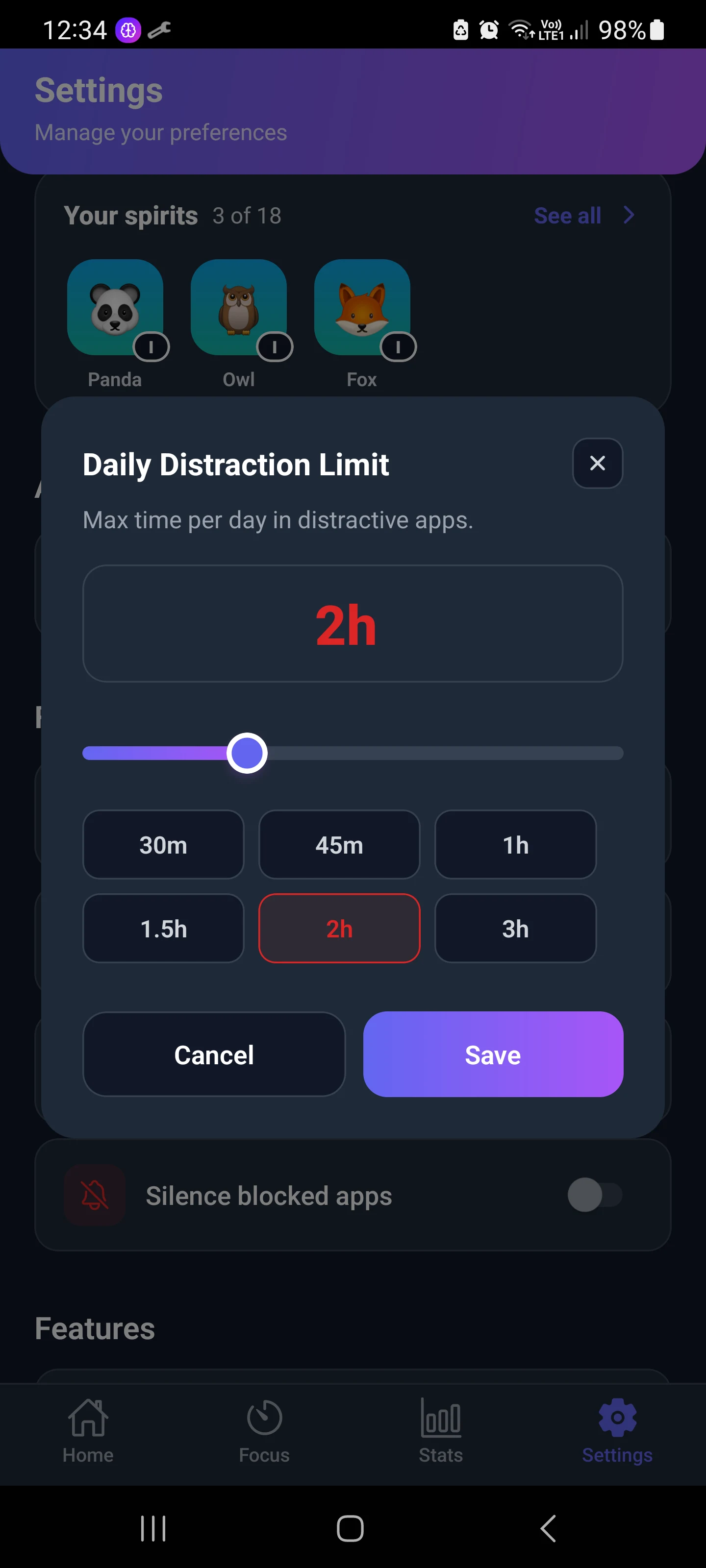
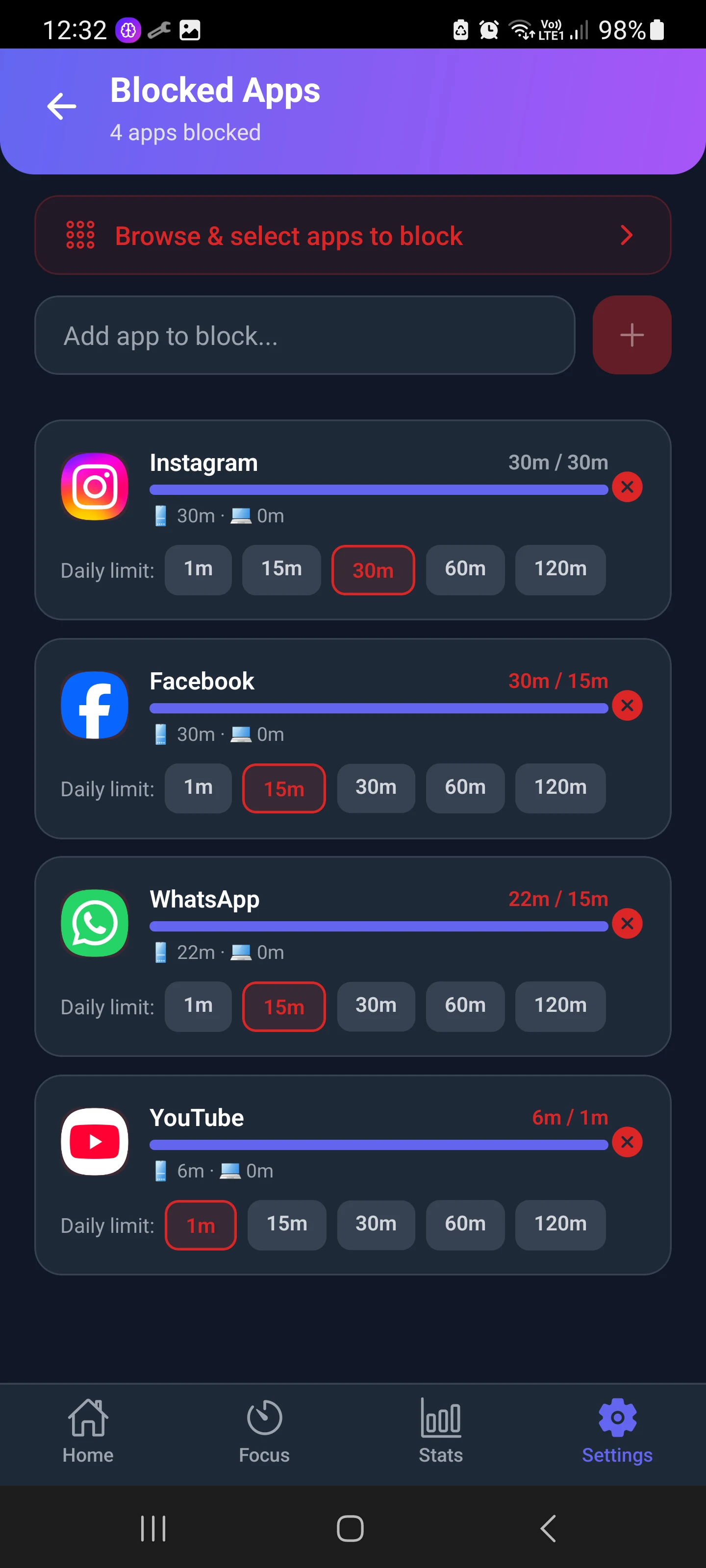
What we tested: we marked Instagram as a distracting app and gave it a one-minute daily limit. After one minute of use, Mindova showed the limit as reached and interrupted access to Instagram.
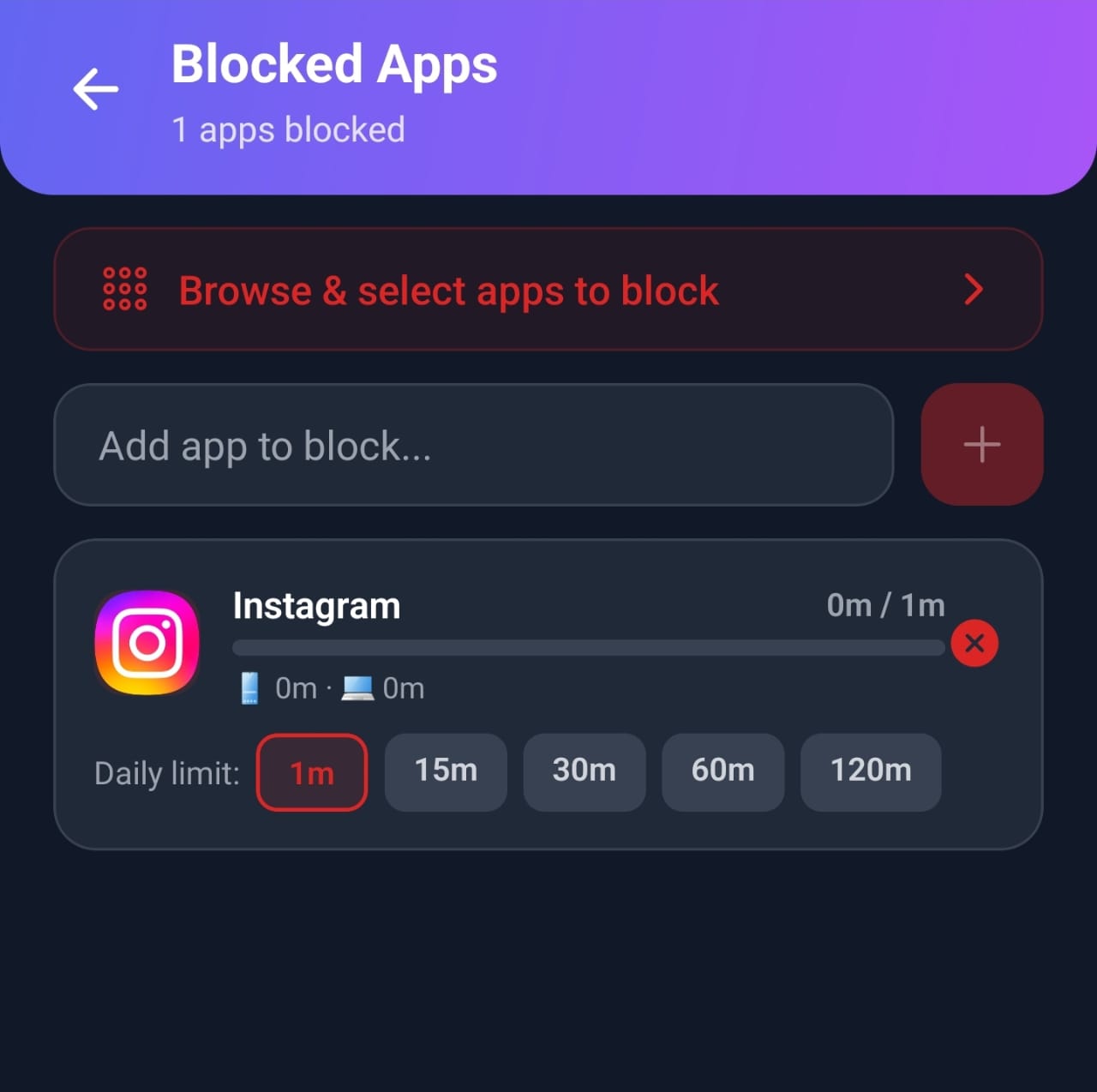
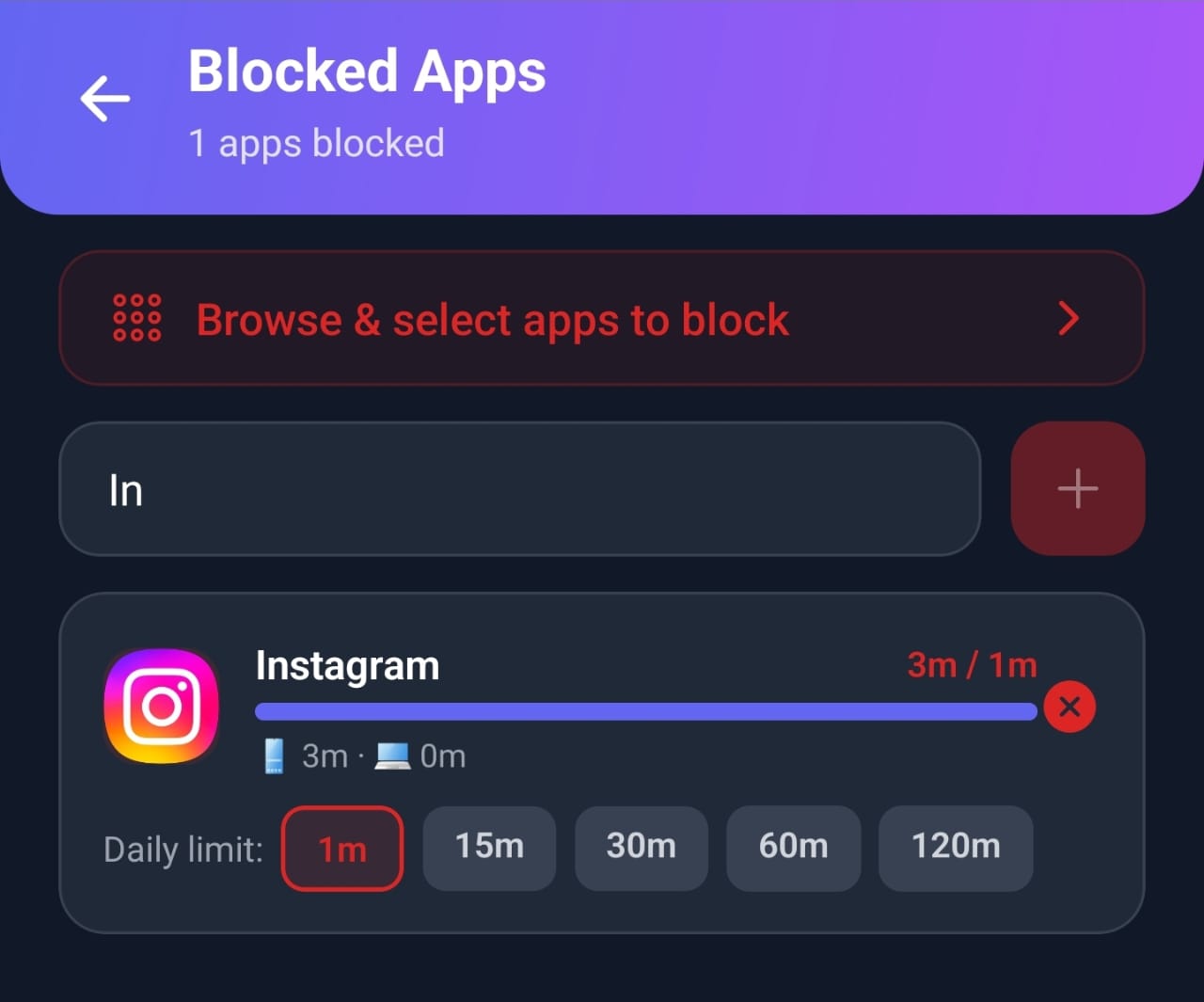
You can see the full test in our guide to blocking Instagram on Android. Best for: people who jump from one distracting app to another, and people who get distracted on both their phone and their computer.
Limitations: Mindova is not a parental control tool or an unbreakable hard lock.
Pricing: Mindova has a Free plan with no credit card: block up to 3 apps on Android, run 10 Focus Sessions a month, and see 7 days of stats. Mindova Pro removes the limits and adds Cloud Sync across your devices for $4.99/month or $39.99/year (about $3.33/month). You can try Pro free for 7 days. See Mindova pricing. Learn more about Mindova's app blocker.

Block distractions. Stay focused with Mindova.
Block distracting websites and apps, set limits, and protect your focus time across your browser and phone.
Free plan, no credit card • Try Pro free for 7 days
2. AppBlock: Best for Detailed Schedules and Strict Mode
AppBlock is one of the most popular dedicated blockers on Google Play, with more than 10 million downloads and a 4.7 rating at the time of writing.
Key features:
- Block apps and websites on a schedule, by daily usage limit, or by number of launches.
- Location and Wi-Fi based rules (for example, block social media at the office).
- Strict Mode, which makes it harder to change or remove your blocks.
- Block notifications from distracting apps.
Best for: people who want fine control over exactly when and where apps are blocked. Limitations: many of the most useful features, including stronger strict mode options and unlimited rules, are part of the paid Pro plan. The number of options can feel overwhelming at first.
3. Stay Focused: Best for Strict Blocking of Apps, Websites, and Keywords
Stay Focused is a long-running Android blocker focused on strong restrictions.
Key features:
- Daily and hourly usage limits, launch limits, and schedules.
- Block apps, websites, and keywords.
- A strict mode that prevents you from editing or uninstalling during the block.
- Usage statistics.
Best for: people who know they will try to cheat and want the block to stay on. Limitations: the interface is dense, and some features require premium.
4. StayFree: Best for Understanding Your Usage Before You Block
StayFree is often described as a screen time tracker, but it also includes usage limits and blocking.
Key features:
- Detailed usage stats for apps and websites.
- Daily usage limits and schedules.
- Focus mode and reminders.
Best for: people who are not sure which apps are the problem yet. Seeing the real numbers is often the first step. Limitations: it is built around tracking first, so blocking feels less strict than AppBlock or Stay Focused.
5. ScreenZen: Best Free App Blocker for Mindful Pauses
ScreenZen is free and donation-supported. Its signature feature is a pause before an app opens: you wait a few seconds and decide whether you really want to open it.
Key features:
- A delay screen before opening distracting apps.
- Limits on the number of opens per day.
- Usage reminders and limits.
Best for: people who open apps automatically and only need a moment of awareness to stop. Limitations: a pause is easy to skip when you really want to scroll. If you need a hard block, choose a stricter app.
6. one sec: Best for Breaking Automatic Habits
one sec shows a short intervention, such as a deep breath, every time you open a distracting app. Then it asks if you still want to continue. Best for: breaking the habit of opening Instagram or TikTok without thinking.
Limitations: the free version is limited to one app. It adds friction rather than blocking the app.
7. Forest: Best for Gamified Focus Sessions
Forest turns focus time into a game: you plant a virtual tree, and it grows while you stay off your phone. If you leave to open a distracting app, the tree dies. Best for: students and people who stay motivated by streaks and rewards.
Limitations: Forest is about focus sessions, not daily app limits. It will not stop you from scrolling outside a session.
8. Freedom: Best for Blocking Across Phone and Computer
Freedom lets you block apps and websites across Android, iPhone, Mac, Windows, and browsers at the same time with one session. Best for: people whose distractions follow them from their phone to their laptop.
Limitations: the free plan only runs Start Now sessions of up to 2 hours; schedules, Locked Mode and longer sessions need Premium (Freedom Help Center). It is built around sessions rather than daily per-app limits.
9. Digital Wellbeing: Best Free Built-In Option
Before you install anything, check Settings → Digital Wellbeing & parental controls. Google's Digital Wellbeing (and Samsung's version) includes:
- App timers that pause an app until midnight when the daily time is used.
- Focus mode to pause selected apps during work or study.
- Bedtime mode to wind down at night.
Best for: people who want simple limits for one or two apps for free.
Limitations: it is easy to turn off a timer in a weak moment unless you set an App limits PIN (available on many phones under Digital Wellbeing → App limits), and it has no shared limit across apps. See our step-by-step guide to blocking apps on Android. Not sure which apps to limit? First check your screen time on Android.
How Do Android App Blockers Work?
Android does not let one app stop another app from opening. Instead, app blockers use special permissions:
- Usage access to see which app is open and how long you have used it.
- Accessibility or Display over other apps to show a blocking screen on top of the app once it opens.
That is why every blocker asks for these permissions during setup. Review them before you agree, and only install blockers from developers you trust.
Can Android app blockers be bypassed?
Yes. On Android, you can usually bypass a blocker by turning off its permissions, force-stopping it, or uninstalling it. Strict modes make this harder, but no self-control app is truly unbreakable.
The goal is not a perfect lock. It is friction: enough of a stopping point that the automatic urge passes.
Which Android App Blocker Should You Choose?
Pick the app that matches the way you lose time:
| Your problem | Best choice |
|---|---|
| You switch from one distracting app to another | Mindova (shared Daily Distraction Limit) |
| You need apps blocked at exact times or places | AppBlock |
| You always cheat on your own limits | Stay Focused (strict mode) |
| You do not know where your time goes | StayFree |
| You open apps automatically, without thinking | ScreenZen or one sec |
| You get distracted on your phone and laptop | Mindova or Freedom |
| You want something free and simple | Digital Wellbeing |
Using an iPhone too, or several devices? See our comparison of the best apps to limit screen time on Android, iPhone, and computer.
Frequently Asked Questions
What is the best app blocker for Android?
It depends on your goal. Mindova is best for one daily limit across all your distracting apps plus desktop browsing. AppBlock is best for detailed schedules. Stay Focused is best for strict blocking. Digital Wellbeing is the best free built-in option.
What is the best free app blocker for Android?
ScreenZen is free and donation-supported. Digital Wellbeing is free and already on most Android phones. Mindova, AppBlock, Stay Focused, and StayFree also have free plans with fewer features. Mindova's Free plan lets you block up to 3 apps.
How do I block an app permanently on Android?
Android has no true permanent block. You can disable or archive the app in Settings → Apps, or use a blocker with strict mode and a very short daily limit.
Do app blockers work on Samsung phones?
Yes. All the apps on this list work on Samsung Galaxy phones. Samsung also includes its own Digital Wellbeing with app timers and Focus mode.
Can an app blocker also block websites?
Some can. AppBlock and Stay Focused block websites on your phone. Mindova blocks websites on your computer with its browser extension, and Freedom blocks websites across devices.
Do app blockers help with ADHD?
Many people with ADHD find external structure easier than relying on willpower. Daily limits, focus sessions, and pauses before opening apps can help, but they are tools, not treatment.
Choose the Blocker That Matches Your Distraction
There is no single best app blocker for everyone. If you only need a timer for one app, Digital Wellbeing is enough. If you want strict schedules, try AppBlock or Stay Focused. And if your time disappears across several apps, and then on your laptop too, try Mindova for Android and set one daily limit for all your distractions.
For a complete plan beyond app blockers, see how to reduce screen time.
Related guides: how to block Instagram on Android, how to block TikTok on Android, and the best website blockers for focus.
Less scrolling. More focused time.
Use Mindova to block distracting websites and apps, set daily limits, and create protected time for studying, working, or deep focus.
- Android AppBlock and limit distracting apps on Android.
- Browser ExtensionChrome, Edge, Brave, Opera & Vivaldi
- iPhone AppControl distracting apps and protect your focus on iPhone.


Start free — no credit card needed. Try Pro free for 7 days whenever you like.
Mouhsine
Admin
Passionate about helping people achieve peak mental performance through evidence-based strategies and mindful technology use.
Related Articles
How to Block the YouTube App on Android Without Deleting It
Block the YouTube app on your Android phone without deleting it. Use Digital Wellbeing app timers, Focus Mode, YouTube's Shorts limit, or Mindova.
How to Block X (Twitter) on Android Without Deleting It
Block the X (Twitter) app on Android without deleting it. Use App timers, Focus Mode, Mindova or Private DNS, with step-by-step instructions.
Brick Alternatives (2026): Cheaper and Free Ways to Block Apps on Android
Brick costs $59 and needs a puck you tap. Compare cheaper NFC cards, free open-source blockers and app-only options for Android, with official prices and honest trade-offs.
Comments
Be the first to comment.