100 Things to Do Instead of Scrolling (Sorted by How Much Time You Have)
Written by Mouhsine
Admin
Published November 7, 2026 · Updated November 10, 2026
You pick up your phone to check one thing. Twenty minutes later you are still scrolling, and you could not say what you saw.
Telling yourself "stop scrolling" rarely works, because it leaves a gap. The habit comes back to fill it. What works better is having something ready to do instead, sized to the time you actually have.
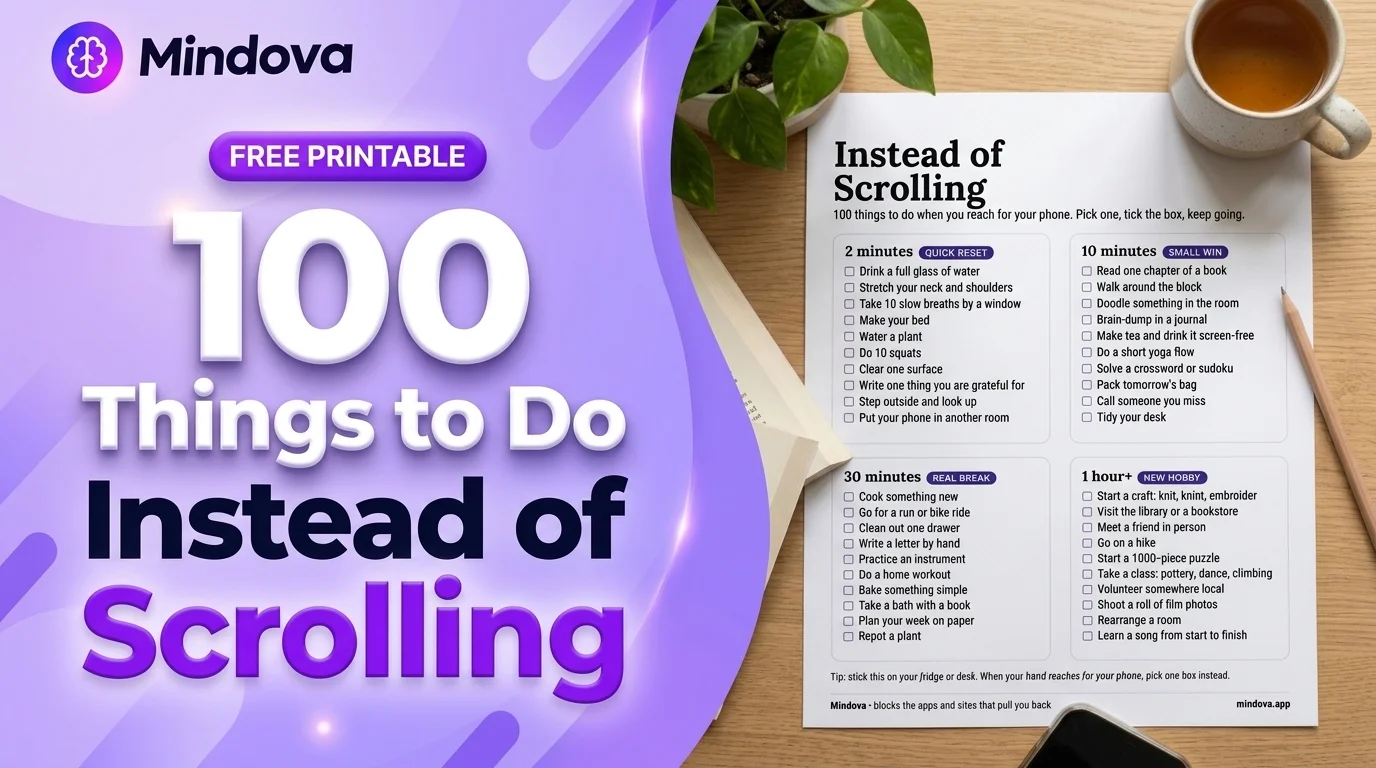
This list gives you 100 things to do instead of scrolling, sorted by time: 2 minutes, 10 minutes, 30 minutes, and an hour or more. Then it covers the moments when scrolling is hardest to resist (in bed at night, first thing in the morning, when work gets hard), and the setup that stops your hand from reaching for the phone in the first place.
You can also grab the free printable version with 40 of the best swaps and stick it on your fridge or desk.
Quick answer: Instead of scrolling, pick something that fits the time you have: a 2-minute reset (water, a stretch, fresh air), a 10-minute small win (a chapter of a book, a walk around the block, a journal page), a 30-minute real break (cooking, a workout, a handwritten letter), or an hour-long hobby (a craft, a class, a hike, a puzzle). Then make the phone harder to reach: notifications off, distracting apps off your home screen, and daily limits on the apps and sites that pull you back.
Why "just stop scrolling" does not work
Scrolling is easy to start and has no natural stopping point. A feed never ends, and every swipe might bring something new. That is why willpower alone tends to fail, especially when you are tired, bored or avoiding something.
Interest in this problem has grown fast. When we checked Pinterest Trends (US) in November 2026, searches for "things to do instead of scrolling" over the previous 12 months were about 7 times higher than in the 12 months before, and "doomscrolling" searches had roughly tripled. A lot of people are looking for the same thing: a real alternative, not another lecture about screen time.
Before you pick from the list, it helps to notice why you reached for the phone:
| If you are scrolling because you feel... | Pick a swap that... | Example |
|---|---|---|
| Bored | gives you something to do with your hands or mind | a crossword, doodling, a puzzle |
| Tired | lets you rest for real | lying down without the phone, a bath, an early night |
| Stressed or stuck on a task | breaks the tension, then sends you back | a 10-minute walk, 10 slow breaths, a brain-dump |
| Lonely | creates real contact | a call, a voice note, meeting someone in person |
| On autopilot | interrupts the habit | putting the phone in another room |
A swap that matches the feeling works much better than a random one. If you are exhausted, "learn a new language" will lose to TikTok every time.
2-minute swaps: quick resets
Use these when you have a tiny gap, or when you notice your thumb heading for an app.
- Drink a full glass of water.
- Stretch your neck and shoulders.
- Take 10 slow breaths by a window.
- Make your bed.
- Water a plant.
- Do 10 squats or 10 push-ups.
- Clear one surface: a desk, a counter, a nightstand.
- Write down one thing you are grateful for.
- Step outside and look up at the sky.
- Put your phone in another room.
- Refill your water bottle for later.
- Open a window and let fresh air in.
- Put away five things that are out of place.
- Write tomorrow's top task on a sticky note.
- Look at something far away to rest your eyes.
- Hug someone you live with, or your pet.
- Read one page of the book on your nightstand.
- Do a one-minute plank.
- Make a cup of tea or coffee and stay with it.
- Wash the few dishes in the sink.
- Write a quick note for someone you live with.
- Sit still and listen to the sounds around you.
- Brush your teeth and get ready for bed early.
- Flip through a magazine or photo album.
- Change into comfortable clothes for the evening.
10-minute swaps: small wins
Ten minutes is enough for a small win. Spend it on something that leaves you better off than a feed would.
- Read one chapter of a book.
- Walk around the block.
- Doodle something in the room.
- Brain-dump everything on your mind in a journal.
- Make tea and drink it with no screen.
- Do a short yoga flow.
- Solve a crossword or sudoku.
- Pack tomorrow's bag.
- Call someone you miss.
- Tidy your desk.
- Write a to-do list for the week.
- Practice a few chords or a short song.
- Play a round of cards or a board game with someone at home.
- Listen to one album side, with nothing else on.
- Sort one pile of papers or mail.
- Do a quick 10-minute workout.
- Plan one meal for tomorrow.
- Fold a load of laundry.
- Write three lines in a "good things today" journal.
- Learn five words in a new language from a book or notebook.
- Sketch a quick self-portrait or the view from your window.
- Lie on the floor and stretch your back.
- Clean out your bag or wallet.
- Prep a healthy snack for later.
- Sit outside with a drink and do nothing.
30-minute swaps: a real break
Half an hour is a full break. These are the swaps that make an evening feel like it actually happened.
- Cook something new.
- Go for a run or a bike ride.
- Clean out one drawer.
- Write a letter by hand.
- Practice an instrument.
- Do a home workout.
- Bake something simple.
- Take a bath with a book.
- Plan your week on paper.
- Repot a plant.
- Go to the grocery store without your phone in your hand.
- Write a short story or a poem.
- Do a jigsaw puzzle session.
- Meal-prep lunches for two days.
- Declutter one shelf of clothes and make a donation bag.
- Take a long walk with a friend.
- Color in an adult coloring book.
- Watch one movie or episode on purpose, phone in another room.
- Deep-clean one small area: the fridge, the bathroom sink, your car.
- Make a playlist on paper first, then play it.
- Learn a basic knot, a card trick or a juggling pattern.
- Write a list of places you want to visit this year.
- Do a skincare or self-care routine slowly.
- Rearrange your desk or reading corner.
- Call a family member and actually catch up.
Hobbies to try instead of scrolling (1 hour or more)
If you scroll for hours every evening, a quick swap will not fill that time. A hobby will. These need an hour or more, and many of them become something you look forward to.
- Start a craft: knitting, crochet, embroidery or painting.
- Visit the library or a bookstore.
- Meet a friend in person.
- Go on a hike.
- Start a 1,000-piece puzzle.
- Take a class: pottery, dance, climbing or a language.
- Volunteer somewhere local.
- Shoot a roll of film or take photos with a real camera.
- Rearrange a room.
- Learn a song from start to finish.
- Join a book club or a run club.
- Start a garden, even on a balcony.
- Build something: furniture, a model kit, LEGO.
- Bake bread from scratch.
- Write in a journal every day for a week.
- Go to a museum or gallery.
- Learn to sew a simple item, like a tote bag.
- Try a new sport with a friend.
- Plan and cook a dinner for people you like.
- Take a day trip somewhere you have never been.
- Make a scrapbook or photo album from printed photos.
- Start a collection: records, stamps, pressed flowers.
- Learn calligraphy or hand lettering.
- Train for a 5K.
- Do nothing at all for a while. A bit of boredom can be where new ideas start.
What to do instead of scrolling at specific moments
Some moments are harder than others. These are the ones where a plan works better than a list.
At night in bed
Night scrolling is the hardest habit to break, because you are tired and the phone is already in your hand. Decide before you get into bed:
- Charge your phone outside the bedroom, or at least out of arm's reach.
- Keep a book, a puzzle book or a journal on the nightstand instead.
- If you use your phone as an alarm, a cheap alarm clock removes the main reason to keep it next to you.
- If you cannot sleep, get up and read somewhere dim instead of opening a feed.
First thing in the morning
The first 30 minutes set the tone of the day. Try a phone-free start: water, open the curtains, make your bed, then breakfast. Check messages only after one of those is done.
When work or study gets hard
This is where scrolling hides as a "break". Instead, write down the next tiny action, take a real 10-minute break (a walk, a stretch, a snack), and come back. If you study, our guide on how to focus while studying goes further.
While watching TV
Scrolling while you watch makes it easy to lose track of both. Leave the phone in another room for one episode, or keep your hands busy with something simple: folding laundry, a craft, a puzzle.
When you are waiting
In a queue or waiting room, the phone feels like the only option. Keep a paperback or a small notebook in your bag, look around, or just let your mind wander for a few minutes.
Free printable: "Instead of Scrolling" checklist
We turned 40 of the swaps above into a one-page printable, sorted by time: 2 minutes, 10 minutes, 30 minutes and 1 hour+. Print it, stick it on your fridge or desk, and tick a box when you pick something instead of your phone.
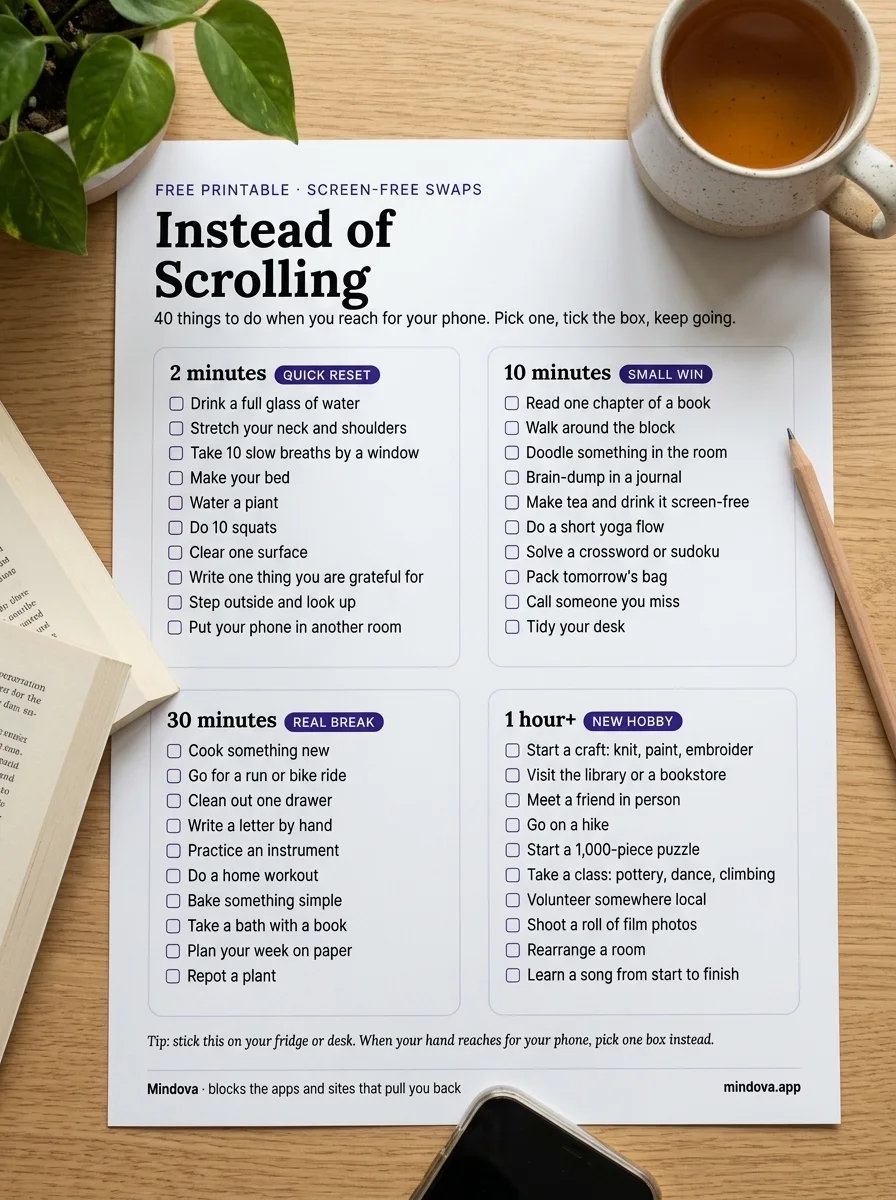
Download the free printable (PNG)
How to stop reaching for your phone in the first place
A list helps when you notice the urge. But most scrolling starts before you notice anything: you unlock the phone, and the app is already open. These steps make the swaps above much easier to use. Our full plan to reduce screen time covers each one in more detail.
1. See where your time actually goes
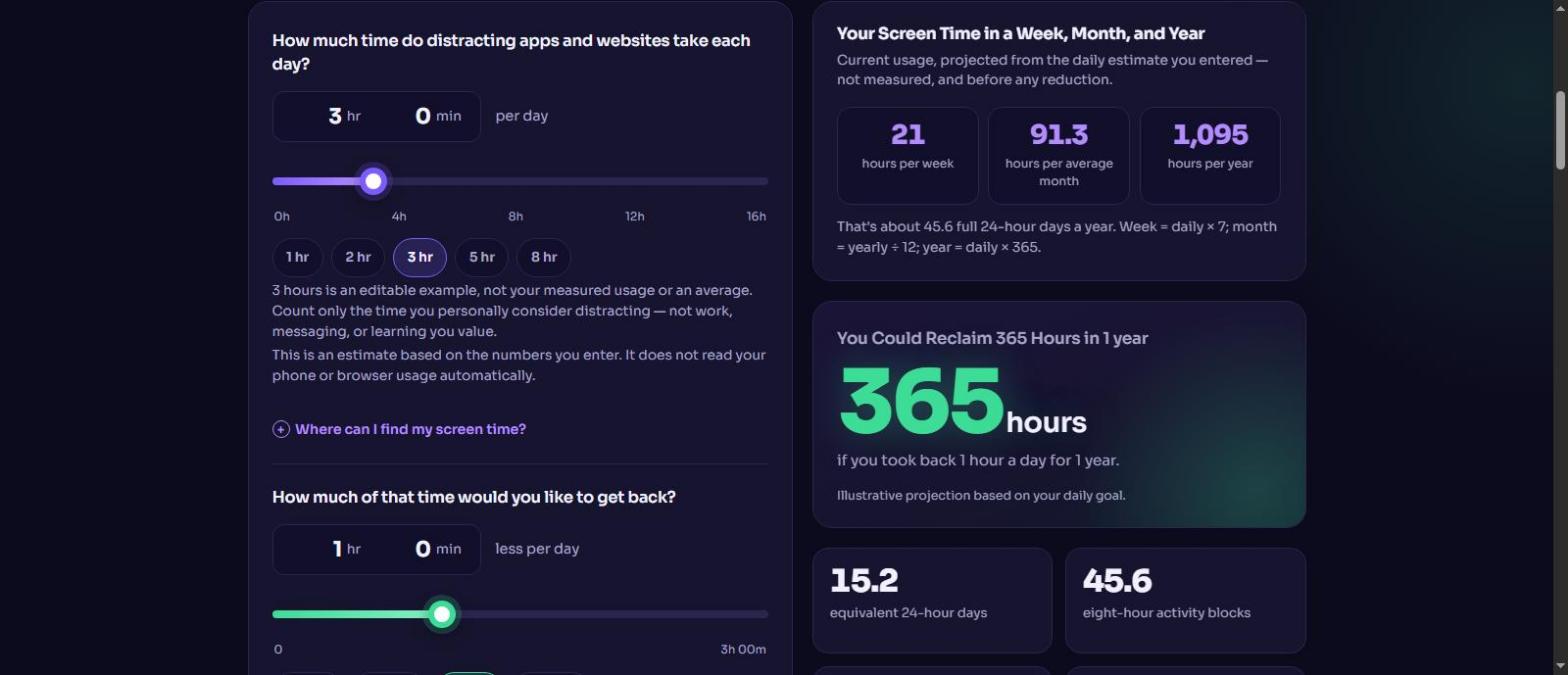
Check your screen time (Digital Wellbeing on Android, Screen Time on iPhone) and note the two or three apps or sites that take the most. Then put the daily number into our free screen time calculator to see what it adds up to over a year.
2. Remove the triggers
Turn off notifications that only exist to pull you back in. Move distracting apps off your home screen, or log out of the websites you open on autopilot. Each extra step gives you a moment to choose something from the list instead.
3. Put limits on the apps and sites that pull you back
Built-in limits on your phone are a good start. If you want one place to manage distracting apps and websites, this is what Mindova is for.
In the Mindova browser extension (Chrome, Edge, Brave, Opera and Vivaldi), you add the sites you lose time on and give each one a daily limit. A 0-minute limit blocks the site, and a higher limit keeps it available until your allowance runs out.
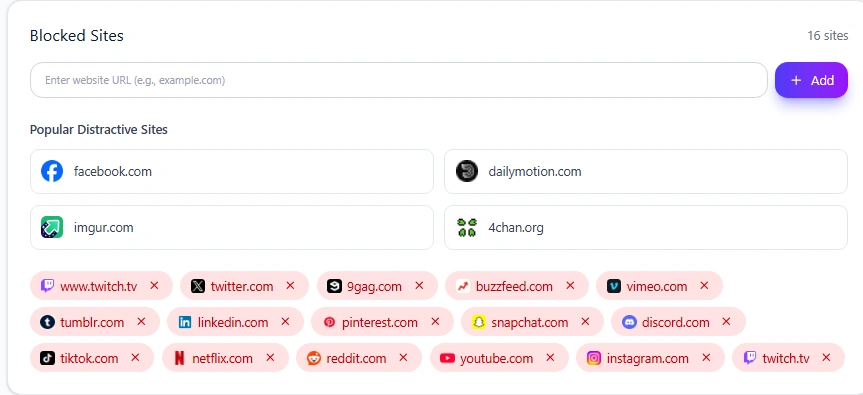
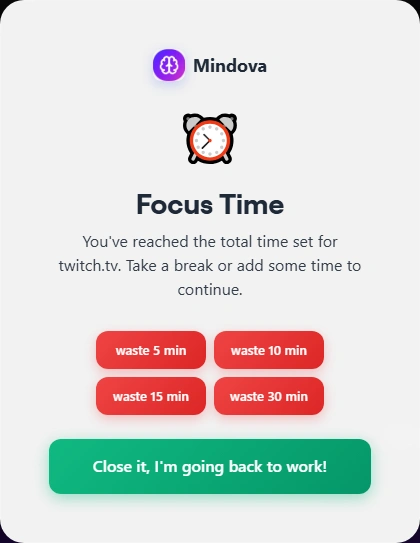
When the time you set is used up, Mindova shows a pause screen instead of the feed. That pause is the moment to pick something from this list.
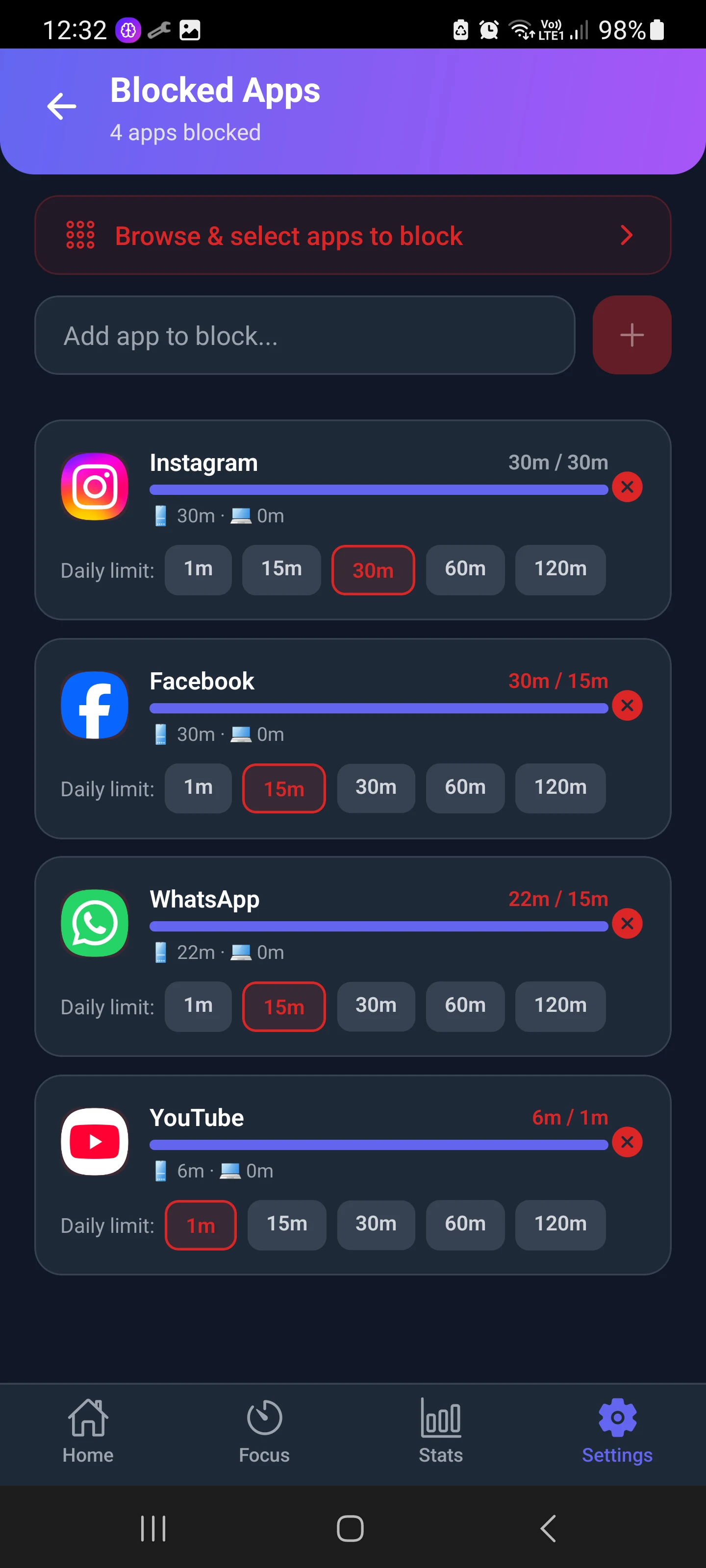
On your phone, the Mindova Android app lets you give each distracting app its own daily limit, for example 15 minutes for Facebook or 1 minute for YouTube.
4. Use Focus Sessions for the hours that matter
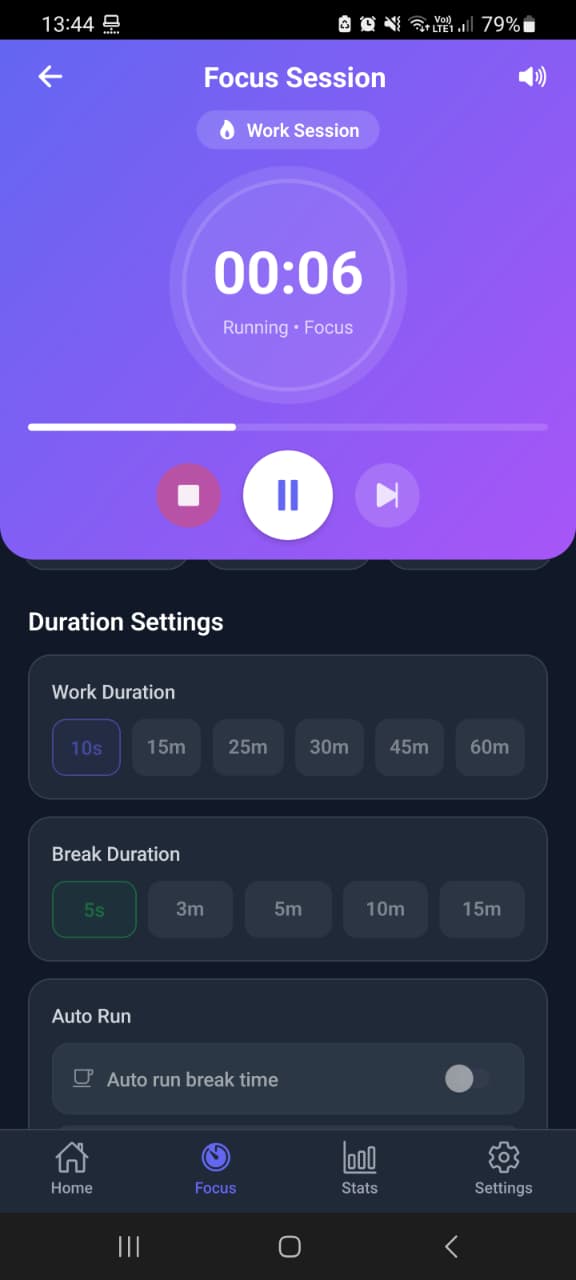
When you sit down to study, work or practice a hobby, start a Focus Session. In the extension, sites you have not marked as Productive are blocked while the session runs. On Android, you choose a work duration and a break duration.
Mindova has a Free plan with no credit card required: up to 3 blocked sites (or apps on Android), 3 productive sites, 10 Focus Sessions a month and 7 days of stats. Pro removes the limits for $4.99/month or $39.99/year. See Mindova pricing. The Android app is on Google Play.

Block distractions. Stay focused with Mindova.
Block distracting websites and apps, set limits, and protect your focus time across your browser and phone.
Free plan, no credit card • Try Pro free for 7 days
5. Plan the replacement before you need it
Pick two or three swaps you actually like and set them up in advance: the book on the nightstand, the yoga mat by the sofa, the puzzle on the table. When the urge comes, you should not have to think.
What we tested
- The Mindova screenshots in this guide come from our own use of the Mindova browser extension and the Mindova Android app.
- The search trend figures come from Pinterest Trends (United States), checked on November 7, 2026.
- The list itself is built for real situations: every swap works without your phone, and the 40 on the printable are a mix from each time group.
Frequently asked questions
What can I do at night instead of scrolling?
Keep your phone out of reach and keep an alternative within reach: a book, a journal, a puzzle book or a calm podcast on a separate device. Charging the phone outside the bedroom and using a normal alarm clock removes the main reason to keep it in bed.
Why can't I stop scrolling?
Feeds have no natural end, and scrolling is often a way to escape boredom, tiredness or a hard task. That makes it a habit more than a decision. Our guide on what doomscrolling is and how to stop explains the causes in more detail.
What should I do instead of scrolling when I'm tired?
Rest for real. Lie down without the phone, take a bath, stretch, or go to bed early. Scrolling can feel like rest, but it rarely leaves you rested.
Do I need a full digital detox?
Not necessarily. Many people do better by changing a few habits and putting limits on the apps that cause trouble. If you want to try a structured break, see our guide on whether a digital detox actually helps.
Is there an app that stops me from scrolling?
Your phone's built-in tools can limit apps. Mindova adds daily limits for distracting websites in desktop browsers and for distracting apps on Android, plus Focus Sessions, with a free plan to start.
Pick one thing now
You do not need to replace every minute of scrolling at once. Pick one swap from the 2-minute list and do it the next time you reach for your phone. Then add a second. Small swaps, repeated, are how the habit changes.
Less scrolling. More focused time.
Use Mindova to block distracting websites and apps, set daily limits, and create protected time for studying, working, or deep focus.
- Browser ExtensionChrome, Edge, Brave, Opera & Vivaldi
- Android AppBlock and limit distracting apps on Android.
- iPhone AppControl distracting apps and protect your focus on iPhone.


Start free — no credit card needed. Try Pro free for 7 days whenever you like.
Mouhsine
Admin
Passionate about helping people achieve peak mental performance through evidence-based strategies and mindful technology use.
Related Articles
How Much Screen Time Is Too Much for Adults? (And How to Tell)
There is no official screen time limit for adults. Learn the benchmarks experts use, the signs your screen time is too high, and how to calculate your own number.
Digital Wellbeing App: What It Is and How to Use It (2026 Guide)
What Android's Digital Wellbeing app does, where to find it, and how to use App timers, Focus mode, Bedtime mode, Pause Point, and the App limits PIN.

Digital Detox: What Is It, and Does It Actually Help?
Learn what a digital detox really is, what research says about its benefits, and how to reduce distracting technology without quitting every screen.
Comments
Be the first to comment.