10 Productivity Tips for Working From Home
Written by Mouhsine
Remote Work Expert
Published August 23, 2026
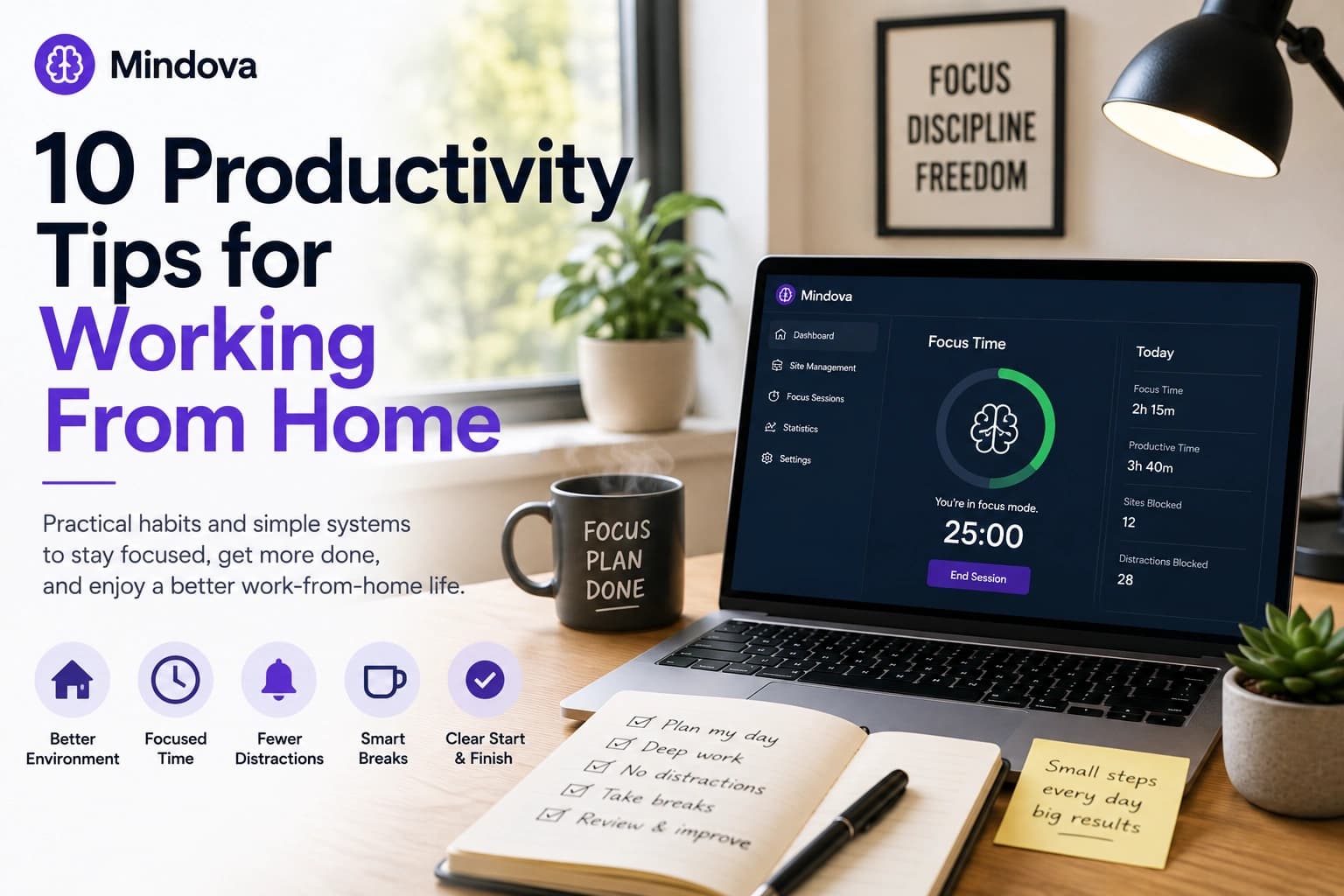
Working from home removes a lot of friction from the day.
There is no commute, your workspace is always nearby, and you may have more control over how your day is structured.
But remote work also removes many of the boundaries that used to happen automatically.
There is no train ride telling your brain the workday has started. Nobody nearby can see that you are trying to concentrate. Household tasks are always within reach. And the same browser you use for work also contains YouTube, Reddit, social media, news, shopping, and everything else competing for attention.
Staying productive at home is therefore less about squeezing more hours into the day and more about creating structure where the office used to provide it for you.
Quick answer: Create a consistent place and start to your workday, protect your best focus hours, control household and digital interruptions, take deliberate breaks, and create a clear end to work. Start with the problem that disrupts you most instead of trying to optimize everything at once.
Give work a specific place
You do not need a private home office to work effectively.
You do need a place that clearly means:
This is where work happens.
That could be:
- a desk in a separate room;
- one end of a dining table;
- a small desk in your bedroom;
- or a consistent seat in a shared workspace.
The important part is consistency.
If you work from the couch in the morning, your bed after lunch, and the kitchen later, your workday has fewer physical boundaries.
A dedicated work area also makes stopping easier. When work is finished, you can leave that space rather than carrying your laptop around the house all evening.
Keep the things you repeatedly need nearby too:
- charger;
- notebook;
- headphones;
- water;
- and anything else you regularly interrupt yourself to find.
The goal is not to create a perfect Instagram-ready office.
It is to remove unnecessary decisions before focused work begins.
Replace your commute with a start-of-day ritual
A commute did more than move you between two locations.
It also created a transition:
home → work
Remote work removes that transition.
One minute you are making breakfast. The next you are reading email or opening a project.
Create your own transition instead.
It can be simple:
- get ready;
- make coffee;
- take a short walk;
- sit at your workspace;
- review your priorities;
- begin your first meaningful task.
The exact ritual matters less than repeating it.
You are creating a reliable signal that says:
The workday has started.
Try not to make social media, news, or even your inbox the first meaningful activity every morning.
Otherwise other people's priorities can take control before you have decided what matters in your own day.
Protect your best focus hours
Not every hour is equally useful for difficult work.
Pay attention to when it is easiest for you to:
- write;
- code;
- analyze;
- design;
- study;
- solve difficult problems;
- or make important decisions.
Then protect that period.
If your strongest focus tends to happen between 9:00 and 11:00, do not automatically spend those two hours on:
- email;
- routine admin;
- low-value meetings;
- status checks;
- casual browsing.
Where your job allows it, move shallow work into lower-energy periods.
A simple system is:
High-focus hours → difficult work
Lower-energy hours → email, messages, admin, routine tasks
Remote work often gives you more control over your environment than an office does.
Use some of that control to match your work to your attention instead of treating every hour as identical.
Decide when messages are allowed to interrupt you
Remote work can create pressure to prove that you are always available.
That easily turns Slack, Teams, email, and notifications into a permanent stream of interruptions.
Not every message deserves an immediate response.
Separate genuinely urgent communication from things that can wait.
For example:
Potentially urgent
- direct calls;
- production incidents;
- explicitly urgent messages.
Usually able to wait
- routine email;
- normal team messages;
- status questions;
- non-urgent requests.
If your role allows it, check non-urgent communication around natural breaks rather than every few minutes.
And make your availability clear when necessary.
Something as simple as:
Focusing on the report until 11:00. I'll check messages after.
can reduce interruptions without making colleagues wonder whether you disappeared.
Remote communication works better when expectations are explicit.
Create rules for household interruptions
Remote-work distractions are not only digital.
They can also be:
- dishes;
- laundry;
- pets;
- deliveries;
- family members;
- roommates;
- television;
- conversations;
- or the temptation to do one quick household task.
A useful test is:
Would I leave the office to do this right now?
If the answer is no, it can probably wait until your next break.
If you share your home, establish simple signals.
For example:
- closed door = do not interrupt unless necessary;
- headphones = focused work;
- lunch = good time to talk;
- calendar block = meeting or concentration time.
Your home does not need to behave exactly like an office.
You just need enough boundaries to prevent home life from fragmenting every work hour.
Put limits on the websites that repeatedly pull you away
Some remote-work distractions are extremely predictable.
You probably already know which websites you open when work becomes uncomfortable.
It could be:
- YouTube;
- Reddit;
- X;
- Instagram;
- TikTok;
- news;
- shopping;
- forums.
The important part is that not every distracting website needs the same restriction.
A website you do not need during work can be blocked completely.
A website that is useful but easy to overuse may work better with a daily allowance.
For example:
YouTube → 30 minutes/day
Reddit → 20 minutes/day
TikTok → 0 minutes/day
Mindova lets you apply Individual Site Limits to distracting websites in supported desktop browsers.
We tested this directly with YouTube by assigning youtube.com a 30-minute daily limit.
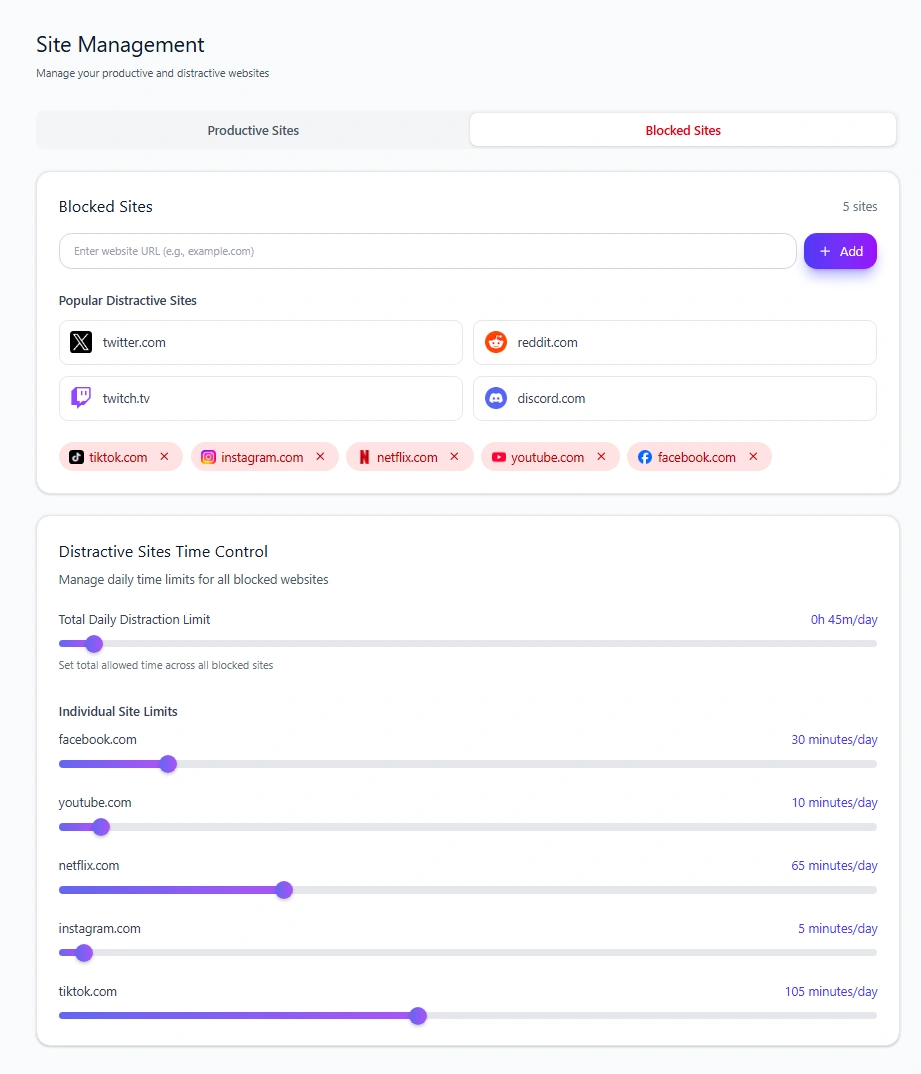
YouTube remained accessible while time was available. Once that daily allowance was used, Mindova interrupted access.
This gives you a middle ground between:
block everything
and:
rely on willpower every time I become distracted.
If the wider problem is interruptions throughout your working day—not only working from home—read our guide to how to avoid distractions while working.
If you want to build a larger blocklist across several websites, see how to block distracting websites and stay focused.
And if a website is both necessary for your job and distracting, our guide to blocking distractions without blocking the websites you need for work covers that problem in more detail.
Work in defined focus periods
An instruction such as:
Work on this all morning.
can feel harder to begin than:
Work on this for the next 30 minutes.
A defined work period creates a visible finish line.
You might try:
- 25 minutes of work + 5 minutes of break;
- 45 + 10;
- 60 + 10;
- or another interval that fits the task.
The exact number is not the important part.
The boundary is.
Mindova includes Pomodoro-style Focus Sessions, but any simple timer can work if it helps create a clear beginning and end.
During the focus period:
- choose one task;
- close unrelated tabs;
- silence unnecessary notifications;
- avoid starting secondary tasks.
When the timer finishes, decide deliberately whether to continue or take your planned break.
Do not spend more time optimizing your focus timer than doing the work itself.
Take breaks that are actually breaks
A break from work is not necessarily:
stop writing the report and scroll Instagram for ten minutes.
Your brain is still processing new information.
When possible, leave the screen.
Try:
- standing up;
- getting water;
- stretching;
- walking around;
- looking outside;
- stepping onto a balcony;
- taking a short walk.
A real break gives remote work some rhythm.
Without those boundaries, the day can easily become:
work → messages → browser → work → browser → email
until you realize you have been sitting in the same place for hours.
Breaks do not need to be long.
They just need to interrupt that loop.
Build a shutdown ritual
For many remote workers, the difficult part is not starting work.
It is stopping.
When your home is also your workspace, there is always one more thing you could finish.
Without a commute home, nothing naturally tells you:
Work is over.
Create that ending yourself.
For example:
- finish the task you are currently doing;
- write down unfinished work;
- choose tomorrow's first priority;
- close work tabs;
- check important communication one final time;
- close the laptop;
- leave your work area.
This keeps unfinished tasks from floating around in your head all evening.
It also makes the following morning easier because you already know where to begin.
The goal is not perfect separation.
It is making the transition from work mode → home mode deliberate.
Review what actually disrupted your week
Memory is not a very reliable productivity dashboard.
By Friday you may remember:
I was distracted a lot this week.
But not necessarily:
- which websites consumed the most time;
- how much focused work actually happened;
- which sites you kept reopening;
- or whether one distraction was much bigger than the others.
Mindova's analytics can help you review browsing and focus activity instead of relying only on memory.
Depending on the selected period and your activity, Mindova can show information including:
- Productive Time;
- Distracting Time;
- Focus Time;
- blocked attempts;
- Most Visited Websites;
- and website classifications.
One distinction is particularly important:
Focus Time is not Productive Time.
Focus Time records time spent in Mindova Focus Sessions.
Productive Time represents browsing on websites that you explicitly marked Productive.
Those are different measurements.
Neutral browsing is also recorded separately rather than automatically being counted as distracting.
A weekly review does not need to become another productivity ritual that consumes an hour.
Ask three questions:
What interrupted me repeatedly?
What worked?
What is one thing I should change next week?
Then change one thing.
Do not try to fix everything at once
The fastest way to make a productivity system annoying is to introduce ten new rules on Monday morning.
Start with your largest problem.
If you struggle to begin work:
→ improve your morning transition.
If people constantly interrupt you:
→ establish communication or household boundaries.
If you repeatedly open distracting websites:
→ start with limits or blocking.
If your working hours are fragmented:
→ protect one serious focus period.
If work follows you into the evening:
→ build a shutdown ritual.
Give one change enough time to become normal before adding another.
A simple work-from-home setup
You can keep the whole system simple.
Start
- Use the same workspace
- Follow a short start-of-day ritual
- Choose one clear first task
During the day
- Protect your best focus period
- Batch non-urgent communication
- Limit predictable digital distractions
- Work in defined focus periods
- Take real breaks
End
- Review unfinished work
- Choose tomorrow's first task
- Close work tabs
- Leave the workspace
That is already a useful system.
You do not need a complicated productivity stack.
If your browser itself is part of the problem, we also compared the best Chrome extensions for focus and productivity, including tools for website distraction, tabs, tasks, time tracking, and focus sessions.
Frequently asked questions
How can I stay productive while working from home?
Create clear boundaries around where and when you work, protect your strongest focus hours, reduce predictable interruptions, and use consistent start and shutdown routines. Start with the problem that disrupts you most rather than changing everything at once.
How do I stay focused when working from home?
Choose one task for a defined period, remove unrelated browser tabs and unnecessary notifications, and reduce access to websites you repeatedly open without intending to.
Should I follow a strict schedule when working from home?
You need enough structure to make work predictable, but that does not require planning every minute. A consistent start, protected focus windows, communication periods, deliberate breaks, and a clear end to the day may be enough.
How do I avoid distractions when working remotely?
Separate distractions into categories: household interruptions, communication, digital distractions, and task switching. Different distractions require different solutions.
Should I block social media while working from home?
If you do not need a platform for work, blocking it can be useful. If you still need it occasionally, a daily allowance may be more practical than completely removing access.
Make remote work easier to repeat
The best remote-work routine is not the one that looks the most disciplined.
It is the one that makes tomorrow easier.
Give work a place.
Give the workday a beginning.
Protect the hours when your attention is strongest.
Control the interruptions you already know are coming.
Then create a real ending so work does not quietly consume the rest of your day.
Mouhsine
Remote Work Expert
Passionate about helping people achieve peak mental performance through evidence-based strategies and mindful technology use.
Related Articles

How to Focus on Writing Without Digital Distractions
Learn how to stay focused while writing by separating drafting from research, reducing digital distractions, and keeping the online tools you actually need
Creative Block: How to Get Unstuck and Start Creating Again
Feeling creatively stuck? Learn what creative block can look like, how to identify what is stopping you, and practical ways to generate ideas and move forward
How to Avoid Distractions While Working: 10 Practical Strategies
Learn how to avoid distractions while working by reducing digital triggers, managing notifications, limiting distracting websites, and protecting focused work time.
Comments
Be the first to comment.
Ready to protect your focus?
Block distracting sites, set daily limits, and run focus sessions. Mindova is free.